

Williams
38
64
131
Jones
40
67
133
Brown
49
64
119
Extract Data Using Dot Notation and Logical Values
Create a table from the patients MAT-file. Then use dot notation to extract data from table
variables. You can also index using logical indices generated from values in a table variable that meet
a condition.
load patients
T = table(Age,Gender,Height,Weight,Smoker,...
'RowNames',LastName);
Extract Data from Variable
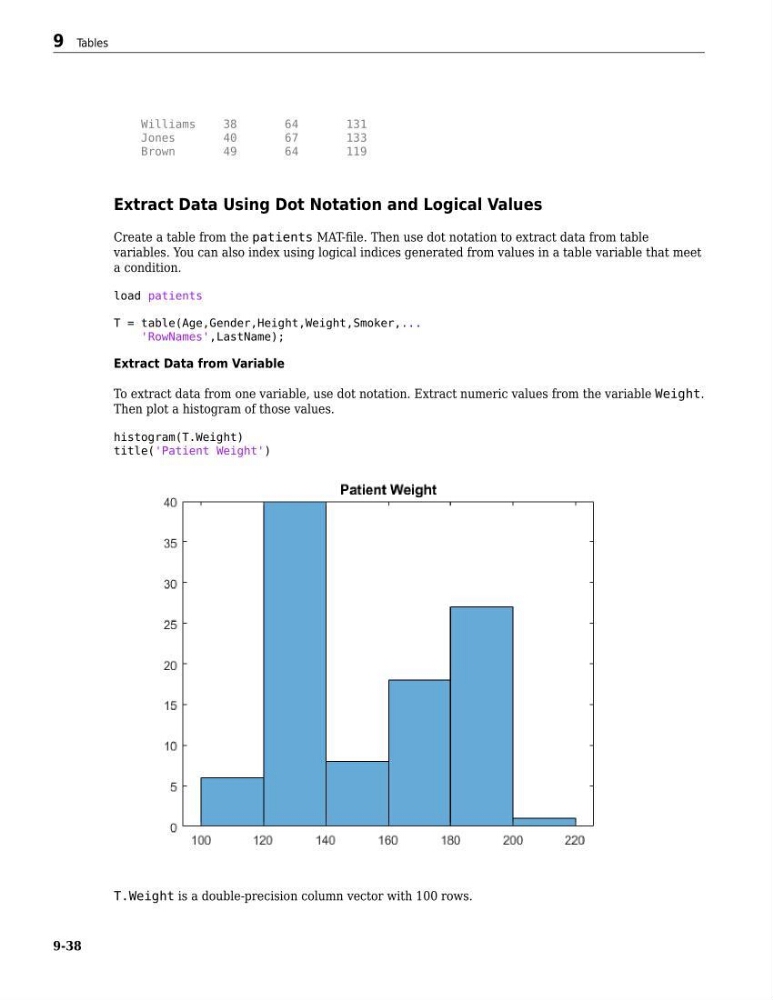
To extract data from one variable, use dot notation. Extract numeric values from the variable Weight.
Then plot a histogram of those values.
histogram(T.Weight)
title('Patient Weight')
T.Weight is a double-precision column vector with 100 rows.
9 Tables
9-38
38
64
131
Jones
40
67
133
Brown
49
64
119
Extract Data Using Dot Notation and Logical Values
Create a table from the patients MAT-file. Then use dot notation to extract data from table
variables. You can also index using logical indices generated from values in a table variable that meet
a condition.
load patients
T = table(Age,Gender,Height,Weight,Smoker,...
'RowNames',LastName);
Extract Data from Variable
To extract data from one variable, use dot notation. Extract numeric values from the variable Weight.
Then plot a histogram of those values.
histogram(T.Weight)
title('Patient Weight')
T.Weight is a double-precision column vector with 100 rows.
9 Tables
9-38