

Create Tables and Assign Data to Them
Tables are suitable for column-oriented data such as tabular data from text files or spreadsheets.
Tables store columns of data in variables. The variables in a table can have different data types,
though all of the variables must have the same number of rows. However, table variables are not
restricted to storing only column vectors. For example, a table variable can contain a matrix with
multiple columns as long as it has the same number of rows as the other table variables.
In MATLAB®, you can create tables and assign data to them in several ways.
• Create a table from input arrays by using the table function.
• Add variables to an existing table by using dot notation.
• Assign variables to an empty table.
• Preallocate a table and fill in its data later.
• Convert variables to tables by using the array2table, cell2table, or struct2table
functions.
• Read a table from file by using the readtable function.
• Import a table using the Import Tool.
The way you choose depends on the nature of your data and how you plan to use tables in your code.
Create Tables from Input Arrays
You can create a table from arrays by using the table function. For example, create a small table
with data for five patients.
First, create six column-oriented arrays of data. These arrays have five rows because there are five
patients. (Most of these arrays are 5-by-1 column vectors, while BloodPressure is a 5-by-2 matrix.)
LastName = ["Sanchez";"Johnson";"Zhang";"Diaz";"Brown"];
Age = [38;43;38;40;49];
Smoker = [true;false;true;false;true];
Height = [71;69;64;67;64];
Weight = [176;163;131;133;119];
BloodPressure = [124 93; 109 77; 125 83; 117 75; 122 80];
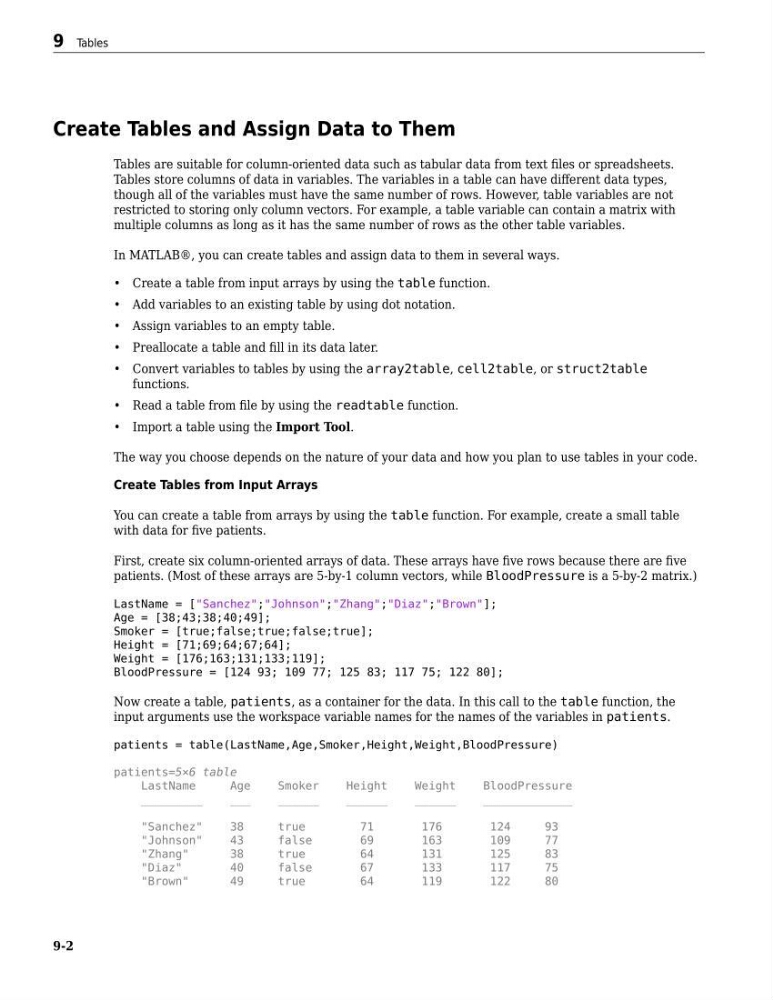
Now create a table, patients, as a container for the data. In this call to the table function, the
input arguments use the workspace variable names for the names of the variables in patients.
patients = table(LastName,Age,Smoker,Height,Weight,BloodPressure)
patients=5×6 table
LastName
Age
Smoker
Height
Weight
BloodPressure
_________
___
______
______
______
_____________
"Sanchez"
38
true
71
176
124
93
"Johnson"
43
false
69
163
109
77
"Zhang"
38
true
64
131
125
83
"Diaz"
40
false
67
133
117
75
"Brown"
49
true
64
119
122
80
9 Tables
9-2
Tables are suitable for column-oriented data such as tabular data from text files or spreadsheets.
Tables store columns of data in variables. The variables in a table can have different data types,
though all of the variables must have the same number of rows. However, table variables are not
restricted to storing only column vectors. For example, a table variable can contain a matrix with
multiple columns as long as it has the same number of rows as the other table variables.
In MATLAB®, you can create tables and assign data to them in several ways.
• Create a table from input arrays by using the table function.
• Add variables to an existing table by using dot notation.
• Assign variables to an empty table.
• Preallocate a table and fill in its data later.
• Convert variables to tables by using the array2table, cell2table, or struct2table
functions.
• Read a table from file by using the readtable function.
• Import a table using the Import Tool.
The way you choose depends on the nature of your data and how you plan to use tables in your code.
Create Tables from Input Arrays
You can create a table from arrays by using the table function. For example, create a small table
with data for five patients.
First, create six column-oriented arrays of data. These arrays have five rows because there are five
patients. (Most of these arrays are 5-by-1 column vectors, while BloodPressure is a 5-by-2 matrix.)
LastName = ["Sanchez";"Johnson";"Zhang";"Diaz";"Brown"];
Age = [38;43;38;40;49];
Smoker = [true;false;true;false;true];
Height = [71;69;64;67;64];
Weight = [176;163;131;133;119];
BloodPressure = [124 93; 109 77; 125 83; 117 75; 122 80];
Now create a table, patients, as a container for the data. In this call to the table function, the
input arguments use the workspace variable names for the names of the variables in patients.
patients = table(LastName,Age,Smoker,Height,Weight,BloodPressure)
patients=5×6 table
LastName
Age
Smoker
Height
Weight
BloodPressure
_________
___
______
______
______
_____________
"Sanchez"
38
true
71
176
124
93
"Johnson"
43
false
69
163
109
77
"Zhang"
38
true
64
131
125
83
"Diaz"
40
false
67
133
117
75
"Brown"
49
true
64
119
122
80
9 Tables
9-2