

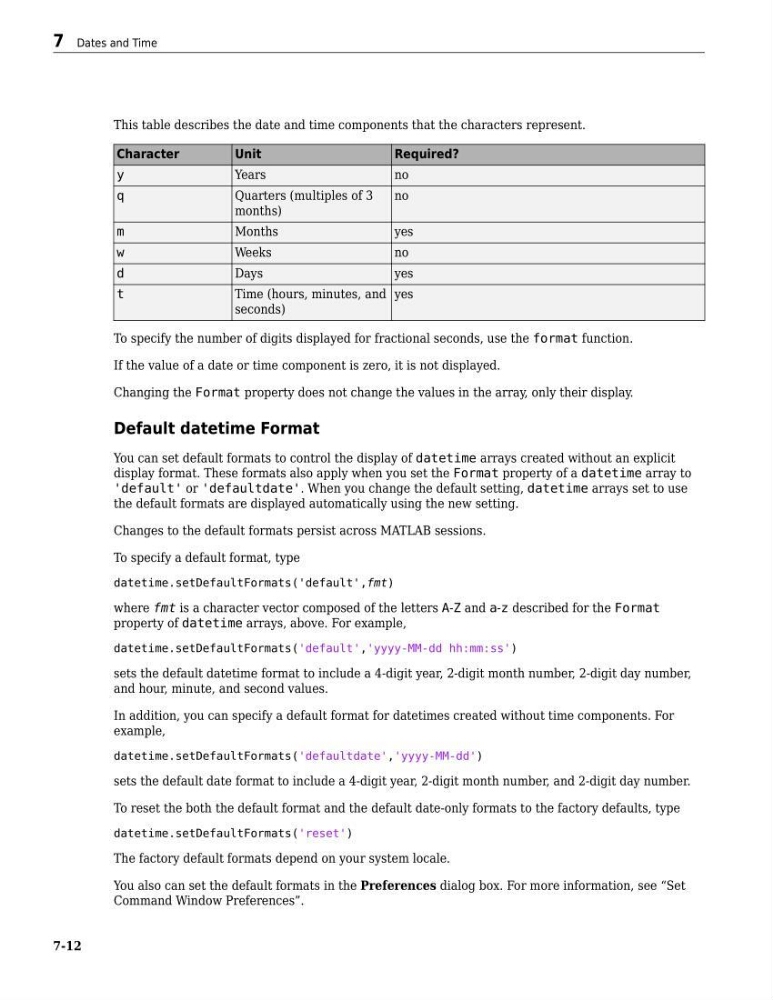
This table describes the date and time components that the characters represent.
Character
Unit
Required?
y
Years
no
q
Quarters (multiples of 3
months)
no
m
Months
yes
w
Weeks
no
d
Days
yes
t
Time (hours, minutes, and
seconds)
yes
To specify the number of digits displayed for fractional seconds, use the format function.
If the value of a date or time component is zero, it is not displayed.
Changing the Format property does not change the values in the array, only their display.
Default datetime Format
You can set default formats to control the display of datetime arrays created without an explicit
display format. These formats also apply when you set the Format property of a datetime array to
'default' or 'defaultdate'. When you change the default setting, datetime arrays set to use
the default formats are displayed automatically using the new setting.
Changes to the default formats persist across MATLAB sessions.
To specify a default format, type
datetime.setDefaultFormats('default',fmt)
where fmt is a character vector composed of the letters A-Z and a-z described for the Format
property of datetime arrays, above. For example,
datetime.setDefaultFormats('default','yyyy-MM-dd hh:mm:ss')
sets the default datetime format to include a 4-digit year, 2-digit month number, 2-digit day number,
and hour, minute, and second values.
In addition, you can specify a default format for datetimes created without time components. For
example,
datetime.setDefaultFormats('defaultdate','yyyy-MM-dd')
sets the default date format to include a 4-digit year, 2-digit month number, and 2-digit day number.
To reset the both the default format and the default date-only formats to the factory defaults, type
datetime.setDefaultFormats('reset')
The factory default formats depend on your system locale.
You also can set the default formats in the Preferences dialog box. For more information, see “Set
Command Window Preferences”.
7 Dates and Time
7-12
Character
Unit
Required?
y
Years
no
q
Quarters (multiples of 3
months)
no
m
Months
yes
w
Weeks
no
d
Days
yes
t
Time (hours, minutes, and
seconds)
yes
To specify the number of digits displayed for fractional seconds, use the format function.
If the value of a date or time component is zero, it is not displayed.
Changing the Format property does not change the values in the array, only their display.
Default datetime Format
You can set default formats to control the display of datetime arrays created without an explicit
display format. These formats also apply when you set the Format property of a datetime array to
'default' or 'defaultdate'. When you change the default setting, datetime arrays set to use
the default formats are displayed automatically using the new setting.
Changes to the default formats persist across MATLAB sessions.
To specify a default format, type
datetime.setDefaultFormats('default',fmt)
where fmt is a character vector composed of the letters A-Z and a-z described for the Format
property of datetime arrays, above. For example,
datetime.setDefaultFormats('default','yyyy-MM-dd hh:mm:ss')
sets the default datetime format to include a 4-digit year, 2-digit month number, 2-digit day number,
and hour, minute, and second values.
In addition, you can specify a default format for datetimes created without time components. For
example,
datetime.setDefaultFormats('defaultdate','yyyy-MM-dd')
sets the default date format to include a 4-digit year, 2-digit month number, and 2-digit day number.
To reset the both the default format and the default date-only formats to the factory defaults, type
datetime.setDefaultFormats('reset')
The factory default formats depend on your system locale.
You also can set the default formats in the Preferences dialog box. For more information, see “Set
Command Window Preferences”.
7 Dates and Time
7-12