

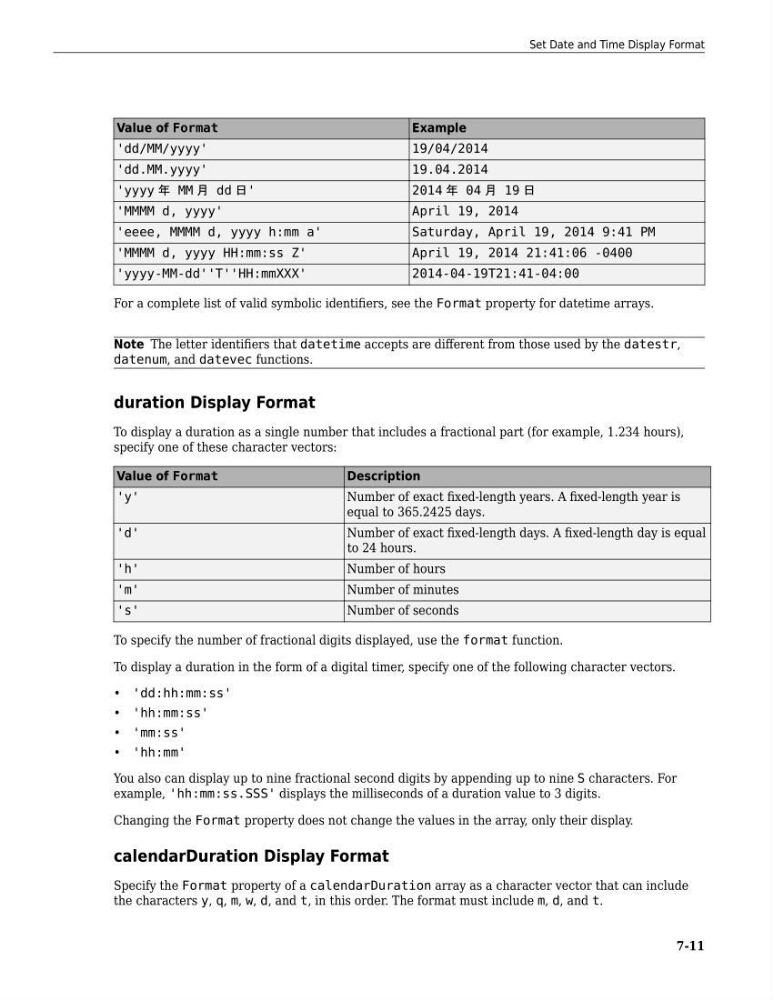
Value of Format
Example
'dd/MM/yyyy'
19/04/2014
'dd.MM.yyyy'
19.04.2014
'yyyy 年 MM 月 dd 日'
2014 年 04 月 19 日
'MMMM d, yyyy'
April 19, 2014
'eeee, MMMM d, yyyy h:mm a'
Saturday, April 19, 2014 9:41 PM
'MMMM d, yyyy HH:mm:ss Z'
April 19, 2014 21:41:06 -0400
'yyyy-MM-dd''T''HH:mmXXX'
2014-04-19T21:41-04:00
For a complete list of valid symbolic identifiers, see the Format property for datetime arrays.
Note The letter identifiers that datetime accepts are different from those used by the datestr,
datenum, and datevec functions.
duration Display Format
To display a duration as a single number that includes a fractional part (for example, 1.234 hours),
specify one of these character vectors:
Value of Format
Description
'y'
Number of exact fixed-length years. A fixed-length year is
equal to 365.2425 days.
'd'
Number of exact fixed-length days. A fixed-length day is equal
to 24 hours.
'h'
Number of hours
'm'
Number of minutes
's'
Number of seconds
To specify the number of fractional digits displayed, use the format function.
To display a duration in the form of a digital timer, specify one of the following character vectors.
• 'dd:hh:mm:ss'
• 'hh:mm:ss'
• 'mm:ss'
• 'hh:mm'
You also can display up to nine fractional second digits by appending up to nine S characters. For
example, 'hh:mm:ss.SSS' displays the milliseconds of a duration value to 3 digits.
Changing the Format property does not change the values in the array, only their display.
calendarDuration Display Format
Specify the Format property of a calendarDuration array as a character vector that can include
the characters y, q, m, w, d, and t, in this order. The format must include m, d, and t.
Set Date and Time Display Format
7-11
Example
'dd/MM/yyyy'
19/04/2014
'dd.MM.yyyy'
19.04.2014
'yyyy 年 MM 月 dd 日'
2014 年 04 月 19 日
'MMMM d, yyyy'
April 19, 2014
'eeee, MMMM d, yyyy h:mm a'
Saturday, April 19, 2014 9:41 PM
'MMMM d, yyyy HH:mm:ss Z'
April 19, 2014 21:41:06 -0400
'yyyy-MM-dd''T''HH:mmXXX'
2014-04-19T21:41-04:00
For a complete list of valid symbolic identifiers, see the Format property for datetime arrays.
Note The letter identifiers that datetime accepts are different from those used by the datestr,
datenum, and datevec functions.
duration Display Format
To display a duration as a single number that includes a fractional part (for example, 1.234 hours),
specify one of these character vectors:
Value of Format
Description
'y'
Number of exact fixed-length years. A fixed-length year is
equal to 365.2425 days.
'd'
Number of exact fixed-length days. A fixed-length day is equal
to 24 hours.
'h'
Number of hours
'm'
Number of minutes
's'
Number of seconds
To specify the number of fractional digits displayed, use the format function.
To display a duration in the form of a digital timer, specify one of the following character vectors.
• 'dd:hh:mm:ss'
• 'hh:mm:ss'
• 'mm:ss'
• 'hh:mm'
You also can display up to nine fractional second digits by appending up to nine S characters. For
example, 'hh:mm:ss.SSS' displays the milliseconds of a duration value to 3 digits.
Changing the Format property does not change the values in the array, only their display.
calendarDuration Display Format
Specify the Format property of a calendarDuration array as a character vector that can include
the characters y, q, m, w, d, and t, in this order. The format must include m, d, and t.
Set Date and Time Display Format
7-11