

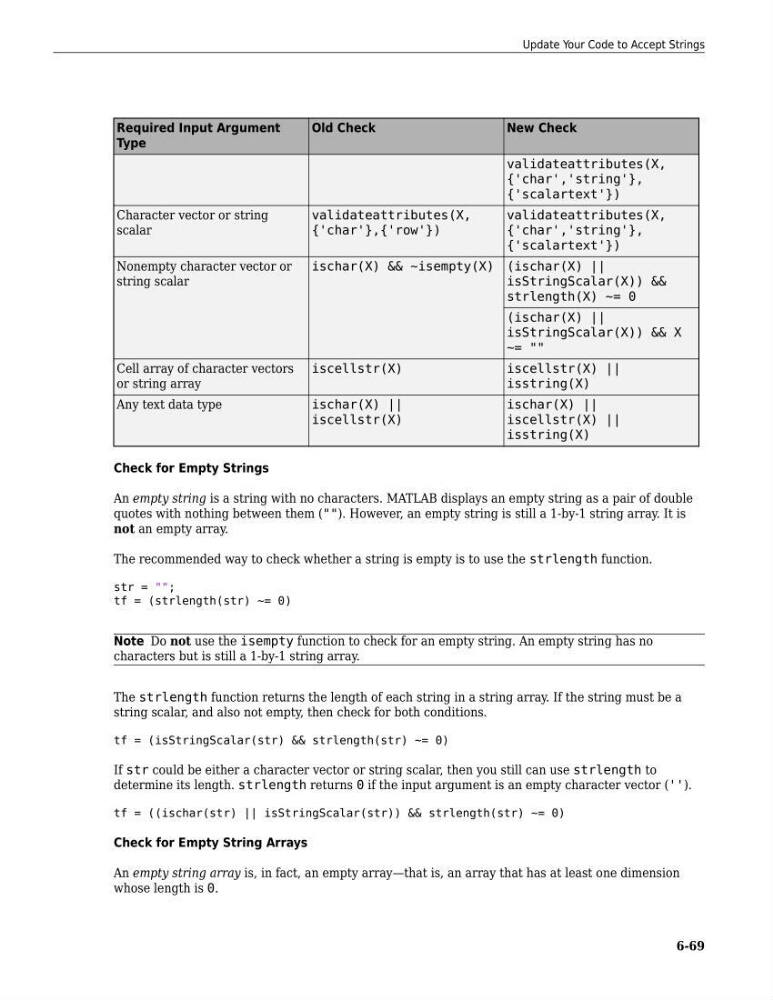
Required Input Argument
Type
Old Check
New Check
validateattributes(X,
{'char','string'},
{'scalartext'})
Character vector or string
scalar
validateattributes(X,
{'char'},{'row'})
validateattributes(X,
{'char','string'},
{'scalartext'})
Nonempty character vector or
string scalar
ischar(X) && ~isempty(X) (ischar(X) ||
isStringScalar(X)) &&
strlength(X) ~= 0
(ischar(X) ||
isStringScalar(X)) && X
~= ""
Cell array of character vectors
or string array
iscellstr(X)
iscellstr(X) ||
isstring(X)
Any text data type
ischar(X) ||
iscellstr(X)
ischar(X) ||
iscellstr(X) ||
isstring(X)
Check for Empty Strings
An empty string is a string with no characters. MATLAB displays an empty string as a pair of double
quotes with nothing between them (""). However, an empty string is still a 1-by-1 string array. It is
not an empty array.
The recommended way to check whether a string is empty is to use the strlength function.
str = "";
tf = (strlength(str) ~= 0)
Note Do not use the isempty function to check for an empty string. An empty string has no
characters but is still a 1-by-1 string array.
The strlength function returns the length of each string in a string array. If the string must be a
string scalar, and also not empty, then check for both conditions.
tf = (isStringScalar(str) && strlength(str) ~= 0)
If str could be either a character vector or string scalar, then you still can use strlength to
determine its length. strlength returns 0 if the input argument is an empty character vector ('').
tf = ((ischar(str) || isStringScalar(str)) && strlength(str) ~= 0)
Check for Empty String Arrays
An empty string array is, in fact, an empty array—that is, an array that has at least one dimension
whose length is 0.
Update Your Code to Accept Strings
6-69
Type
Old Check
New Check
validateattributes(X,
{'char','string'},
{'scalartext'})
Character vector or string
scalar
validateattributes(X,
{'char'},{'row'})
validateattributes(X,
{'char','string'},
{'scalartext'})
Nonempty character vector or
string scalar
ischar(X) && ~isempty(X) (ischar(X) ||
isStringScalar(X)) &&
strlength(X) ~= 0
(ischar(X) ||
isStringScalar(X)) && X
~= ""
Cell array of character vectors
or string array
iscellstr(X)
iscellstr(X) ||
isstring(X)
Any text data type
ischar(X) ||
iscellstr(X)
ischar(X) ||
iscellstr(X) ||
isstring(X)
Check for Empty Strings
An empty string is a string with no characters. MATLAB displays an empty string as a pair of double
quotes with nothing between them (""). However, an empty string is still a 1-by-1 string array. It is
not an empty array.
The recommended way to check whether a string is empty is to use the strlength function.
str = "";
tf = (strlength(str) ~= 0)
Note Do not use the isempty function to check for an empty string. An empty string has no
characters but is still a 1-by-1 string array.
The strlength function returns the length of each string in a string array. If the string must be a
string scalar, and also not empty, then check for both conditions.
tf = (isStringScalar(str) && strlength(str) ~= 0)
If str could be either a character vector or string scalar, then you still can use strlength to
determine its length. strlength returns 0 if the input argument is an empty character vector ('').
tf = ((ischar(str) || isStringScalar(str)) && strlength(str) ~= 0)
Check for Empty String Arrays
An empty string array is, in fact, an empty array—that is, an array that has at least one dimension
whose length is 0.
Update Your Code to Accept Strings
6-69