

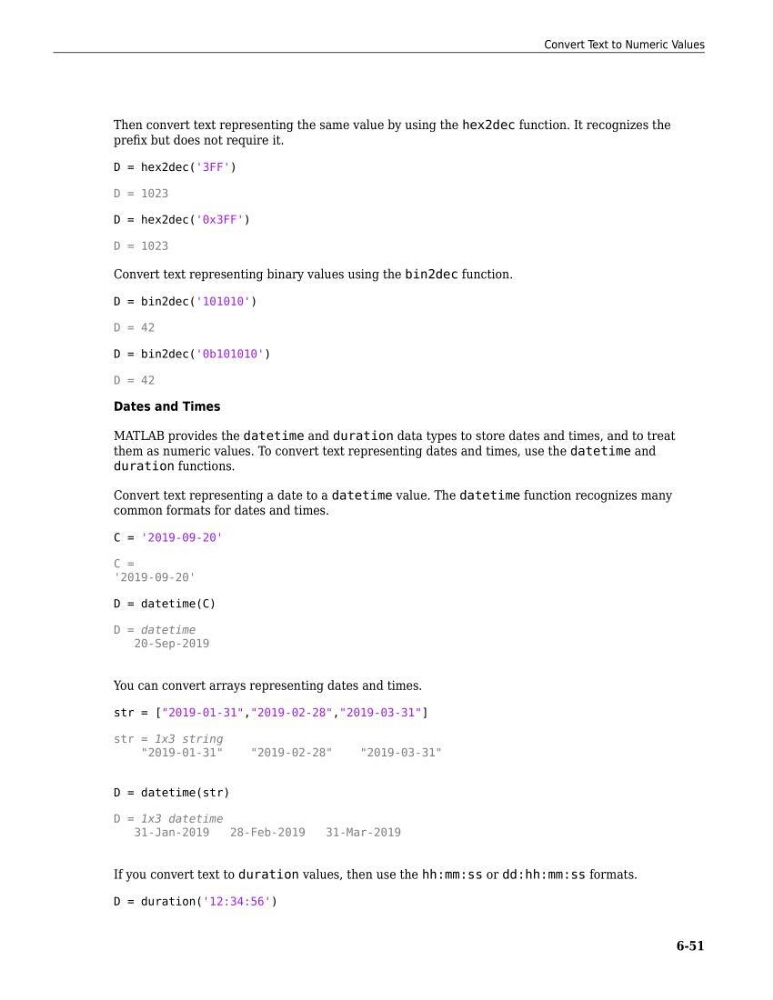
Then convert text representing the same value by using the hex2dec function. It recognizes the
prefix but does not require it.
D = hex2dec('3FF')
D = 1023
D = hex2dec('0x3FF')
D = 1023
Convert text representing binary values using the bin2dec function.
D = bin2dec('101010')
D = 42
D = bin2dec('0b101010')
D = 42
Dates and Times
MATLAB provides the datetime and duration data types to store dates and times, and to treat
them as numeric values. To convert text representing dates and times, use the datetime and
duration functions.
Convert text representing a date to a datetime value. The datetime function recognizes many
common formats for dates and times.
C = '2019-09-20'
C =
'2019-09-20'
D = datetime(C)
D = datetime
20-Sep-2019
You can convert arrays representing dates and times.
str = ["2019-01-31","2019-02-28","2019-03-31"]
str = 1x3 string
"2019-01-31"
"2019-02-28"
"2019-03-31"
D = datetime(str)
D = 1x3 datetime
31-Jan-2019
28-Feb-2019
31-Mar-2019
If you convert text to duration values, then use the hh:mm:ss or dd:hh:mm:ss formats.
D = duration('12:34:56')
Convert Text to Numeric Values
6-51
prefix but does not require it.
D = hex2dec('3FF')
D = 1023
D = hex2dec('0x3FF')
D = 1023
Convert text representing binary values using the bin2dec function.
D = bin2dec('101010')
D = 42
D = bin2dec('0b101010')
D = 42
Dates and Times
MATLAB provides the datetime and duration data types to store dates and times, and to treat
them as numeric values. To convert text representing dates and times, use the datetime and
duration functions.
Convert text representing a date to a datetime value. The datetime function recognizes many
common formats for dates and times.
C = '2019-09-20'
C =
'2019-09-20'
D = datetime(C)
D = datetime
20-Sep-2019
You can convert arrays representing dates and times.
str = ["2019-01-31","2019-02-28","2019-03-31"]
str = 1x3 string
"2019-01-31"
"2019-02-28"
"2019-03-31"
D = datetime(str)
D = 1x3 datetime
31-Jan-2019
28-Feb-2019
31-Mar-2019
If you convert text to duration values, then use the hh:mm:ss or dd:hh:mm:ss formats.
D = duration('12:34:56')
Convert Text to Numeric Values
6-51