

• “Concatenation” on page 2-83
• “Function Call Arguments” on page 2-84
• “Function Return Values” on page 2-84
The following sections provide examples of using comma-separated lists with cell arrays. Each of
these examples applies to MATLAB structures as well.
Constructing Arrays
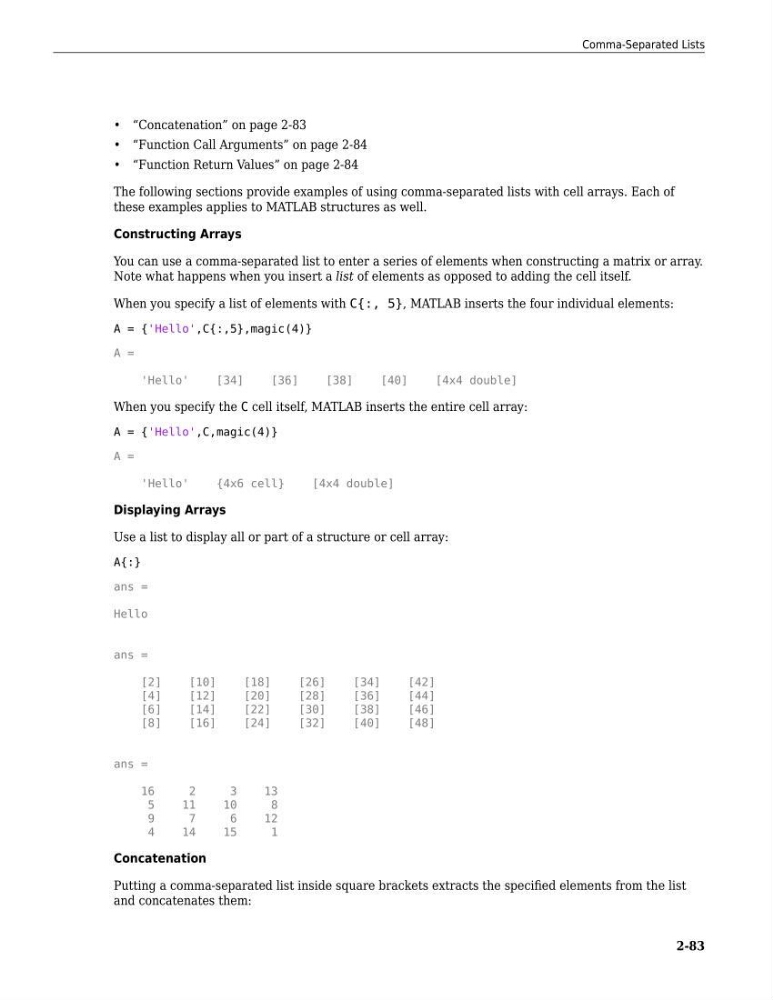
You can use a comma-separated list to enter a series of elements when constructing a matrix or array.
Note what happens when you insert a list of elements as opposed to adding the cell itself.
When you specify a list of elements with C{:, 5}, MATLAB inserts the four individual elements:
A = {'Hello',C{:,5},magic(4)}
A =
'Hello'
[34]
[36]
[38]
[40]
[4x4 double]
When you specify the C cell itself, MATLAB inserts the entire cell array:
A = {'Hello',C,magic(4)}
A =
'Hello'
{4x6 cell}
[4x4 double]
Displaying Arrays
Use a list to display all or part of a structure or cell array:
A{:}
ans =
Hello
ans =
[2]
[10]
[18]
[26]
[34]
[42]
[4]
[12]
[20]
[28]
[36]
[44]
[6]
[14]
[22]
[30]
[38]
[46]
[8]
[16]
[24]
[32]
[40]
[48]
ans =
16
2
3
13
5
11
10
8
9
7
6
12
4
14
15
1
Concatenation
Putting a comma-separated list inside square brackets extracts the specified elements from the list
and concatenates them:
Comma-Separated Lists
2-83
• “Function Call Arguments” on page 2-84
• “Function Return Values” on page 2-84
The following sections provide examples of using comma-separated lists with cell arrays. Each of
these examples applies to MATLAB structures as well.
Constructing Arrays
You can use a comma-separated list to enter a series of elements when constructing a matrix or array.
Note what happens when you insert a list of elements as opposed to adding the cell itself.
When you specify a list of elements with C{:, 5}, MATLAB inserts the four individual elements:
A = {'Hello',C{:,5},magic(4)}
A =
'Hello'
[34]
[36]
[38]
[40]
[4x4 double]
When you specify the C cell itself, MATLAB inserts the entire cell array:
A = {'Hello',C,magic(4)}
A =
'Hello'
{4x6 cell}
[4x4 double]
Displaying Arrays
Use a list to display all or part of a structure or cell array:
A{:}
ans =
Hello
ans =
[2]
[10]
[18]
[26]
[34]
[42]
[4]
[12]
[20]
[28]
[36]
[44]
[6]
[14]
[22]
[30]
[38]
[46]
[8]
[16]
[24]
[32]
[40]
[48]
ans =
16
2
3
13
5
11
10
8
9
7
6
12
4
14
15
1
Concatenation
Putting a comma-separated list inside square brackets extracts the specified elements from the list
and concatenates them:
Comma-Separated Lists
2-83