

Unmatched Tokens
For those tokens specified in the regular expression that have no match in the text being evaluated,
regexp and regexpi return an empty character vector ('') as the token output, and an extent that
marks the position in the string where the token was expected.
The example shown here executes regexp on a character vector specifying the path returned from
the MATLAB tempdir function. The regular expression expr includes six token specifiers, one for
each piece of the path. The third specifier [a-z]+ has no match in the character vector because this
part of the path, Profiles, begins with an uppercase letter:
chr = tempdir
chr =
'C:\WINNT\Profiles\bpascal\LOCALS~1\Temp\'
expr = ['([A-Z]:)\\(WINNT)\\([a-z]+)?.*\\' ...
'([a-z]+)\\([A-Z]+~\d)\\(Temp)\\'];
[tok, ext] = regexp(chr, expr, 'tokens', 'tokenExtents');
When a token is not found in the text, regexp returns an empty character vector ('') as the token
and a numeric array with the token extent. The first number of the extent is the string index that
marks where the token was expected, and the second number of the extent is equal to one less than
the first.
In the case of this example, the empty token is the third specified in the expression, so the third token
returned is empty:
tok{:}
ans =
1×6 cell array
{'C:'}
{'WINNT'}
{0×0 char}
{'bpascal'}
{'LOCALS~1'}
{'Temp'}
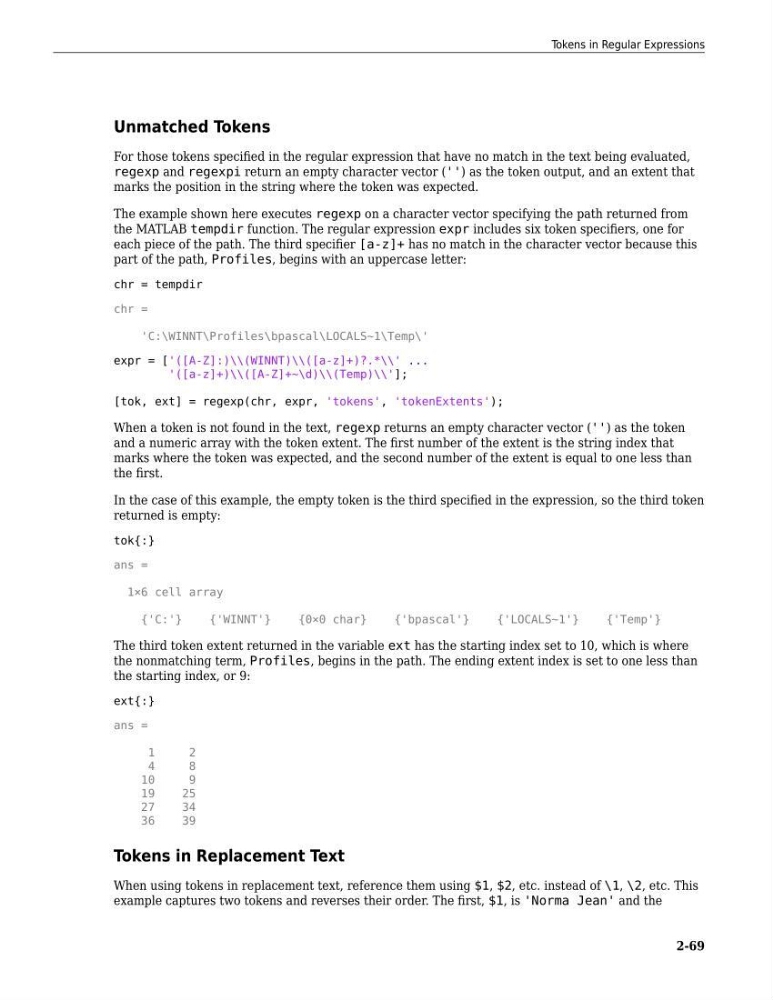
The third token extent returned in the variable ext has the starting index set to 10, which is where
the nonmatching term, Profiles, begins in the path. The ending extent index is set to one less than
the starting index, or 9:
ext{:}
ans =
1
2
4
8
10
9
19
25
27
34
36
39
Tokens in Replacement Text
When using tokens in replacement text, reference them using $1, $2, etc. instead of \1, \2, etc. This
example captures two tokens and reverses their order. The first, $1, is 'Norma Jean' and the
Tokens in Regular Expressions
2-69
For those tokens specified in the regular expression that have no match in the text being evaluated,
regexp and regexpi return an empty character vector ('') as the token output, and an extent that
marks the position in the string where the token was expected.
The example shown here executes regexp on a character vector specifying the path returned from
the MATLAB tempdir function. The regular expression expr includes six token specifiers, one for
each piece of the path. The third specifier [a-z]+ has no match in the character vector because this
part of the path, Profiles, begins with an uppercase letter:
chr = tempdir
chr =
'C:\WINNT\Profiles\bpascal\LOCALS~1\Temp\'
expr = ['([A-Z]:)\\(WINNT)\\([a-z]+)?.*\\' ...
'([a-z]+)\\([A-Z]+~\d)\\(Temp)\\'];
[tok, ext] = regexp(chr, expr, 'tokens', 'tokenExtents');
When a token is not found in the text, regexp returns an empty character vector ('') as the token
and a numeric array with the token extent. The first number of the extent is the string index that
marks where the token was expected, and the second number of the extent is equal to one less than
the first.
In the case of this example, the empty token is the third specified in the expression, so the third token
returned is empty:
tok{:}
ans =
1×6 cell array
{'C:'}
{'WINNT'}
{0×0 char}
{'bpascal'}
{'LOCALS~1'}
{'Temp'}
The third token extent returned in the variable ext has the starting index set to 10, which is where
the nonmatching term, Profiles, begins in the path. The ending extent index is set to one less than
the starting index, or 9:
ext{:}
ans =
1
2
4
8
10
9
19
25
27
34
36
39
Tokens in Replacement Text
When using tokens in replacement text, reference them using $1, $2, etc. instead of \1, \2, etc. This
example captures two tokens and reverses their order. The first, $1, is 'Norma Jean' and the
Tokens in Regular Expressions
2-69