

CHAPTER 4 ■ COMPLEX FLOWS: NODE-RED
65
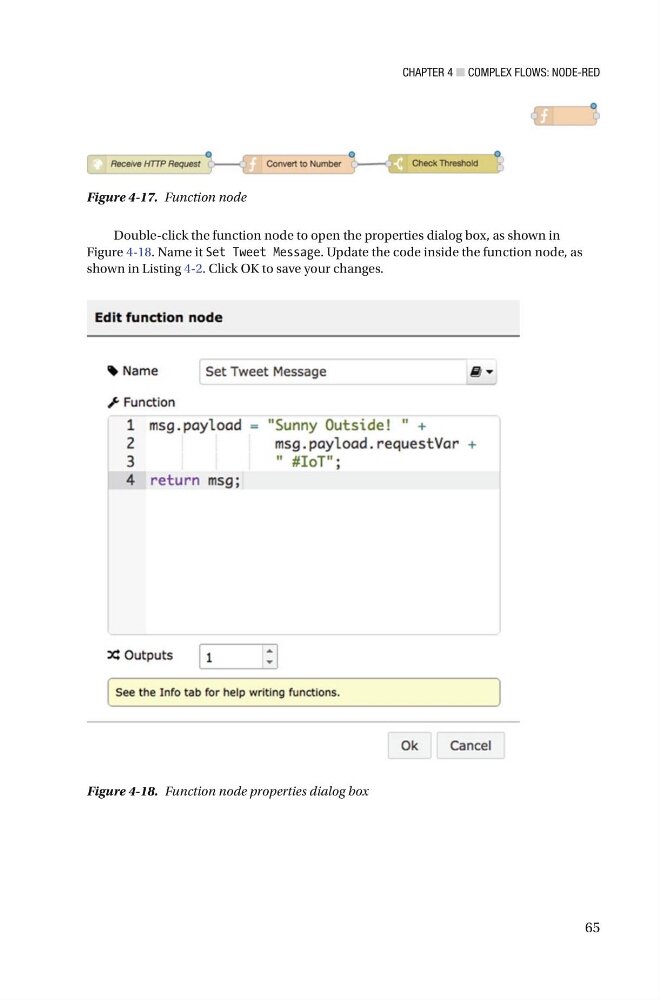
Double-click the function node to open the properties dialog box, as shown in
Figure 4-18 . Name it Set Tweet Message . Update the code inside the function node, as
shown in Listing 4-2 . Click OK to save your changes.
Figure 4-17. Function node
Figure 4-18. Function node properties dialog box
65
Double-click the function node to open the properties dialog box, as shown in
Figure 4-18 . Name it Set Tweet Message . Update the code inside the function node, as
shown in Listing 4-2 . Click OK to save your changes.
Figure 4-17. Function node
Figure 4-18. Function node properties dialog box