

CHAPTER 12 ■ IOT PLATFORMS
264
■ Note You can also trigger a Zapier task from Arduino using the HTTP POST method
discussed in Chapter 3 .
To set up a Zap, you first need to set up a free Zapier account. Once you have
completed account setup process, log in to Zapier at https://zapier.com/ . Upon login,
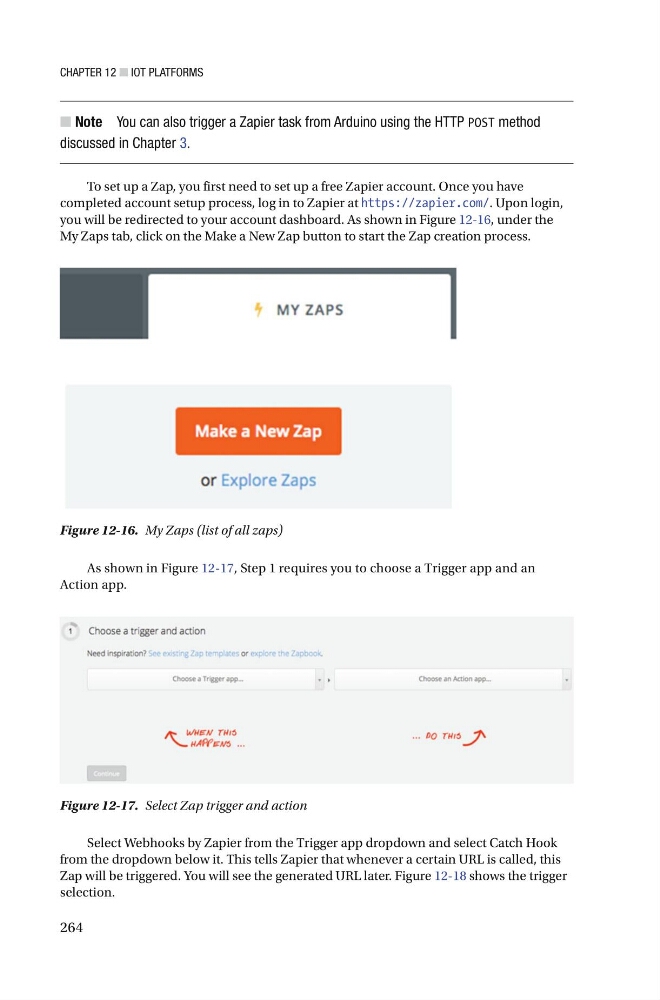
you will be redirected to your account dashboard. As shown in Figure 12-16 , under the
My Zaps tab, click on the Make a New Zap button to start the Zap creation process .
Figure 12-17. Select Zap trigger and action
Figure 12-16. My Zaps (list of all zaps)
As shown in Figure 12-17 , Step 1 requires you to choose a Trigger app and an
Action app.
Select Webhooks by Zapier from the Trigger app dropdown and select Catch Hook
from the dropdown below it. This tells Zapier that whenever a certain URL is called, this
Zap will be triggered. You will see the generated URL later. Figure 12-18 shows the trigger
selection.
264
■ Note You can also trigger a Zapier task from Arduino using the HTTP POST method
discussed in Chapter 3 .
To set up a Zap, you first need to set up a free Zapier account. Once you have
completed account setup process, log in to Zapier at https://zapier.com/ . Upon login,
you will be redirected to your account dashboard. As shown in Figure 12-16 , under the
My Zaps tab, click on the Make a New Zap button to start the Zap creation process .
Figure 12-17. Select Zap trigger and action
Figure 12-16. My Zaps (list of all zaps)
As shown in Figure 12-17 , Step 1 requires you to choose a Trigger app and an
Action app.
Select Webhooks by Zapier from the Trigger app dropdown and select Catch Hook
from the dropdown below it. This tells Zapier that whenever a certain URL is called, this
Zap will be triggered. You will see the generated URL later. Figure 12-18 shows the trigger
selection.