

CHAPTER 10 ■ IOT PATTERNS: MACHINE TO HUMAN
234
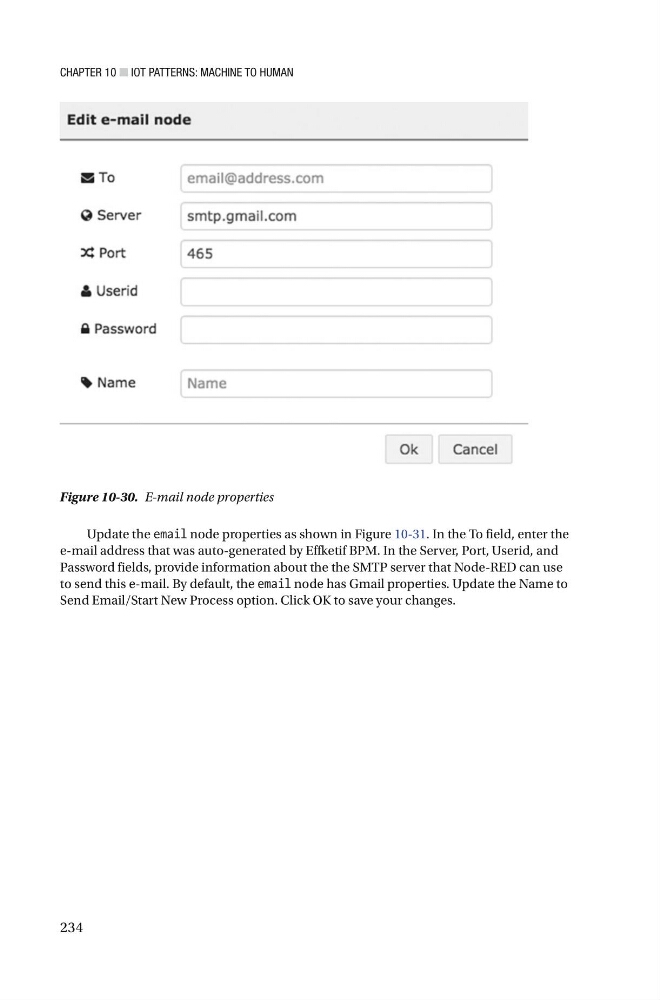
Update the email node properties as shown in Figure 10-31 . In the To field, enter the
e-mail address that was auto-generated by Effketif BPM. In the Server, Port, Userid, and
Password fields, provide information about the the SMTP server that Node-RED can use
to send this e-mail. By default, the email node has Gmail properties. Update the Name to
Send Email/Start New Process option. Click OK to save your changes.
Figure 10-30. E-mail node properties
234
Update the email node properties as shown in Figure 10-31 . In the To field, enter the
e-mail address that was auto-generated by Effketif BPM. In the Server, Port, Userid, and
Password fields, provide information about the the SMTP server that Node-RED can use
to send this e-mail. By default, the email node has Gmail properties. Update the Name to
Send Email/Start New Process option. Click OK to save your changes.
Figure 10-30. E-mail node properties