

CHAPTER 10 ■ IOT PATTERNS: MACHINE TO HUMAN
233
Drag and drop an email node from the social palette and place it in the flow tab after
the Receive MQTT Messages node. Your flow should look similar to Figure 10-29 at this
point.
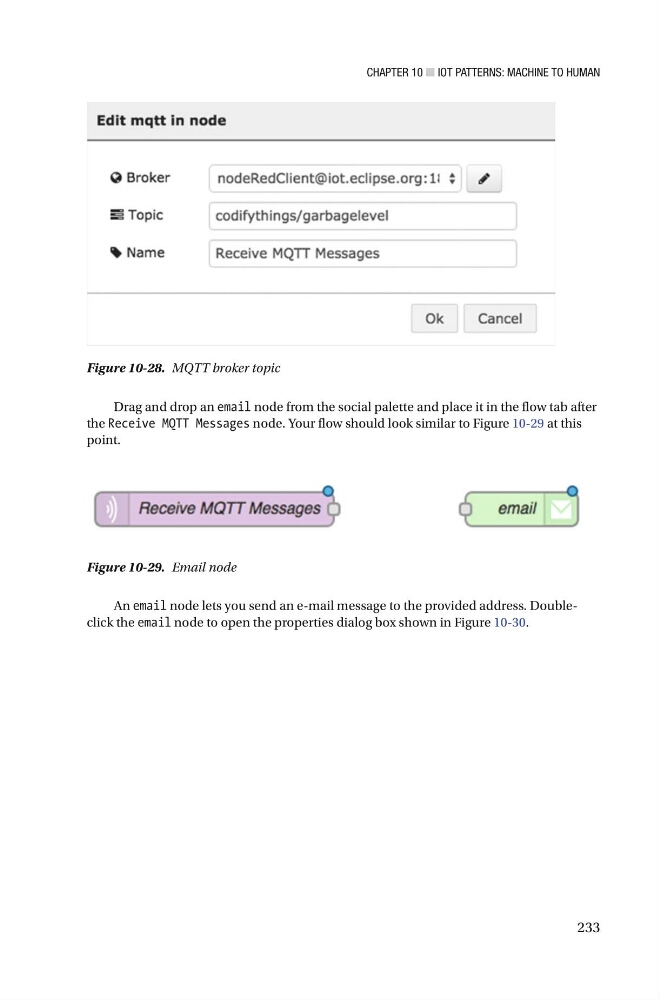
Figure 10-28. MQTT broker topic
Figure 10-29. Email node
An email node lets you send an e-mail message to the provided address. Doubleclick the email node to open the properties dialog box shown in Figure 10-30 .
233
Drag and drop an email node from the social palette and place it in the flow tab after
the Receive MQTT Messages node. Your flow should look similar to Figure 10-29 at this
point.
Figure 10-28. MQTT broker topic
Figure 10-29. Email node
An email node lets you send an e-mail message to the provided address. Doubleclick the email node to open the properties dialog box shown in Figure 10-30 .