

156
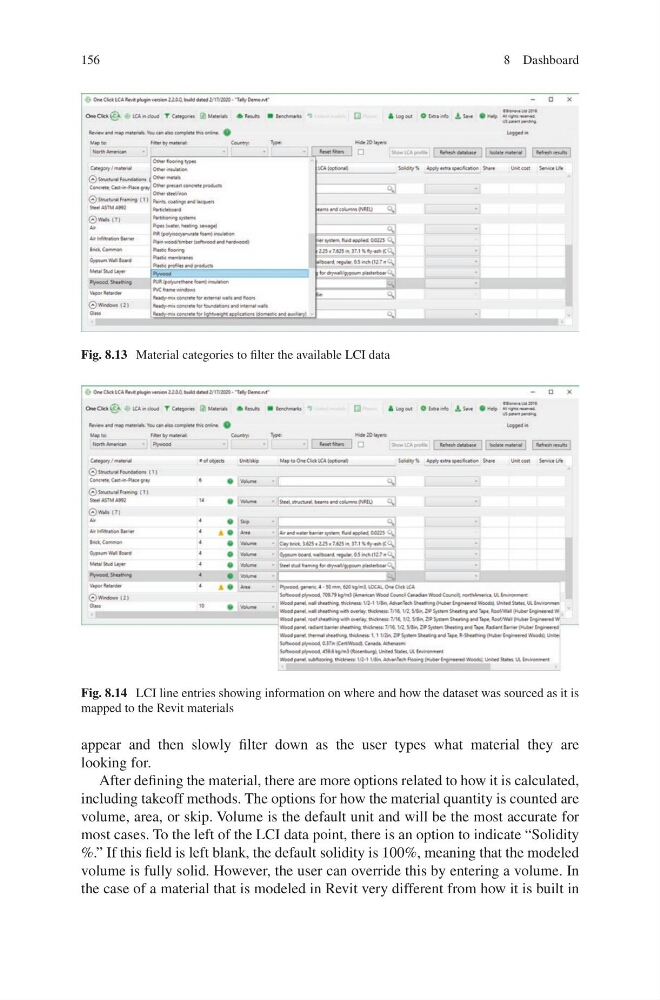
appear and then slowly filter down as the user types what material they are
looking for.
After defining the material, there are more options related to how it is calculated,
including takeoff methods. The options for how the material quantity is counted are
volume, area, or skip. Volume is the default unit and will be the most accurate for
most cases. To the left of the LCI data point, there is an option to indicate “Solidity
%.” If this field is left blank, the default solidity is 100%, meaning that the modeled
volume is fully solid. However, the user can override this by entering a volume. In
the case of a material that is modeled in Revit very different from how it is built in
Fig. 8.13 Material categories to filter the available LCI data
Fig. 8.14 LCI line entries showing information on where and how the dataset was sourced as it is
mapped to the Revit materials
8 Dashboard
appear and then slowly filter down as the user types what material they are
looking for.
After defining the material, there are more options related to how it is calculated,
including takeoff methods. The options for how the material quantity is counted are
volume, area, or skip. Volume is the default unit and will be the most accurate for
most cases. To the left of the LCI data point, there is an option to indicate “Solidity
%.” If this field is left blank, the default solidity is 100%, meaning that the modeled
volume is fully solid. However, the user can override this by entering a volume. In
the case of a material that is modeled in Revit very different from how it is built in
Fig. 8.13 Material categories to filter the available LCI data
Fig. 8.14 LCI line entries showing information on where and how the dataset was sourced as it is
mapped to the Revit materials
8 Dashboard