

301
Application of IoT in Autism
available in the market, such as Clipboard, photo album, normal whiteboard, highlight
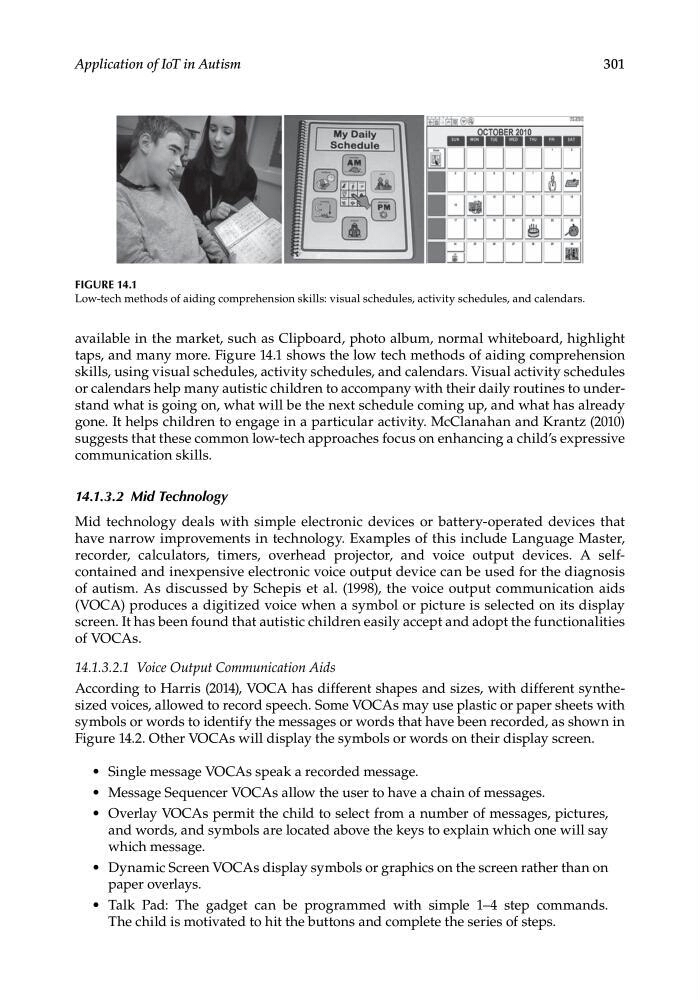
taps, and many more. Figure 14.1 shows the low tech methods of aiding comprehension
skills, using visual schedules, activity schedules, and calendars. Visual activity schedules
or calendars help many autistic children to accompany with their daily routines to understand what is going on, what will be the next schedule coming up, and what has already
gone. It helps children to engage in a particular activity. McClanahan and Krantz (2010)
suggests that these common low-tech approaches focus on enhancing a child’s expressive
communication skills.
14.1.3.2 Mid Technology
Mid technology deals with simple electronic devices or battery-operated devices that
have narrow improvements in technology. Examples of this include Language Master,
recorder, calculators, timers, overhead projector, and voice output devices. A selfcontained and inexpensive electronic voice output device can be used for the diagnosis
of autism. As discussed by Schepis et al. (1998), the voice output communication aids
(VOCA) produces a digitized voice when a symbol or picture is selected on its display
screen. It has been found that autistic children easily accept and adopt the functionalities
of VOCAs.
14.1.3.2.1 Voice Output Communication Aids
According to Harris (2014), VOCA has different shapes and sizes, with different synthesized voices, allowed to record speech. Some VOCAs may use plastic or paper sheets with
symbols or words to identify the messages or words that have been recorded, as shown in
Figure 14.2. Other VOCAs will display the symbols or words on their display screen.
• Single message VOCAs speak a recorded message.
• Message Sequencer VOCAs allow the user to have a chain of messages.
• Overlay VOCAs permit the child to select from a number of messages, pictures,
and words, and symbols are located above the keys to explain which one will say
which message.
• Dynamic Screen VOCAs display symbols or graphics on the screen rather than on
paper overlays.
• Talk Pad: The gadget can be programmed with simple 1–4 step commands.
The child is motivated to hit the buttons and complete the series of steps.
FIGURE 14.1
Low-tech methods of aiding comprehension skills: visual schedules, activity schedules, and calendars.
Application of IoT in Autism
available in the market, such as Clipboard, photo album, normal whiteboard, highlight
taps, and many more. Figure 14.1 shows the low tech methods of aiding comprehension
skills, using visual schedules, activity schedules, and calendars. Visual activity schedules
or calendars help many autistic children to accompany with their daily routines to understand what is going on, what will be the next schedule coming up, and what has already
gone. It helps children to engage in a particular activity. McClanahan and Krantz (2010)
suggests that these common low-tech approaches focus on enhancing a child’s expressive
communication skills.
14.1.3.2 Mid Technology
Mid technology deals with simple electronic devices or battery-operated devices that
have narrow improvements in technology. Examples of this include Language Master,
recorder, calculators, timers, overhead projector, and voice output devices. A selfcontained and inexpensive electronic voice output device can be used for the diagnosis
of autism. As discussed by Schepis et al. (1998), the voice output communication aids
(VOCA) produces a digitized voice when a symbol or picture is selected on its display
screen. It has been found that autistic children easily accept and adopt the functionalities
of VOCAs.
14.1.3.2.1 Voice Output Communication Aids
According to Harris (2014), VOCA has different shapes and sizes, with different synthesized voices, allowed to record speech. Some VOCAs may use plastic or paper sheets with
symbols or words to identify the messages or words that have been recorded, as shown in
Figure 14.2. Other VOCAs will display the symbols or words on their display screen.
• Single message VOCAs speak a recorded message.
• Message Sequencer VOCAs allow the user to have a chain of messages.
• Overlay VOCAs permit the child to select from a number of messages, pictures,
and words, and symbols are located above the keys to explain which one will say
which message.
• Dynamic Screen VOCAs display symbols or graphics on the screen rather than on
paper overlays.
• Talk Pad: The gadget can be programmed with simple 1–4 step commands.
The child is motivated to hit the buttons and complete the series of steps.
FIGURE 14.1
Low-tech methods of aiding comprehension skills: visual schedules, activity schedules, and calendars.