

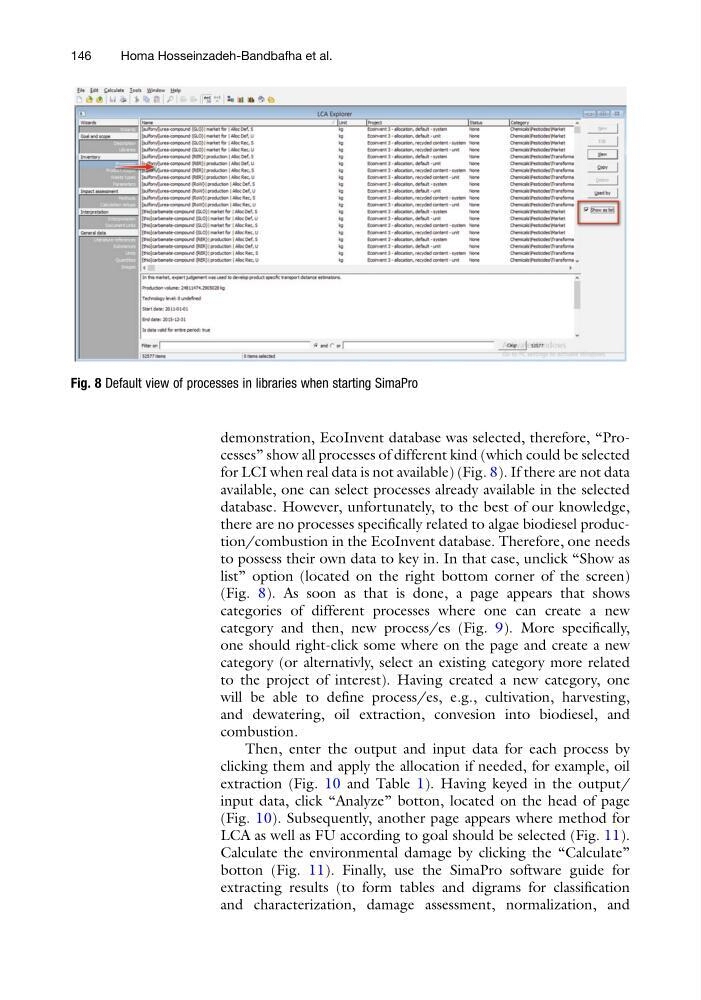
demonstration, EcoInvent database was selected, therefore, “Processes” show all processes of different kind (which could be selected
for LCI when real data is not available) (Fig. 8). If there are not data
available, one can select processes already available in the selected
database. However, unfortunately, to the best of our knowledge,
there are no processes specifically related to algae biodiesel production/combustion in the EcoInvent database. Therefore, one needs
to possess their own data to key in. In that case, unclick “Show as
list” option (located on the right bottom corner of the screen)
(Fig. 8). As soon as that is done, a page appears that shows
categories of different processes where one can create a new
category and then, new process/es (Fig. 9). More specifically,
one should right-click some where on the page and create a new
category (or alternativly, select an existing category more related
to the project of interest). Having created a new category, one
will be able to define process/es, e.g., cultivation, harvesting,
and dewatering, oil extraction, convesion into biodiesel, and
combustion.
Then, enter the output and input data for each process by
clicking them and apply the allocation if needed, for example, oil
extraction (Fig. 10 and Table 1). Having keyed in the output/
input data, click “Analyze” botton, located on the head of page
(Fig. 10). Subsequently, another page appears where method for
LCA as well as FU according to goal should be selected (Fig. 11).
Calculate the environmental damage by clicking the “Calculate”
botton (Fig. 11). Finally, use the SimaPro software guide for
extracting results (to form tables and digrams for classification
and characterization, damage assessment, normalization, and
Fig. 8 Default view of processes in libraries when starting SimaPro
146
Homa Hosseinzadeh-Bandbafha et al.
for LCI when real data is not available) (Fig. 8). If there are not data
available, one can select processes already available in the selected
database. However, unfortunately, to the best of our knowledge,
there are no processes specifically related to algae biodiesel production/combustion in the EcoInvent database. Therefore, one needs
to possess their own data to key in. In that case, unclick “Show as
list” option (located on the right bottom corner of the screen)
(Fig. 8). As soon as that is done, a page appears that shows
categories of different processes where one can create a new
category and then, new process/es (Fig. 9). More specifically,
one should right-click some where on the page and create a new
category (or alternativly, select an existing category more related
to the project of interest). Having created a new category, one
will be able to define process/es, e.g., cultivation, harvesting,
and dewatering, oil extraction, convesion into biodiesel, and
combustion.
Then, enter the output and input data for each process by
clicking them and apply the allocation if needed, for example, oil
extraction (Fig. 10 and Table 1). Having keyed in the output/
input data, click “Analyze” botton, located on the head of page
(Fig. 10). Subsequently, another page appears where method for
LCA as well as FU according to goal should be selected (Fig. 11).
Calculate the environmental damage by clicking the “Calculate”
botton (Fig. 11). Finally, use the SimaPro software guide for
extracting results (to form tables and digrams for classification
and characterization, damage assessment, normalization, and
Fig. 8 Default view of processes in libraries when starting SimaPro
146
Homa Hosseinzadeh-Bandbafha et al.