

17
3.2
Option 1: Animate on Multiple Slides
There are two main options to generate animations on your slides. The first one
consists in creating a new slide for each element that appears on the screen. For
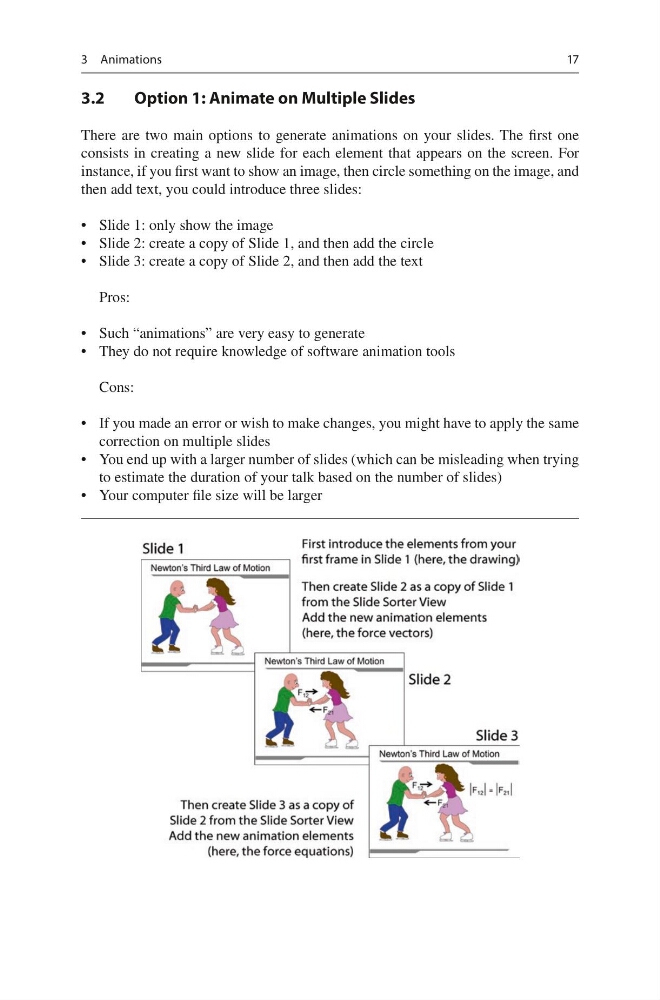
instance, if you first want to show an image, then circle something on the image, and
then add text, you could introduce three slides:
• Slide 1: only show the image
• Slide 2: create a copy of Slide 1, and then add the circle
• Slide 3: create a copy of Slide 2, and then add the text
Pros:
• Such “animations” are very easy to generate
• They do not require knowledge of software animation tools
Cons:
• If you made an error or wish to make changes, you might have to apply the same
correction on multiple slides
• You end up with a larger number of slides (which can be misleading when trying
to estimate the duration of your talk based on the number of slides)
• Your computer file size will be larger
3 Animations
3.2
Option 1: Animate on Multiple Slides
There are two main options to generate animations on your slides. The first one
consists in creating a new slide for each element that appears on the screen. For
instance, if you first want to show an image, then circle something on the image, and
then add text, you could introduce three slides:
• Slide 1: only show the image
• Slide 2: create a copy of Slide 1, and then add the circle
• Slide 3: create a copy of Slide 2, and then add the text
Pros:
• Such “animations” are very easy to generate
• They do not require knowledge of software animation tools
Cons:
• If you made an error or wish to make changes, you might have to apply the same
correction on multiple slides
• You end up with a larger number of slides (which can be misleading when trying
to estimate the duration of your talk based on the number of slides)
• Your computer file size will be larger
3 Animations