

27
Introduction to Geospatial Concepts and Google Earth
Google Earth is always changing, and new versions or upgrades are constantly being made available by Google for this program. Some of the newer
options you may want to explore are Google Mars, Google Sky, and Flight
Simulator.
Google Mars
From the View pull-down menu, select Explore, and then select Mars. The
view will shift to the familiar-looking globe, but this time covered with imagery (from NASA and the USGS) from the surface of Mars. The usual controls
work the same way as they do with GE and there’s a lot of Martian territory
to be explored. When you’re ready to return to GE, from the View pull-down
menu, select Explore, and then select Earth.
Google Sky
From the View pull-down menu, select Explore, and then select Sky. GE’s view
will change from instead of looking down on Earth, you’re looking up to the
stars—and instead of remotely sensed aerial or satellite imagery, you’re looking
at space-telescope (including the Hubble) imagery. There’s plenty of imagery
to be explored in this new mode. When you want to get back “down to Earth”
again, select the View pull-down menu, select Explore, and then select Earth.
Flight Simulator
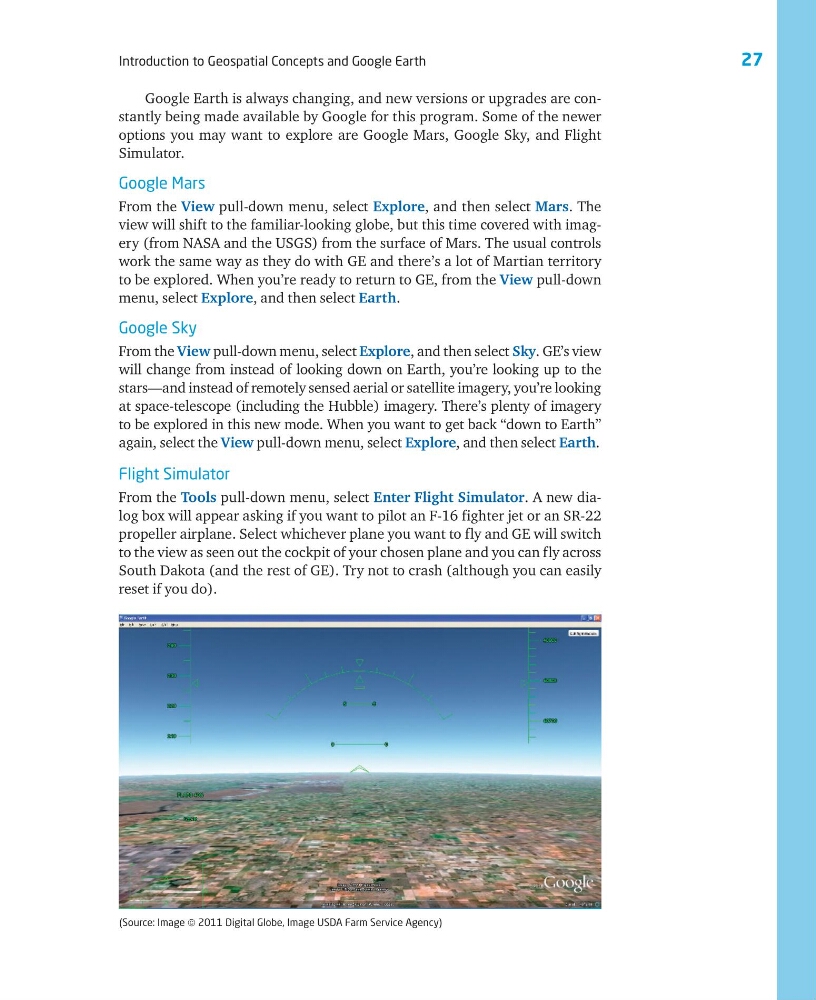
From the Tools pull-down menu, select Enter Flight Simulator. A new dialog box will appear asking if you want to pilot an F-16 fighter jet or an SR-22
propeller airplane. Select whichever plane you want to fly and GE will switch
to the view as seen out the cockpit of your chosen plane and you can fly across
South Dakota (and the rest of GE). Try not to crash (although you can easily
reset if you do).
(Source: Image © 2011 Digital Globe, Image USDA Farm Service Agency)
Introduction to Geospatial Concepts and Google Earth
Google Earth is always changing, and new versions or upgrades are constantly being made available by Google for this program. Some of the newer
options you may want to explore are Google Mars, Google Sky, and Flight
Simulator.
Google Mars
From the View pull-down menu, select Explore, and then select Mars. The
view will shift to the familiar-looking globe, but this time covered with imagery (from NASA and the USGS) from the surface of Mars. The usual controls
work the same way as they do with GE and there’s a lot of Martian territory
to be explored. When you’re ready to return to GE, from the View pull-down
menu, select Explore, and then select Earth.
Google Sky
From the View pull-down menu, select Explore, and then select Sky. GE’s view
will change from instead of looking down on Earth, you’re looking up to the
stars—and instead of remotely sensed aerial or satellite imagery, you’re looking
at space-telescope (including the Hubble) imagery. There’s plenty of imagery
to be explored in this new mode. When you want to get back “down to Earth”
again, select the View pull-down menu, select Explore, and then select Earth.
Flight Simulator
From the Tools pull-down menu, select Enter Flight Simulator. A new dialog box will appear asking if you want to pilot an F-16 fighter jet or an SR-22
propeller airplane. Select whichever plane you want to fly and GE will switch
to the view as seen out the cockpit of your chosen plane and you can fly across
South Dakota (and the rest of GE). Try not to crash (although you can easily
reset if you do).
(Source: Image © 2011 Digital Globe, Image USDA Farm Service Agency)