

7 – Gestion des données avec Flex
© Groupe Eyrolles, 2008
109
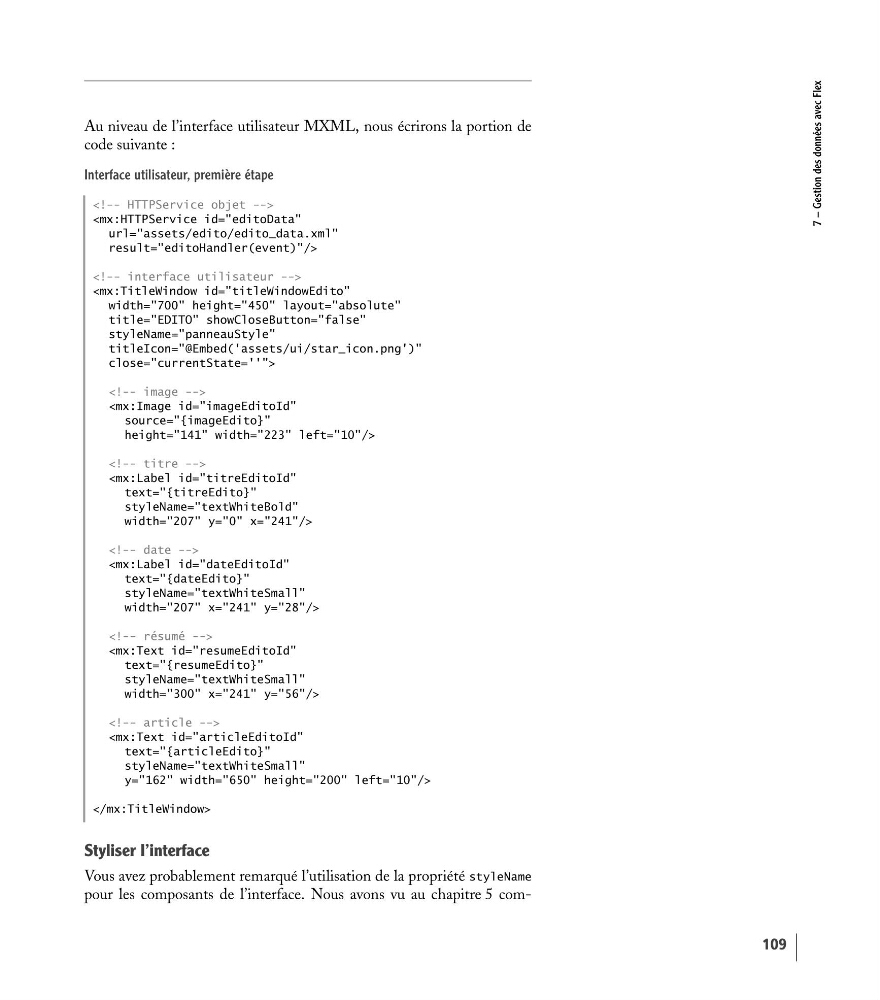
Au niveau de l’interface utilisateur MXML, nous écrirons la portion de
code suivante :
Interface utilisateur, première étape
Styliser l’interface
Vous avez probablement remarqué l’utilisation de la propriété styleName
pour les composants de l’interface. Nous avons vu au chapitre 5 com
result="editoHandler(event)"/>
title="EDITO" showCloseButton="false"
styleName="panneauStyle"
titleIcon="@Embed('assets/ui/star_icon.png')"
close="currentState=''">
height="141" width="223" left="10"/>
styleName="textWhiteBold"
width="207" y="0" x="241"/>
styleName="textWhiteSmall"
width="207" x="241" y="28"/>
styleName="textWhiteSmall"
width="300" x="241" y="56"/>
styleName="textWhiteSmall"
y="162" width="650" height="200" left="10"/>
© Groupe Eyrolles, 2008
109
Au niveau de l’interface utilisateur MXML, nous écrirons la portion de
code suivante :
Interface utilisateur, première étape
Styliser l’interface
Vous avez probablement remarqué l’utilisation de la propriété styleName
pour les composants de l’interface. Nous avons vu au chapitre 5 com
result="editoHandler(event)"/>
title="EDITO" showCloseButton="false"
styleName="panneauStyle"
titleIcon="@Embed('assets/ui/star_icon.png')"
close="currentState=''">
height="141" width="223" left="10"/>
styleName="textWhiteBold"
width="207" y="0" x="241"/>
styleName="textWhiteSmall"
width="207" x="241" y="28"/>
styleName="textWhiteSmall"
width="300" x="241" y="56"/>
styleName="textWhiteSmall"
y="162" width="650" height="200" left="10"/>