

ActionScript 3 – Programmation séquentielle et orientée objet
166
Dans le fichier trace9.fla, vous découvrirez trois tracés relativement épais qui possèdent
des angles comparables aux extrémités des flèches de la figure 6-11. Voici les scripts que
nous avons utilisés.
var trajectoire1:Shape = new Shape();
trajectoire1.graphics.lineStyle(30,0xFFFFFF,0.7,false,LineScaleMode.NORMAL,CapsStyle.
➥SQUARE,JointStyle.ROUND);
trajectoire1.graphics.moveTo(100,50);
trajectoire1.graphics.lineTo(150,90);
trajectoire1.graphics.lineTo(200,50);
trajectoire1.graphics.lineTo(250,90);
trajectoire1.graphics.lineTo(300,50);
addChild(trajectoire1);
var trajectoire2:Shape = new Shape();
trajectoire2.graphics.lineStyle(30,0xFFFFFF,0.7,false,LineScaleMode.NORMAL,CapsStyle.
➥SQUARE,JointStyle.MITER);
trajectoire2.graphics.moveTo(100,125);
trajectoire2.graphics.lineTo(150,165);
trajectoire2.graphics.lineTo(200,125);
trajectoire2.graphics.lineTo(250,165);
trajectoire2.graphics.lineTo(300,125);
addChild(trajectoire2);
var trajectoire3:Shape = new Shape();
trajectoire3.graphics.lineStyle(30,0xFFFFFF,0.7,false,LineScaleMode.NORMAL,CapsStyle.
➥SQUARE,JointStyle.BEVEL);
trajectoire3.graphics.moveTo(100,200);
trajectoire3.graphics.lineTo(150,240);
trajectoire3.graphics.lineTo(200,200);
trajectoire3.graphics.lineTo(250,240);
trajectoire3.graphics.lineTo(300,200);
addChild(trajectoire3);
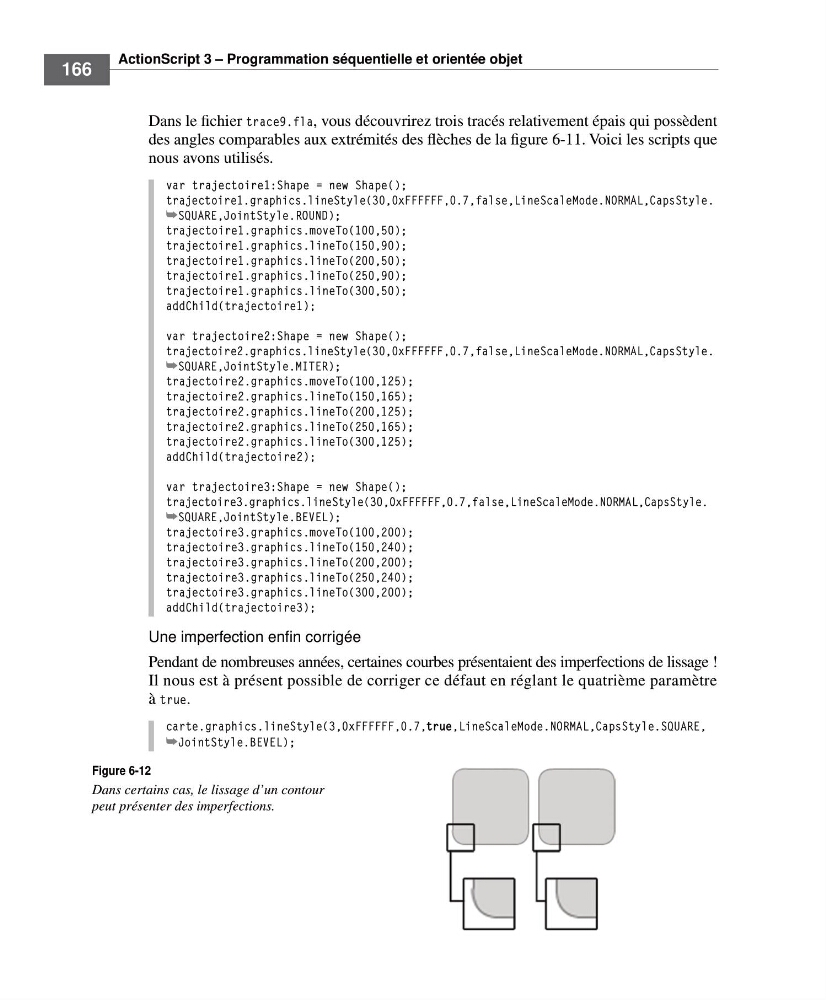
Une imperfection enfin corrigée
Pendant de nombreuses années, certaines courbes présentaient des imperfections de lissage !
Il nous est à présent possible de corriger ce défaut en réglant le quatrième paramètre
à true.
carte.graphics.lineStyle(3,0xFFFFFF,0.7,true,LineScaleMode.NORMAL,CapsStyle.SQUARE,
➥JointStyle.BEVEL);
Figure 6-12
Dans certains cas, le lissage d’un contour
peut présenter des imperfections.
166
Dans le fichier trace9.fla, vous découvrirez trois tracés relativement épais qui possèdent
des angles comparables aux extrémités des flèches de la figure 6-11. Voici les scripts que
nous avons utilisés.
var trajectoire1:Shape = new Shape();
trajectoire1.graphics.lineStyle(30,0xFFFFFF,0.7,false,LineScaleMode.NORMAL,CapsStyle.
➥SQUARE,JointStyle.ROUND);
trajectoire1.graphics.moveTo(100,50);
trajectoire1.graphics.lineTo(150,90);
trajectoire1.graphics.lineTo(200,50);
trajectoire1.graphics.lineTo(250,90);
trajectoire1.graphics.lineTo(300,50);
addChild(trajectoire1);
var trajectoire2:Shape = new Shape();
trajectoire2.graphics.lineStyle(30,0xFFFFFF,0.7,false,LineScaleMode.NORMAL,CapsStyle.
➥SQUARE,JointStyle.MITER);
trajectoire2.graphics.moveTo(100,125);
trajectoire2.graphics.lineTo(150,165);
trajectoire2.graphics.lineTo(200,125);
trajectoire2.graphics.lineTo(250,165);
trajectoire2.graphics.lineTo(300,125);
addChild(trajectoire2);
var trajectoire3:Shape = new Shape();
trajectoire3.graphics.lineStyle(30,0xFFFFFF,0.7,false,LineScaleMode.NORMAL,CapsStyle.
➥SQUARE,JointStyle.BEVEL);
trajectoire3.graphics.moveTo(100,200);
trajectoire3.graphics.lineTo(150,240);
trajectoire3.graphics.lineTo(200,200);
trajectoire3.graphics.lineTo(250,240);
trajectoire3.graphics.lineTo(300,200);
addChild(trajectoire3);
Une imperfection enfin corrigée
Pendant de nombreuses années, certaines courbes présentaient des imperfections de lissage !
Il nous est à présent possible de corriger ce défaut en réglant le quatrième paramètre
à true.
carte.graphics.lineStyle(3,0xFFFFFF,0.7,true,LineScaleMode.NORMAL,CapsStyle.SQUARE,
➥JointStyle.BEVEL);
Figure 6-12
Dans certains cas, le lissage d’un contour
peut présenter des imperfections.