

122
5 Some More Python Essentials
5.5 Files: Read and Write
Input data for a program often come from files and the results of the computations
are often written to file. To illustrate basic file handling, we consider an example
where we read x and y coordinates from two columns in a file, apply a function f
to the y coordinates, and write the results to a new two-column data file. The first
line of the input file is a heading that we can just skip:
# x and y coordinates
1.0 3.44
2.0 4.8
3.5 6.61
4.0 5.0
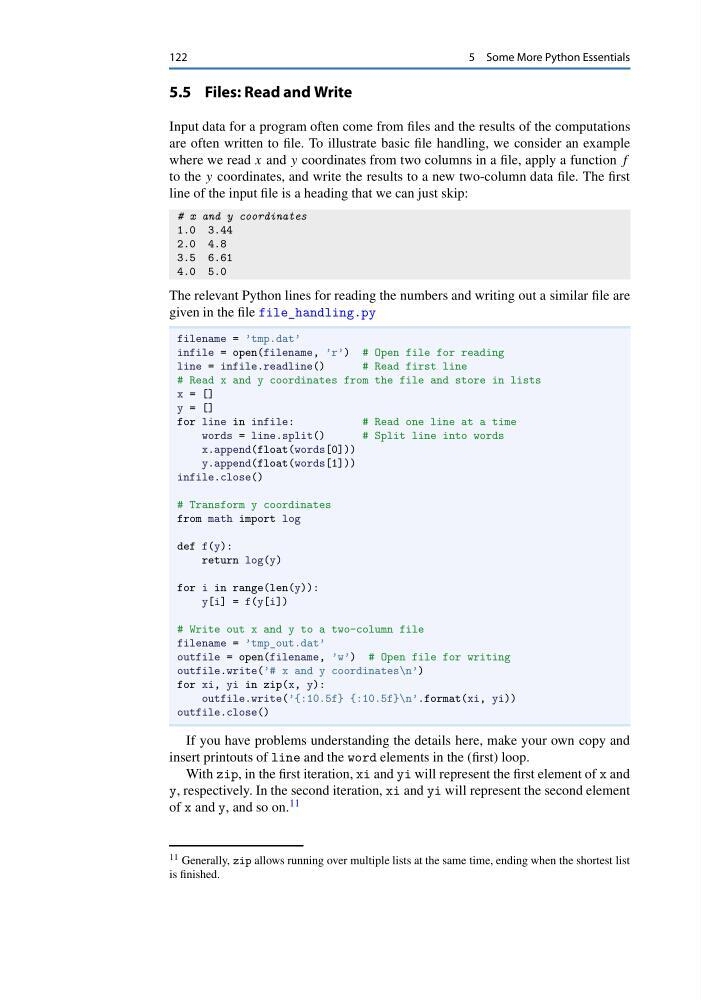
The relevant Python lines for reading the numbers and writing out a similar file are
given in the file file_handling.py
filename = ’tmp.dat’
infile = open(filename, ’r’) # Open file for reading
line = infile.readline()
# Read first line
# Read x and y coordinates from the file and store in lists
x = []
y = []
for line in infile:
# Read one line at a time
words = line.split()
# Split line into words
x.append(float(words[0]))
y.append(float(words[1]))
infile.close()
# Transform y coordinates
from math import log
def f(y):
return log(y)
for i in range(len(y)):
y[i] = f(y[i])
# Write out x and y to a two-column file
filename = ’tmp_out.dat’
outfile = open(filename, ’w’) # Open file for writing
outfile.write(’# x and y coordinates\n’)
for xi, yi in zip(x, y):
outfile.write(’{:10.5f} {:10.5f}\n’.format(xi, yi))
outfile.close()
If you have problems understanding the details here, make your own copy and
insert printouts of line and the word elements in the (first) loop.
With zip, in the first iteration, xi and yi will represent the first element of x and
y, respectively. In the second iteration, xi and yi will represent the second element
of x and y, and so on. 11
11 Generally, zip allows running over multiple lists at the same time, ending when the shortest list
is finished.
5 Some More Python Essentials
5.5 Files: Read and Write
Input data for a program often come from files and the results of the computations
are often written to file. To illustrate basic file handling, we consider an example
where we read x and y coordinates from two columns in a file, apply a function f
to the y coordinates, and write the results to a new two-column data file. The first
line of the input file is a heading that we can just skip:
# x and y coordinates
1.0 3.44
2.0 4.8
3.5 6.61
4.0 5.0
The relevant Python lines for reading the numbers and writing out a similar file are
given in the file file_handling.py
filename = ’tmp.dat’
infile = open(filename, ’r’) # Open file for reading
line = infile.readline()
# Read first line
# Read x and y coordinates from the file and store in lists
x = []
y = []
for line in infile:
# Read one line at a time
words = line.split()
# Split line into words
x.append(float(words[0]))
y.append(float(words[1]))
infile.close()
# Transform y coordinates
from math import log
def f(y):
return log(y)
for i in range(len(y)):
y[i] = f(y[i])
# Write out x and y to a two-column file
filename = ’tmp_out.dat’
outfile = open(filename, ’w’) # Open file for writing
outfile.write(’# x and y coordinates\n’)
for xi, yi in zip(x, y):
outfile.write(’{:10.5f} {:10.5f}\n’.format(xi, yi))
outfile.close()
If you have problems understanding the details here, make your own copy and
insert printouts of line and the word elements in the (first) loop.
With zip, in the first iteration, xi and yi will represent the first element of x and
y, respectively. In the second iteration, xi and yi will represent the second element
of x and y, and so on. 11
11 Generally, zip allows running over multiple lists at the same time, ending when the shortest list
is finished.