

104
5 Some More Python Essentials
In [6]: import numpy as np
In [7]: y = np.array(x)
# create array y
In [8]: y
Out[8]: array([ 6, 7, 8, 9, 10])
In [9]: x[0] = -1
In [10]: x
Out[10]: [-1, 7, 8, 9, 10]
# x is changed
In [11]: y
Out[11]: array([ 6, 7, 8, 9, 10])
# y is not changed
In [12]: len(x)
Out[12]: 5
In [13]: len(y)
Out[13]: 5
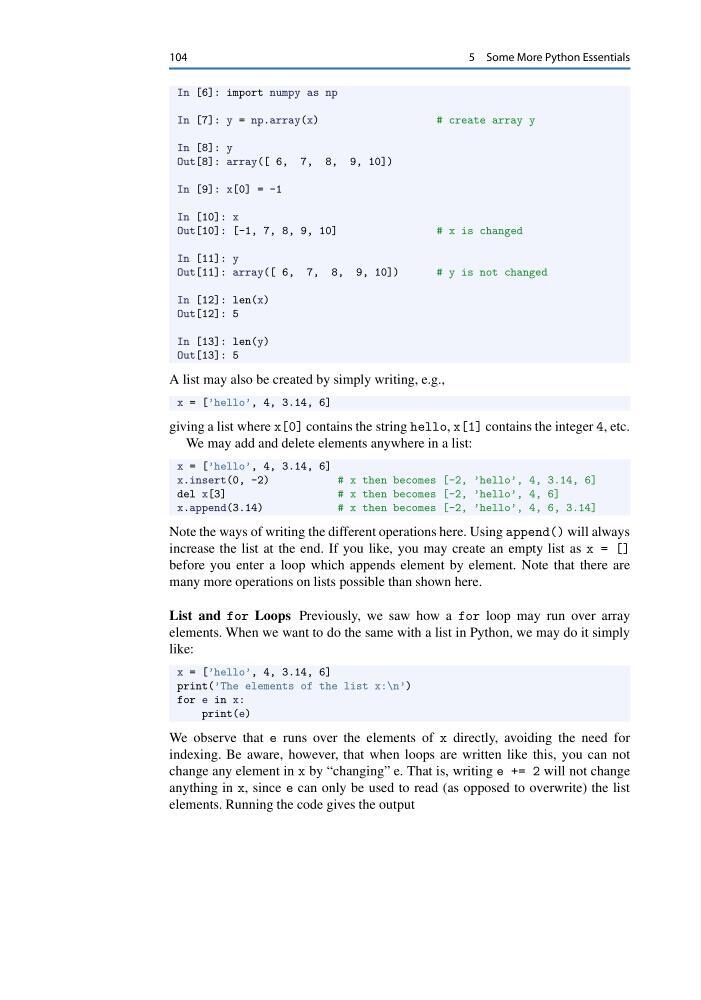
A list may also be created by simply writing, e.g.,
x = [’hello’, 4, 3.14, 6]
giving a list where x[0] contains the string hello, x[1] contains the integer 4, etc.
We may add and delete elements anywhere in a list:
x = [’hello’, 4, 3.14, 6]
x.insert(0, -2)
# x then becomes [-2, ’hello’, 4, 3.14, 6]
del x[3]
# x then becomes [-2, ’hello’, 4, 6]
x.append(3.14)
# x then becomes [-2, ’hello’, 4, 6, 3.14]
Note the ways of writing the different operations here. Using append() will always
increase the list at the end. If you like, you may create an empty list as x = []
before you enter a loop which appends element by element. Note that there are
many more operations on lists possible than shown here.
List and for Loops Previously, we saw how a for loop may run over array
elements. When we want to do the same with a list in Python, we may do it simply
like:
x = [’hello’, 4, 3.14, 6]
print(’The elements of the list x:\n’)
for e in x:
print(e)
We observe that e runs over the elements of x directly, avoiding the need for
indexing. Be aware, however, that when loops are written like this, you can not
change any element in x by “changing” e. That is, writing e += 2 will not change
anything in x, since e can only be used to read (as opposed to overwrite) the list
elements. Running the code gives the output
5 Some More Python Essentials
In [6]: import numpy as np
In [7]: y = np.array(x)
# create array y
In [8]: y
Out[8]: array([ 6, 7, 8, 9, 10])
In [9]: x[0] = -1
In [10]: x
Out[10]: [-1, 7, 8, 9, 10]
# x is changed
In [11]: y
Out[11]: array([ 6, 7, 8, 9, 10])
# y is not changed
In [12]: len(x)
Out[12]: 5
In [13]: len(y)
Out[13]: 5
A list may also be created by simply writing, e.g.,
x = [’hello’, 4, 3.14, 6]
giving a list where x[0] contains the string hello, x[1] contains the integer 4, etc.
We may add and delete elements anywhere in a list:
x = [’hello’, 4, 3.14, 6]
x.insert(0, -2)
# x then becomes [-2, ’hello’, 4, 3.14, 6]
del x[3]
# x then becomes [-2, ’hello’, 4, 6]
x.append(3.14)
# x then becomes [-2, ’hello’, 4, 6, 3.14]
Note the ways of writing the different operations here. Using append() will always
increase the list at the end. If you like, you may create an empty list as x = []
before you enter a loop which appends element by element. Note that there are
many more operations on lists possible than shown here.
List and for Loops Previously, we saw how a for loop may run over array
elements. When we want to do the same with a list in Python, we may do it simply
like:
x = [’hello’, 4, 3.14, 6]
print(’The elements of the list x:\n’)
for e in x:
print(e)
We observe that e runs over the elements of x directly, avoiding the need for
indexing. Be aware, however, that when loops are written like this, you can not
change any element in x by “changing” e. That is, writing e += 2 will not change
anything in x, since e can only be used to read (as opposed to overwrite) the list
elements. Running the code gives the output