

84
4 Functions and the Writing of Code
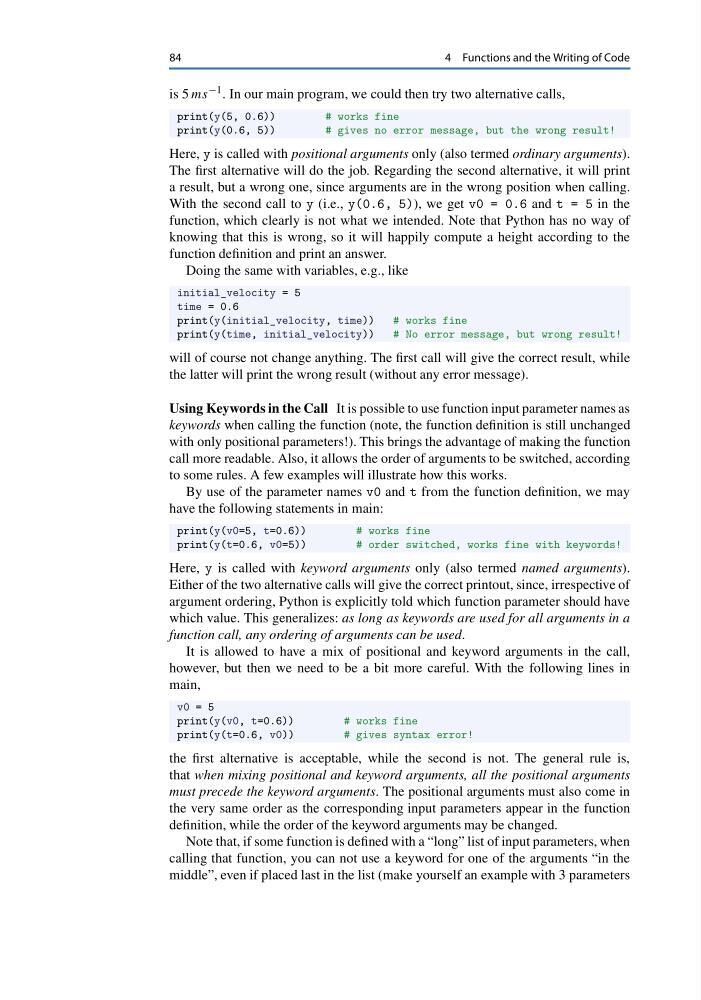
is 5 ms −1 . In our main program, we could then try two alternative calls,
print(y(5, 0.6))
# works fine
print(y(0.6, 5))
# gives no error message, but the wrong result!
Here, y is called with positional arguments only (also termed ordinary arguments).
The first alternative will do the job. Regarding the second alternative, it will print
a result, but a wrong one, since arguments are in the wrong position when calling.
With the second call to y (i.e., y(0.6, 5)), we get v0 = 0.6 and t = 5 in the
function, which clearly is not what we intended. Note that Python has no way of
knowing that this is wrong, so it will happily compute a height according to the
function definition and print an answer.
Doing the same with variables, e.g., like
initial_velocity = 5
time = 0.6
print(y(initial_velocity, time))
# works fine
print(y(time, initial_velocity))
# No error message, but wrong result!
will of course not change anything. The first call will give the correct result, while
the latter will print the wrong result (without any error message).
Using Keywords in the Call It is possible to use function input parameter names as
keywords when calling the function (note, the function definition is still unchanged
with only positional parameters!). This brings the advantage of making the function
call more readable. Also, it allows the order of arguments to be switched, according
to some rules. A few examples will illustrate how this works.
By use of the parameter names v0 and t from the function definition, we may
have the following statements in main:
print(y(v0=5, t=0.6))
# works fine
print(y(t=0.6, v0=5))
# order switched, works fine with keywords!
Here, y is called with keyword arguments only (also termed named arguments).
Either of the two alternative calls will give the correct printout, since, irrespective of
argument ordering, Python is explicitly told which function parameter should have
which value. This generalizes: as long as keywords are used for all arguments in a
function call, any ordering of arguments can be used.
It is allowed to have a mix of positional and keyword arguments in the call,
however, but then we need to be a bit more careful. With the following lines in
main,
v0 = 5
print(y(v0, t=0.6))
# works fine
print(y(t=0.6, v0))
# gives syntax error!
the first alternative is acceptable, while the second is not. The general rule is,
that when mixing positional and keyword arguments, all the positional arguments
must precede the keyword arguments. The positional arguments must also come in
the very same order as the corresponding input parameters appear in the function
definition, while the order of the keyword arguments may be changed.
Note that, if some function is defined with a “long” list of input parameters, when
calling that function, you can not use a keyword for one of the arguments “in the
middle”, even if placed last in the list (make yourself an example with 3 parameters
4 Functions and the Writing of Code
is 5 ms −1 . In our main program, we could then try two alternative calls,
print(y(5, 0.6))
# works fine
print(y(0.6, 5))
# gives no error message, but the wrong result!
Here, y is called with positional arguments only (also termed ordinary arguments).
The first alternative will do the job. Regarding the second alternative, it will print
a result, but a wrong one, since arguments are in the wrong position when calling.
With the second call to y (i.e., y(0.6, 5)), we get v0 = 0.6 and t = 5 in the
function, which clearly is not what we intended. Note that Python has no way of
knowing that this is wrong, so it will happily compute a height according to the
function definition and print an answer.
Doing the same with variables, e.g., like
initial_velocity = 5
time = 0.6
print(y(initial_velocity, time))
# works fine
print(y(time, initial_velocity))
# No error message, but wrong result!
will of course not change anything. The first call will give the correct result, while
the latter will print the wrong result (without any error message).
Using Keywords in the Call It is possible to use function input parameter names as
keywords when calling the function (note, the function definition is still unchanged
with only positional parameters!). This brings the advantage of making the function
call more readable. Also, it allows the order of arguments to be switched, according
to some rules. A few examples will illustrate how this works.
By use of the parameter names v0 and t from the function definition, we may
have the following statements in main:
print(y(v0=5, t=0.6))
# works fine
print(y(t=0.6, v0=5))
# order switched, works fine with keywords!
Here, y is called with keyword arguments only (also termed named arguments).
Either of the two alternative calls will give the correct printout, since, irrespective of
argument ordering, Python is explicitly told which function parameter should have
which value. This generalizes: as long as keywords are used for all arguments in a
function call, any ordering of arguments can be used.
It is allowed to have a mix of positional and keyword arguments in the call,
however, but then we need to be a bit more careful. With the following lines in
main,
v0 = 5
print(y(v0, t=0.6))
# works fine
print(y(t=0.6, v0))
# gives syntax error!
the first alternative is acceptable, while the second is not. The general rule is,
that when mixing positional and keyword arguments, all the positional arguments
must precede the keyword arguments. The positional arguments must also come in
the very same order as the corresponding input parameters appear in the function
definition, while the order of the keyword arguments may be changed.
Note that, if some function is defined with a “long” list of input parameters, when
calling that function, you can not use a keyword for one of the arguments “in the
middle”, even if placed last in the list (make yourself an example with 3 parameters