

msfconsole
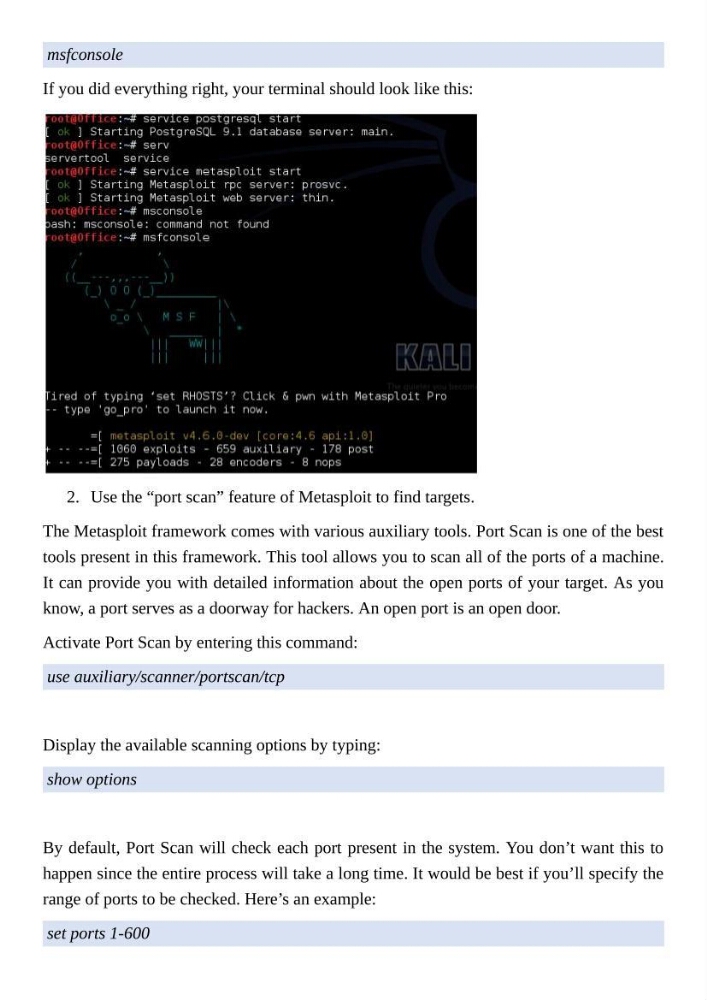
If you did everything right, your terminal should look like this:
2. Use the “port scan” feature of Metasploit to find targets.
The Metasploit framework comes with various auxiliary tools. Port Scan is one of the best
tools present in this framework. This tool allows you to scan all of the ports of a machine.
It can provide you with detailed information about the open ports of your target. As you
know, a port serves as a doorway for hackers. An open port is an open door.
Activate Port Scan by entering this command:
use auxiliary/scanner/portscan/tcp
Display the available scanning options by typing:
show options
By default, Port Scan will check each port present in the system. You don’t want this to
happen since the entire process will take a long time. It would be best if you’ll specify the
range of ports to be checked. Here’s an example:
set ports 1-600
If you did everything right, your terminal should look like this:
2. Use the “port scan” feature of Metasploit to find targets.
The Metasploit framework comes with various auxiliary tools. Port Scan is one of the best
tools present in this framework. This tool allows you to scan all of the ports of a machine.
It can provide you with detailed information about the open ports of your target. As you
know, a port serves as a doorway for hackers. An open port is an open door.
Activate Port Scan by entering this command:
use auxiliary/scanner/portscan/tcp
Display the available scanning options by typing:
show options
By default, Port Scan will check each port present in the system. You don’t want this to
happen since the entire process will take a long time. It would be best if you’ll specify the
range of ports to be checked. Here’s an example:
set ports 1-600