

E1C07 09/14/2010
14:43:49 Page 269
waveform. If sampling cannot be exact, then what is good enough? As an example, consider the
original compact disk for musical recording. The sampling rate was limited by existing technology
at the time (circa 1980), and the sampling rate was chosen so that frequencies up to the $20 kHz
limits of human hearing would not be aliased; thus, a sampling rate of 44.1 kHz was chosen.
What does f s ¼ 44:1 kHz imply for the musical tones at 22 kHz? Essentially it means that at the
highest frequencies we are representing a sine wave with two discrete points. Thus, there was much
criticism and speculation that the higher frequencies present in the music were distorted. Technology has advanced since 1980, and we now have Super Audio CD (SACD) format recordings, first
introduced in 1999. The sampling rate for SACD recordings is 2822.4 kHz. Now a 20-kHz
frequency in the recorded music is represented by $140 data points and any distortion is inaudible.
As a general rule waveform fidelity is acceptable for f s ! 5f m to 10f m depending on the
application.
7.3 DIGITAL DEVICES: BITS AND WORDS
The history of computing hardware begins around World War II with mechanical and vacuumtube–based hardware (4). Some types of recording devices used holes punched in paper cards or tape;
one example is the historically significant player piano rolls. In the 1970s punch cards were used to
communicate computer programs to mainframe computers; each letter or number was represented by
appropriately punched holes in a single column of the card. The most important concept in digital
computing is that all of the required information can be represented as an appropriately structured series
of binary representations, either a 0 or a 1. For holes in a paper tape, there are only two possibilities—a
hole is there or it is not! All of these representations correspond to a binary numbering system.
Digital systems use some variation of a binary numbering system both to represent and transmit
signal information. Binary systems use the binary digit or bit as the smallest unit of information. A
bit is a single digit, either a 1 or a 0. Bits are like electrical switches and are used to convey both
logical and numerical information. From a logic standpoint, the 1 and 0 are represented by the on
and off switch settings. By appropriate action a bit can be reset to either on or off, thereby permitting
control and logic actions. By combining bits it is possible to define integer numbers greater than 1 or
0. A numerical word is an ordered sequence of bits, with a byte being a specific sequence of 8 bits.
Computer memory is usually byte addressed. The memory location where numerical information is
stored is known as a register, with each register assigned its own address.
A combination of M bits can be arranged to represent 2
M different words. For example, a
combination of 2 bits can represent 2
2 or four possible combinations of bit arrangements: 00, 01, 10,
or 11. We can alternatively reset this 2-bit word to produce these four different arrangements that
represent the decimal, that is, base 10, integer numbers 0, 1, 2, or 3, respectively. So an 8-bit word
can represent the numbers 0 through 255; a 16-bit word can represent 0 through 65,535.
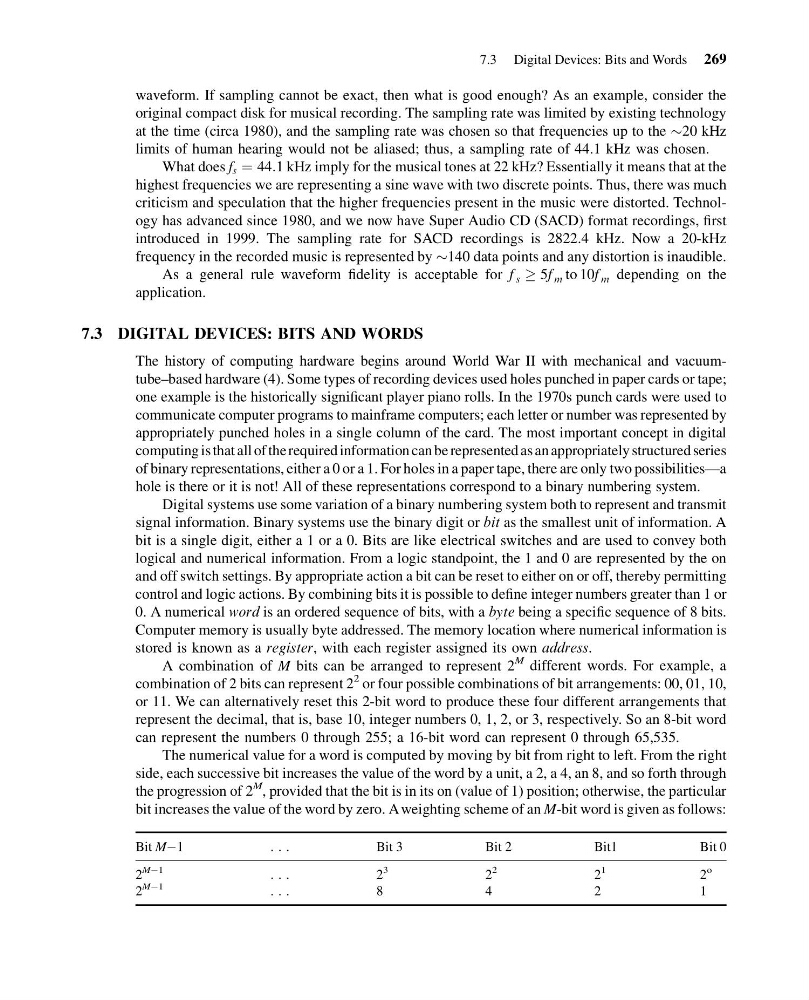
The numerical value for a word is computed by moving by bit from right to left. From the right
side, each successive bit increases the value of the word by a unit, a 2, a 4, an 8, and so forth through
the progression of 2
M , provided that the bit is in its on (value of 1) position; otherwise, the particular
bit increases the value of the word by zero. A weighting scheme of an M-bit word is given as follows:
Bit MÀ1
. . .
Bit 3
Bit 2
Bit1
Bit 0
2
MÀ1
. . .
2
3
2
2
2
1
2
o
2
MÀ1
. . .
8
4
2
1
7.3 Digital Devices: Bits and Words 269
14:43:49 Page 269
waveform. If sampling cannot be exact, then what is good enough? As an example, consider the
original compact disk for musical recording. The sampling rate was limited by existing technology
at the time (circa 1980), and the sampling rate was chosen so that frequencies up to the $20 kHz
limits of human hearing would not be aliased; thus, a sampling rate of 44.1 kHz was chosen.
What does f s ¼ 44:1 kHz imply for the musical tones at 22 kHz? Essentially it means that at the
highest frequencies we are representing a sine wave with two discrete points. Thus, there was much
criticism and speculation that the higher frequencies present in the music were distorted. Technology has advanced since 1980, and we now have Super Audio CD (SACD) format recordings, first
introduced in 1999. The sampling rate for SACD recordings is 2822.4 kHz. Now a 20-kHz
frequency in the recorded music is represented by $140 data points and any distortion is inaudible.
As a general rule waveform fidelity is acceptable for f s ! 5f m to 10f m depending on the
application.
7.3 DIGITAL DEVICES: BITS AND WORDS
The history of computing hardware begins around World War II with mechanical and vacuumtube–based hardware (4). Some types of recording devices used holes punched in paper cards or tape;
one example is the historically significant player piano rolls. In the 1970s punch cards were used to
communicate computer programs to mainframe computers; each letter or number was represented by
appropriately punched holes in a single column of the card. The most important concept in digital
computing is that all of the required information can be represented as an appropriately structured series
of binary representations, either a 0 or a 1. For holes in a paper tape, there are only two possibilities—a
hole is there or it is not! All of these representations correspond to a binary numbering system.
Digital systems use some variation of a binary numbering system both to represent and transmit
signal information. Binary systems use the binary digit or bit as the smallest unit of information. A
bit is a single digit, either a 1 or a 0. Bits are like electrical switches and are used to convey both
logical and numerical information. From a logic standpoint, the 1 and 0 are represented by the on
and off switch settings. By appropriate action a bit can be reset to either on or off, thereby permitting
control and logic actions. By combining bits it is possible to define integer numbers greater than 1 or
0. A numerical word is an ordered sequence of bits, with a byte being a specific sequence of 8 bits.
Computer memory is usually byte addressed. The memory location where numerical information is
stored is known as a register, with each register assigned its own address.
A combination of M bits can be arranged to represent 2
M different words. For example, a
combination of 2 bits can represent 2
2 or four possible combinations of bit arrangements: 00, 01, 10,
or 11. We can alternatively reset this 2-bit word to produce these four different arrangements that
represent the decimal, that is, base 10, integer numbers 0, 1, 2, or 3, respectively. So an 8-bit word
can represent the numbers 0 through 255; a 16-bit word can represent 0 through 65,535.
The numerical value for a word is computed by moving by bit from right to left. From the right
side, each successive bit increases the value of the word by a unit, a 2, a 4, an 8, and so forth through
the progression of 2
M , provided that the bit is in its on (value of 1) position; otherwise, the particular
bit increases the value of the word by zero. A weighting scheme of an M-bit word is given as follows:
Bit MÀ1
. . .
Bit 3
Bit 2
Bit1
Bit 0
2
MÀ1
. . .
2
3
2
2
2
1
2
o
2
MÀ1
. . .
8
4
2
1
7.3 Digital Devices: Bits and Words 269