

2.5 Basics of Component Modeling in WSM
61
When declaring variables, parameters and constants always indicate their type.
Read more about the types of variables in [4].
So, to declare a parameter, we use parameter, to declare constants—constant.
Variables can immediately set initial values using the start attribute after the variable
name. There you can also set the dimension of the physical quantity. In our problem, the variables are the displacement and speed, with given initial conditions, and
the parameters are body mass, spring stiffness, and medium viscosity (or damping
coefficient). A constant for us could be, for example, the acceleration of free fall.
We introduce the parameters that can be changed in the future. We will indicate
the dimension in brackets, after the equal sign—the initial value, at the end we will
write the verbal description of the parameter.
Parameter Real m (unit = ”kg”) = 1 ”mass”;
Parameter Real k (unit = ”N/m”) = 100
”coefficient of spring stiffness”;
Parameter Real gamma (unit = ”N s/m”) = 1 ”viscosity”.
We introduce the variables. In this model, this is displacement and speed.
Real x (unit = ”m”, start = 0.05) ”displacement”;
Real v (unit = ”m/s”, start = 0.1) ”velocity”.
We write the defining equations. They are written in the equation block. The time
derivative is specified using the der() function.
equation;
der(x) = v;
der(v) = -k / m * x - gamma * v.
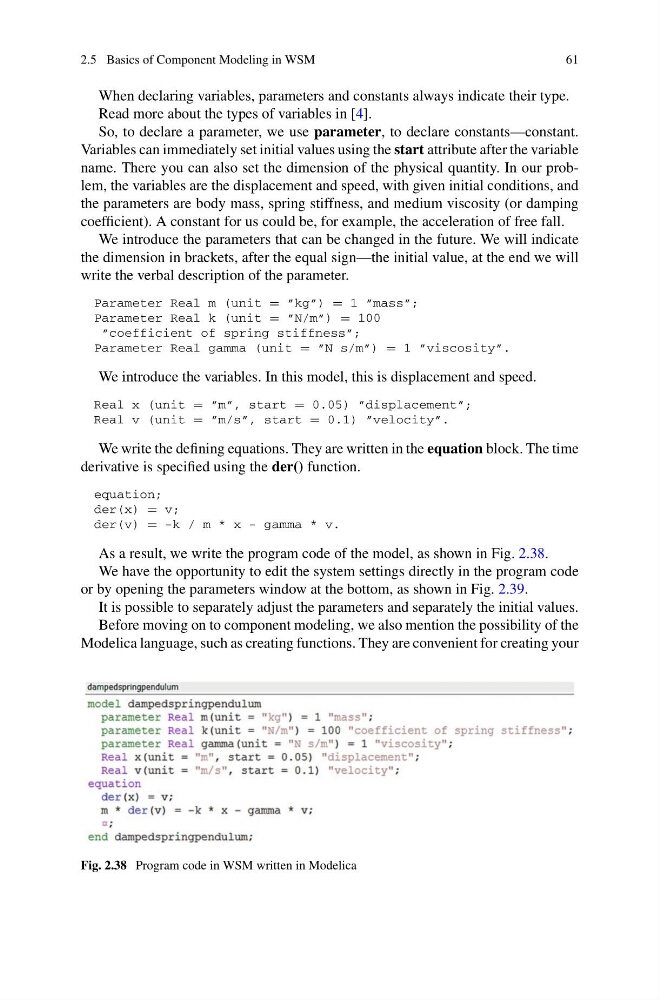
As a result, we write the program code of the model, as shown in Fig. 2.38.
We have the opportunity to edit the system settings directly in the program code
or by opening the parameters window at the bottom, as shown in Fig. 2.39.
It is possible to separately adjust the parameters and separately the initial values.
Before moving on to component modeling, we also mention the possibility of the
Modelica language, such as creating functions. They are convenient for creating your
Fig. 2.38 Program code in WSM written in Modelica
61
When declaring variables, parameters and constants always indicate their type.
Read more about the types of variables in [4].
So, to declare a parameter, we use parameter, to declare constants—constant.
Variables can immediately set initial values using the start attribute after the variable
name. There you can also set the dimension of the physical quantity. In our problem, the variables are the displacement and speed, with given initial conditions, and
the parameters are body mass, spring stiffness, and medium viscosity (or damping
coefficient). A constant for us could be, for example, the acceleration of free fall.
We introduce the parameters that can be changed in the future. We will indicate
the dimension in brackets, after the equal sign—the initial value, at the end we will
write the verbal description of the parameter.
Parameter Real m (unit = ”kg”) = 1 ”mass”;
Parameter Real k (unit = ”N/m”) = 100
”coefficient of spring stiffness”;
Parameter Real gamma (unit = ”N s/m”) = 1 ”viscosity”.
We introduce the variables. In this model, this is displacement and speed.
Real x (unit = ”m”, start = 0.05) ”displacement”;
Real v (unit = ”m/s”, start = 0.1) ”velocity”.
We write the defining equations. They are written in the equation block. The time
derivative is specified using the der() function.
equation;
der(x) = v;
der(v) = -k / m * x - gamma * v.
As a result, we write the program code of the model, as shown in Fig. 2.38.
We have the opportunity to edit the system settings directly in the program code
or by opening the parameters window at the bottom, as shown in Fig. 2.39.
It is possible to separately adjust the parameters and separately the initial values.
Before moving on to component modeling, we also mention the possibility of the
Modelica language, such as creating functions. They are convenient for creating your
Fig. 2.38 Program code in WSM written in Modelica