

56
Part II — Getting Inside Gmail
First, open up a directory on a website. You’ll need to access it via a proper
domain, you see. Create the directory, and make sure your browser can see it. In
that directory, place a text file, called Listing.txt, and put the exclamation
“Horrible!” inside the file. Bear with me.
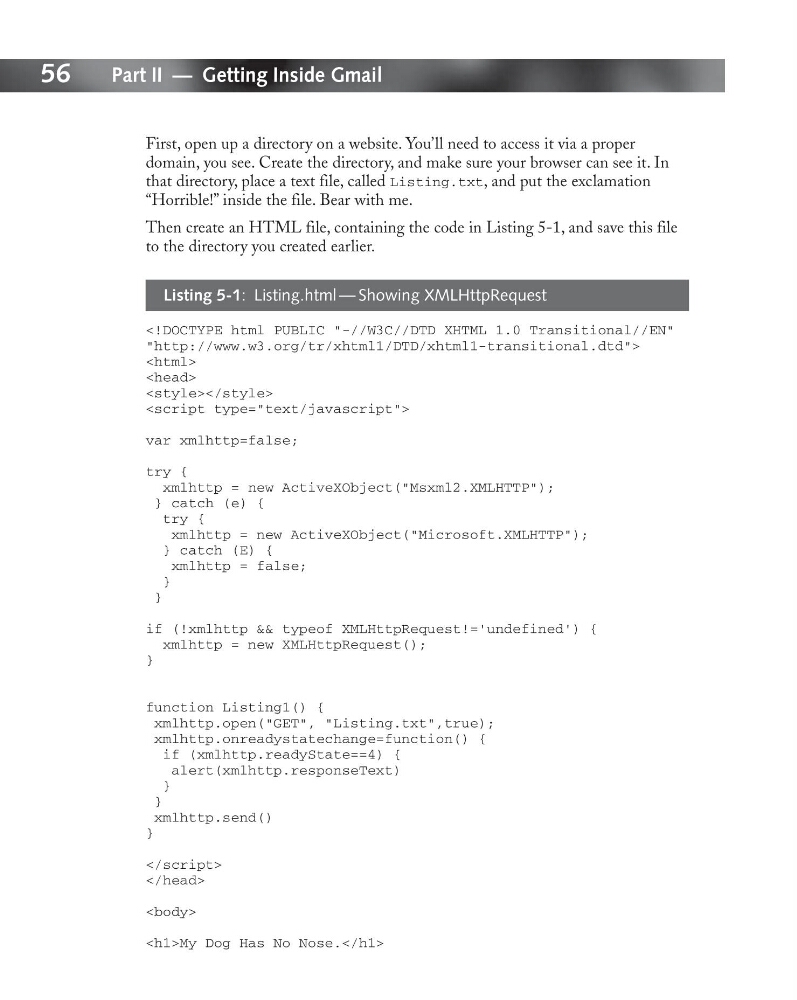
Then create an HTML file, containing the code in Listing 5-1, and save this file
to the directory you created earlier.
Listing 5-1: Listing.html — Showing XMLHttpRequest
“http://www.w3.org/tr/xhtml1/DTD/xhtml1-transitional.dtd”>
Part II — Getting Inside Gmail
First, open up a directory on a website. You’ll need to access it via a proper
domain, you see. Create the directory, and make sure your browser can see it. In
that directory, place a text file, called Listing.txt, and put the exclamation
“Horrible!” inside the file. Bear with me.
Then create an HTML file, containing the code in Listing 5-1, and save this file
to the directory you created earlier.
Listing 5-1: Listing.html — Showing XMLHttpRequest
“http://www.w3.org/tr/xhtml1/DTD/xhtml1-transitional.dtd”>