

19
Chapter 3 — Gmail Power Tips
Key
Definition
Action
x
Select conversation
Automatically checks and selects a
conversation so you can archive, apply a label,
or choose an action from the drop-down menu
to apply to that conversation.
s
Star a message or conversation
Adds a star to or removes a star from a
message or conversation. Stars allow you to
give a message or conversation a special status.
!
Report spam
Marks a message as spam and removes it from
your conversation list.
r
Reply
Reply to the message sender. Shift+r allows
you to reply to a message in a new window.
(Applicable only in Conversation View.)
a
Reply all
Reply to all message recipients. Shift+a allows
you to reply to all message recipients in a new
window. (Applicable only in Conversation View.)
f
Forward
Forward a message. Shift+f allows you to
forward a message in a new window.
(Applicable only in Conversation View.)
esc
Escape from input field
Removes the cursor from your current input
field.
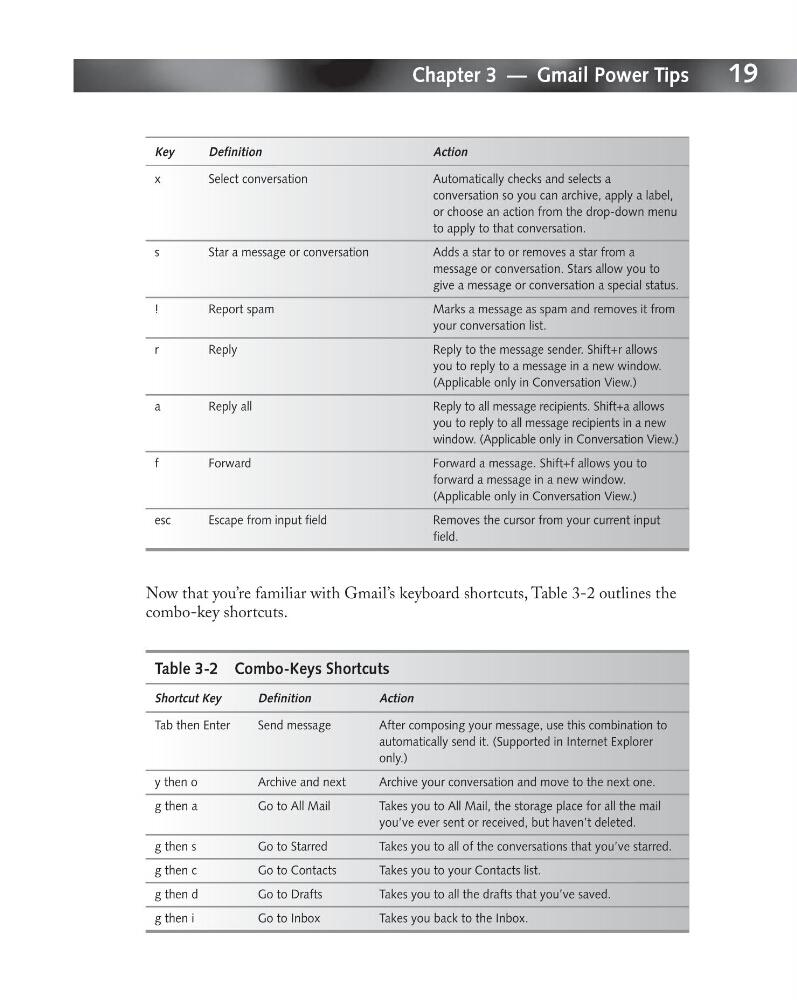
Now that you’re familiar with Gmail’s keyboard shortcuts, Table 3-2 outlines the
combo-key shortcuts.
Table 3-2 Combo-Keys Shortcuts
Shortcut Key
Definition
Action
Tab then Enter
Send message
After composing your message, use this combination to
automatically send it. (Supported in Internet Explorer
only.)
y then o
Archive and next
Archive your conversation and move to the next one.
g then a
Go to All Mail
Takes you to All Mail, the storage place for all the mail
you’ve ever sent or received, but haven’t deleted.
g then s
Go to Starred
Takes you to all of the conversations that you’ve starred.
g then c
Go to Contacts
Takes you to your Contacts list.
g then d
Go to Drafts
Takes you to all the drafts that you’ve saved.
g then i
Go to Inbox
Takes you back to the Inbox.
Chapter 3 — Gmail Power Tips
Key
Definition
Action
x
Select conversation
Automatically checks and selects a
conversation so you can archive, apply a label,
or choose an action from the drop-down menu
to apply to that conversation.
s
Star a message or conversation
Adds a star to or removes a star from a
message or conversation. Stars allow you to
give a message or conversation a special status.
!
Report spam
Marks a message as spam and removes it from
your conversation list.
r
Reply
Reply to the message sender. Shift+r allows
you to reply to a message in a new window.
(Applicable only in Conversation View.)
a
Reply all
Reply to all message recipients. Shift+a allows
you to reply to all message recipients in a new
window. (Applicable only in Conversation View.)
f
Forward
Forward a message. Shift+f allows you to
forward a message in a new window.
(Applicable only in Conversation View.)
esc
Escape from input field
Removes the cursor from your current input
field.
Now that you’re familiar with Gmail’s keyboard shortcuts, Table 3-2 outlines the
combo-key shortcuts.
Table 3-2 Combo-Keys Shortcuts
Shortcut Key
Definition
Action
Tab then Enter
Send message
After composing your message, use this combination to
automatically send it. (Supported in Internet Explorer
only.)
y then o
Archive and next
Archive your conversation and move to the next one.
g then a
Go to All Mail
Takes you to All Mail, the storage place for all the mail
you’ve ever sent or received, but haven’t deleted.
g then s
Go to Starred
Takes you to all of the conversations that you’ve starred.
g then c
Go to Contacts
Takes you to your Contacts list.
g then d
Go to Drafts
Takes you to all the drafts that you’ve saved.
g then i
Go to Inbox
Takes you back to the Inbox.