

5
Chapter 1 — Desktop Integration
Mac OS X
OS X users have a choice of two applications, both very similar to each other, and
doing pretty much the same thing: placing the mail notification in the menu bar
at the top of the screen.
GmailStatus
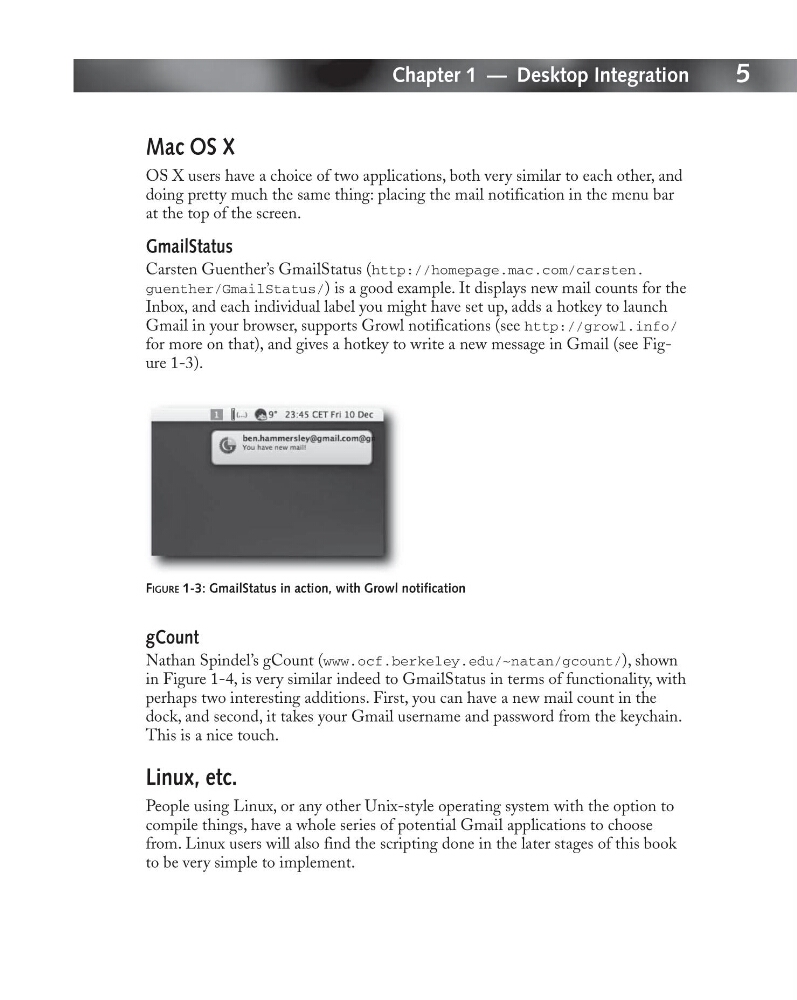
Carsten Guenther’s GmailStatus (http://homepage.mac.com/carsten.
guenther/GmailStatus/) is a good example. It displays new mail counts for the
Inbox, and each individual label you might have set up, adds a hotkey to launch
Gmail in your browser, supports Growl notifications (see http://growl.info/
for more on that), and gives a hotkey to write a new message in Gmail (see Figure 1-3).
FIGURE 1-3: GmailStatus in action, with Growl notification
gCount
Nathan Spindel’s gCount (www.ocf.berkeley.edu/~natan/gcount/), shown
in Figure 1-4, is very similar indeed to GmailStatus in terms of functionality, with
perhaps two interesting additions. First, you can have a new mail count in the
dock, and second, it takes your Gmail username and password from the keychain.
This is a nice touch.
Linux, etc.
People using Linux, or any other Unix-style operating system with the option to
compile things, have a whole series of potential Gmail applications to choose
from. Linux users will also find the scripting done in the later stages of this book
to be very simple to implement.
Chapter 1 — Desktop Integration
Mac OS X
OS X users have a choice of two applications, both very similar to each other, and
doing pretty much the same thing: placing the mail notification in the menu bar
at the top of the screen.
GmailStatus
Carsten Guenther’s GmailStatus (http://homepage.mac.com/carsten.
guenther/GmailStatus/) is a good example. It displays new mail counts for the
Inbox, and each individual label you might have set up, adds a hotkey to launch
Gmail in your browser, supports Growl notifications (see http://growl.info/
for more on that), and gives a hotkey to write a new message in Gmail (see Figure 1-3).
FIGURE 1-3: GmailStatus in action, with Growl notification
gCount
Nathan Spindel’s gCount (www.ocf.berkeley.edu/~natan/gcount/), shown
in Figure 1-4, is very similar indeed to GmailStatus in terms of functionality, with
perhaps two interesting additions. First, you can have a new mail count in the
dock, and second, it takes your Gmail username and password from the keychain.
This is a nice touch.
Linux, etc.
People using Linux, or any other Unix-style operating system with the option to
compile things, have a whole series of potential Gmail applications to choose
from. Linux users will also find the scripting done in the later stages of this book
to be very simple to implement.