

130 Part II — Getting Inside Gmail
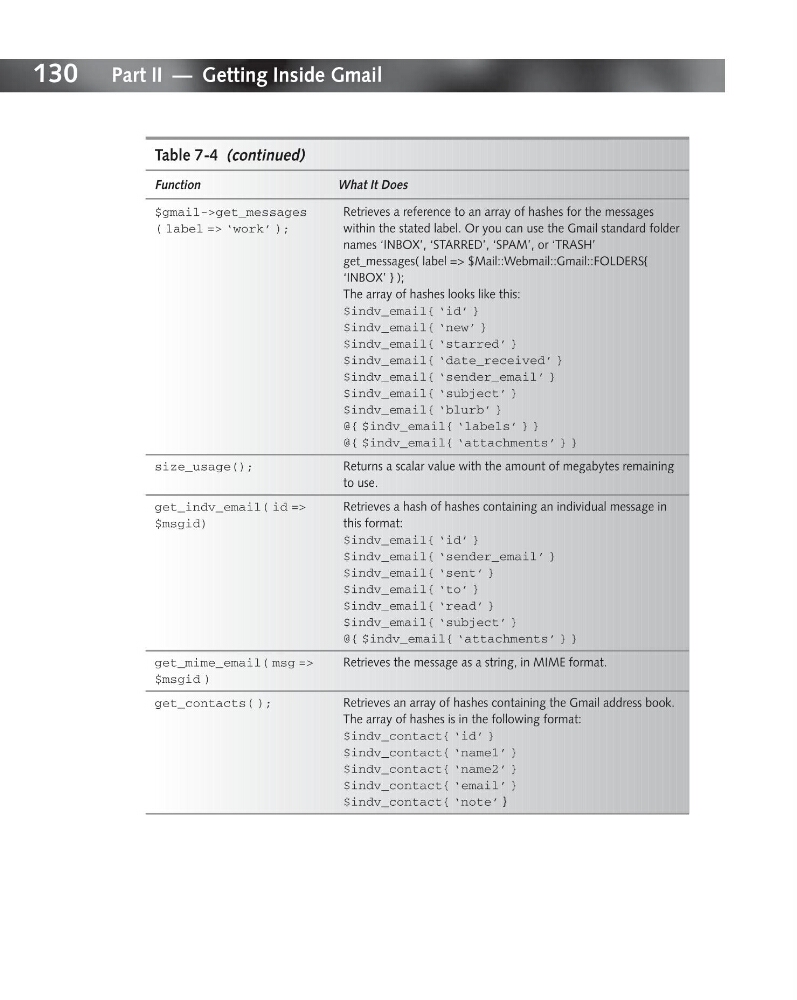
Table 7-4 (continued)
Function
What It Does
$gmail->get_messages
Retrieves a reference to an array of hashes for the messages
( label => ‘work’ );
within the stated label. Or you can use the Gmail standard folder
names ‘INBOX’, ‘STARRED’, ‘SPAM’, or ‘TRASH’
get_messages( label => $Mail::Webmail::Gmail::FOLDERS{
‘INBOX’ } );
The array of hashes looks like this:
$indv_email{ ‘id’ }
$indv_email{ ‘new’ }
$indv_email{ ‘starred’ }
$indv_email{ ‘date_received’ }
$indv_email{ ‘sender_email’ }
$indv_email{ ‘subject’ }
$indv_email{ ‘blurb’ }
@{ $indv_email{ ‘labels’ } }
@{ $indv_email{ ‘attachments’ } }
size_usage();
Returns a scalar value with the amount of megabytes remaining
to use.
get_indv_email( id =>
Retrieves a hash of hashes containing an individual message in
$msgid)
this format:
$indv_email{ ‘id’ }
$indv_email{ ‘sender_email’ }
$indv_email{ ‘sent’ }
$indv_email{ ‘to’ }
$indv_email{ ‘read’ }
$indv_email{ ‘subject’ }
@{ $indv_email{ ‘attachments’ } }
get_mime_email( msg =>
Retrieves the message as a string, in MIME format.
$msgid )
get_contacts( );
Retrieves an array of hashes containing the Gmail address book.
The array of hashes is in the following format:
$indv_contact{ ‘id’ }
$indv_contact{ ‘name1’ }
$indv_contact{ ‘name2’ }
$indv_contact{ ‘email’ }
$indv_contact{ ‘note’ }
Table 7-4 (continued)
Function
What It Does
$gmail->get_messages
Retrieves a reference to an array of hashes for the messages
( label => ‘work’ );
within the stated label. Or you can use the Gmail standard folder
names ‘INBOX’, ‘STARRED’, ‘SPAM’, or ‘TRASH’
get_messages( label => $Mail::Webmail::Gmail::FOLDERS{
‘INBOX’ } );
The array of hashes looks like this:
$indv_email{ ‘id’ }
$indv_email{ ‘new’ }
$indv_email{ ‘starred’ }
$indv_email{ ‘date_received’ }
$indv_email{ ‘sender_email’ }
$indv_email{ ‘subject’ }
$indv_email{ ‘blurb’ }
@{ $indv_email{ ‘labels’ } }
@{ $indv_email{ ‘attachments’ } }
size_usage();
Returns a scalar value with the amount of megabytes remaining
to use.
get_indv_email( id =>
Retrieves a hash of hashes containing an individual message in
$msgid)
this format:
$indv_email{ ‘id’ }
$indv_email{ ‘sender_email’ }
$indv_email{ ‘sent’ }
$indv_email{ ‘to’ }
$indv_email{ ‘read’ }
$indv_email{ ‘subject’ }
@{ $indv_email{ ‘attachments’ } }
get_mime_email( msg =>
Retrieves the message as a string, in MIME format.
$msgid )
get_contacts( );
Retrieves an array of hashes containing the Gmail address book.
The array of hashes is in the following format:
$indv_contact{ ‘id’ }
$indv_contact{ ‘name1’ }
$indv_contact{ ‘name2’ }
$indv_contact{ ‘email’ }
$indv_contact{ ‘note’ }