

122 Part II — Getting Inside Gmail
Assuming you’re logged in, request the Inbox like so:
$gm->fetchBox(GM_STANDARD, Inbox, 0);
Then parse it into an object called a Snapshot, like so:
$snapshot = $gm->getSnapshot(GM_STANDARD);
Once you have the Inbox loaded into a Snapshot, you can query that Snapshot
and get all of the information out of it. You’ll have noticed, however, two things
not yet covered: the phrase GM_STANDARD and the properties that Snapshots
themselves have.
The Constants
GM_STANDARD is a constant. Gmailer has 20 constants available, each representing
a different feature of the Gmail system: the Inbox, the Labels, the Contacts, and
so on. To work with Gmail, you need to use a method to retrieve one of the constants, and then you create a Snapshot of it, and finally query that Snapshot.
This two-stage process is really all there is to the Gmailer library, so once you
understand it, you are good to go.
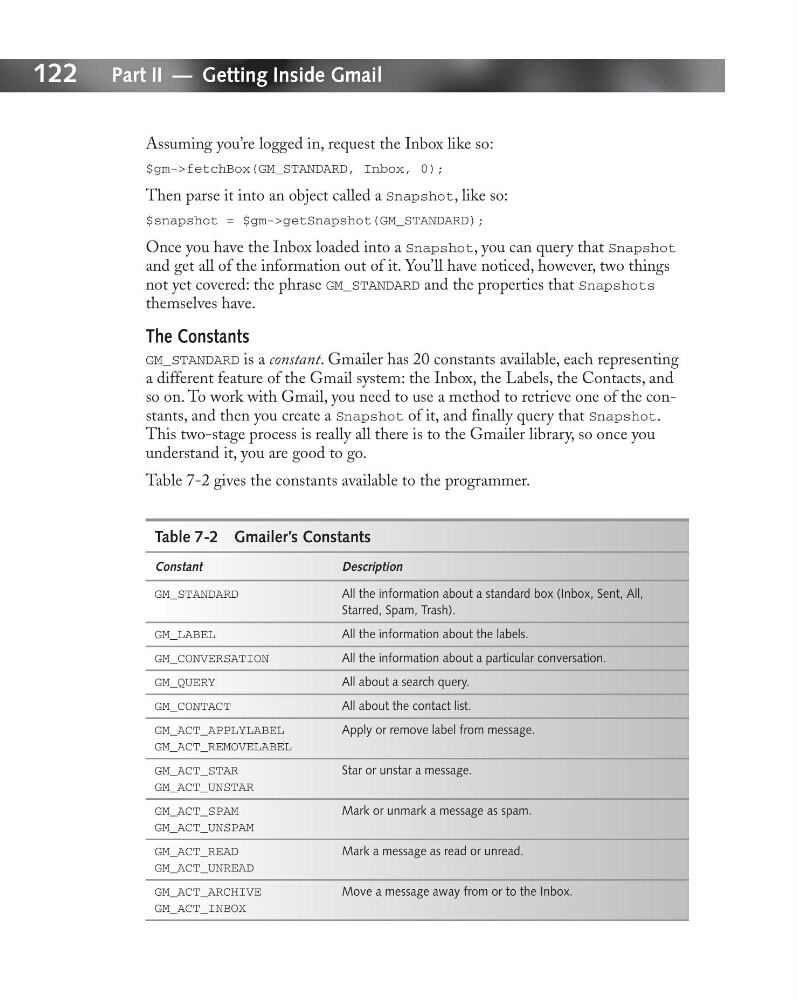
Table 7-2 gives the constants available to the programmer.
Table 7-2 Gmailer’s Constants
Constant
Description
GM_STANDARD
All the information about a standard box (Inbox, Sent, All,
Starred, Spam, Trash).
GM_LABEL
All the information about the labels.
GM_CONVERSATION
All the information about a particular conversation.
GM_QUERY
All about a search query.
GM_CONTACT
All about the contact list.
GM_ACT_APPLYLABEL
Apply or remove label from message.
GM_ACT_REMOVELABEL
GM_ACT_STAR
Star or unstar a message.
GM_ACT_UNSTAR
GM_ACT_SPAM
Mark or unmark a message as spam.
GM_ACT_UNSPAM
GM_ACT_READ
Mark a message as read or unread.
GM_ACT_UNREAD
GM_ACT_ARCHIVE
Move a message away from or to the Inbox.
GM_ACT_INBOX
Assuming you’re logged in, request the Inbox like so:
$gm->fetchBox(GM_STANDARD, Inbox, 0);
Then parse it into an object called a Snapshot, like so:
$snapshot = $gm->getSnapshot(GM_STANDARD);
Once you have the Inbox loaded into a Snapshot, you can query that Snapshot
and get all of the information out of it. You’ll have noticed, however, two things
not yet covered: the phrase GM_STANDARD and the properties that Snapshots
themselves have.
The Constants
GM_STANDARD is a constant. Gmailer has 20 constants available, each representing
a different feature of the Gmail system: the Inbox, the Labels, the Contacts, and
so on. To work with Gmail, you need to use a method to retrieve one of the constants, and then you create a Snapshot of it, and finally query that Snapshot.
This two-stage process is really all there is to the Gmailer library, so once you
understand it, you are good to go.
Table 7-2 gives the constants available to the programmer.
Table 7-2 Gmailer’s Constants
Constant
Description
GM_STANDARD
All the information about a standard box (Inbox, Sent, All,
Starred, Spam, Trash).
GM_LABEL
All the information about the labels.
GM_CONVERSATION
All the information about a particular conversation.
GM_QUERY
All about a search query.
GM_CONTACT
All about the contact list.
GM_ACT_APPLYLABEL
Apply or remove label from message.
GM_ACT_REMOVELABEL
GM_ACT_STAR
Star or unstar a message.
GM_ACT_UNSTAR
GM_ACT_SPAM
Mark or unmark a message as spam.
GM_ACT_UNSPAM
GM_ACT_READ
Mark a message as read or unread.
GM_ACT_UNREAD
GM_ACT_ARCHIVE
Move a message away from or to the Inbox.
GM_ACT_INBOX