

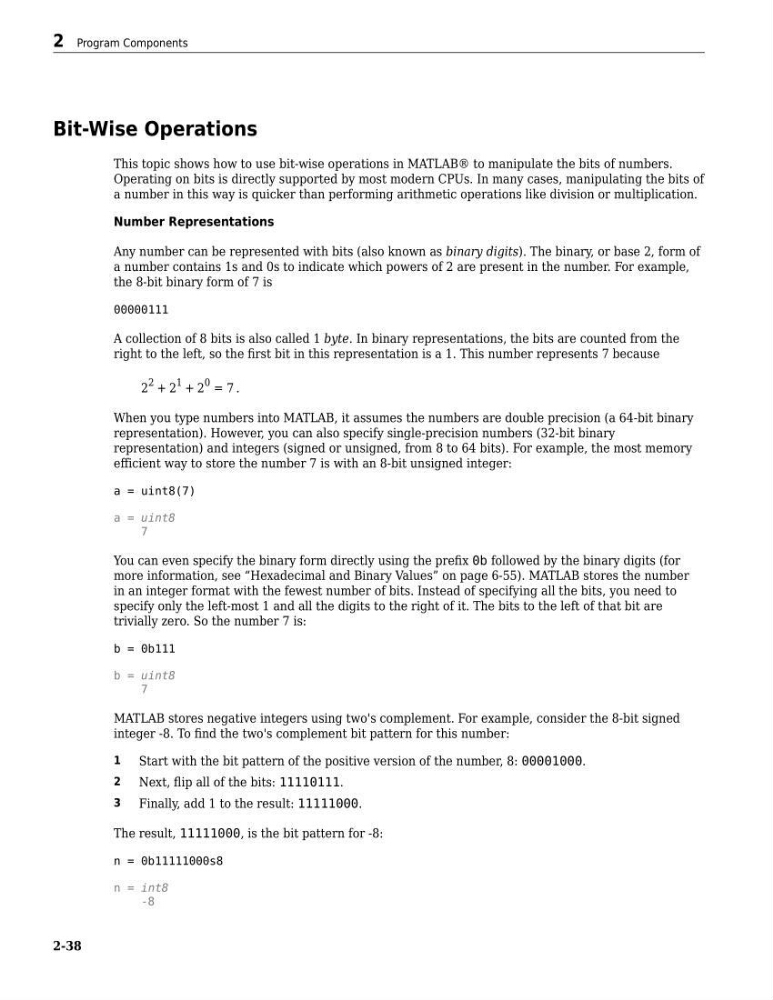
Bit-Wise Operations
This topic shows how to use bit-wise operations in MATLAB® to manipulate the bits of numbers.
Operating on bits is directly supported by most modern CPUs. In many cases, manipulating the bits of
a number in this way is quicker than performing arithmetic operations like division or multiplication.
Number Representations
Any number can be represented with bits (also known as binary digits). The binary, or base 2, form of
a number contains 1s and 0s to indicate which powers of 2 are present in the number. For example,
the 8-bit binary form of 7 is
00000111
A collection of 8 bits is also called 1 byte. In binary representations, the bits are counted from the
right to the left, so the first bit in this representation is a 1. This number represents 7 because
2
2 + 2
1 + 2
0 = 7 .
When you type numbers into MATLAB, it assumes the numbers are double precision (a 64-bit binary
representation). However, you can also specify single-precision numbers (32-bit binary
representation) and integers (signed or unsigned, from 8 to 64 bits). For example, the most memory
efficient way to store the number 7 is with an 8-bit unsigned integer:
a = uint8(7)
a = uint8
7
You can even specify the binary form directly using the prefix 0b followed by the binary digits (for
more information, see “Hexadecimal and Binary Values” on page 6-55). MATLAB stores the number
in an integer format with the fewest number of bits. Instead of specifying all the bits, you need to
specify only the left-most 1 and all the digits to the right of it. The bits to the left of that bit are
trivially zero. So the number 7 is:
b = 0b111
b = uint8
7
MATLAB stores negative integers using two's complement. For example, consider the 8-bit signed
integer -8. To find the two's complement bit pattern for this number:
1
Start with the bit pattern of the positive version of the number, 8: 00001000.
2
Next, flip all of the bits: 11110111.
3
Finally, add 1 to the result: 11111000.
The result, 11111000, is the bit pattern for -8:
n = 0b11111000s8
n = int8
-8
2 Program Components
2-38
This topic shows how to use bit-wise operations in MATLAB® to manipulate the bits of numbers.
Operating on bits is directly supported by most modern CPUs. In many cases, manipulating the bits of
a number in this way is quicker than performing arithmetic operations like division or multiplication.
Number Representations
Any number can be represented with bits (also known as binary digits). The binary, or base 2, form of
a number contains 1s and 0s to indicate which powers of 2 are present in the number. For example,
the 8-bit binary form of 7 is
00000111
A collection of 8 bits is also called 1 byte. In binary representations, the bits are counted from the
right to the left, so the first bit in this representation is a 1. This number represents 7 because
2
2 + 2
1 + 2
0 = 7 .
When you type numbers into MATLAB, it assumes the numbers are double precision (a 64-bit binary
representation). However, you can also specify single-precision numbers (32-bit binary
representation) and integers (signed or unsigned, from 8 to 64 bits). For example, the most memory
efficient way to store the number 7 is with an 8-bit unsigned integer:
a = uint8(7)
a = uint8
7
You can even specify the binary form directly using the prefix 0b followed by the binary digits (for
more information, see “Hexadecimal and Binary Values” on page 6-55). MATLAB stores the number
in an integer format with the fewest number of bits. Instead of specifying all the bits, you need to
specify only the left-most 1 and all the digits to the right of it. The bits to the left of that bit are
trivially zero. So the number 7 is:
b = 0b111
b = uint8
7
MATLAB stores negative integers using two's complement. For example, consider the 8-bit signed
integer -8. To find the two's complement bit pattern for this number:
1
Start with the bit pattern of the positive version of the number, 8: 00001000.
2
Next, flip all of the bits: 11110111.
3
Finally, add 1 to the result: 11111000.
The result, 11111000, is the bit pattern for -8:
n = 0b11111000s8
n = int8
-8
2 Program Components
2-38