

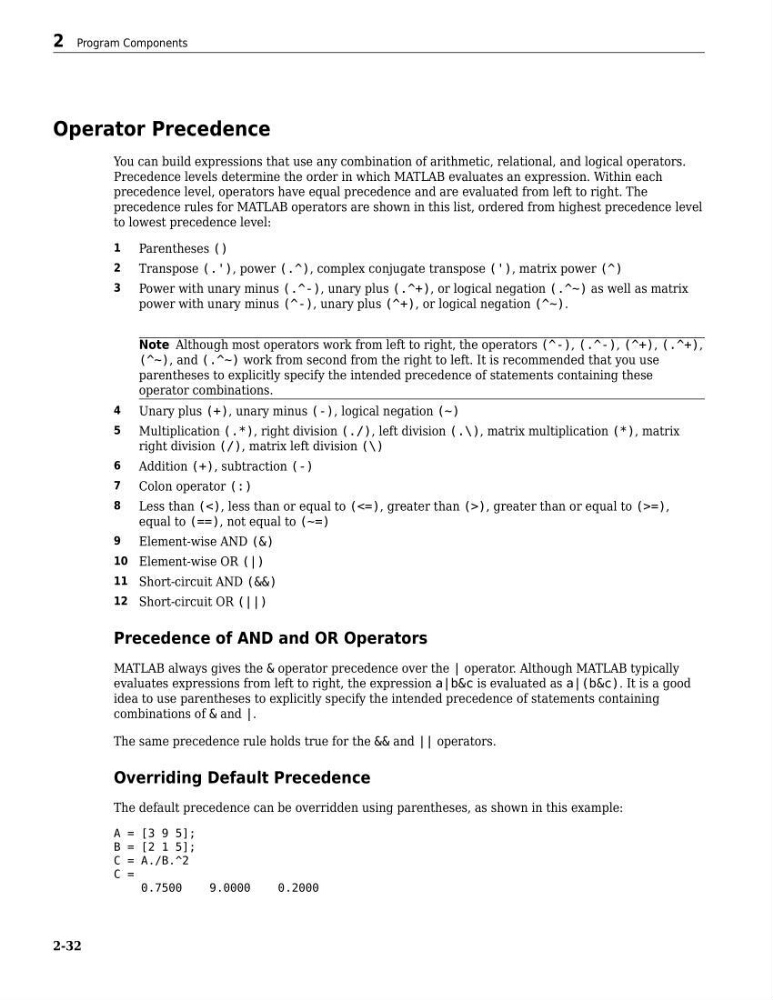
Operator Precedence
You can build expressions that use any combination of arithmetic, relational, and logical operators.
Precedence levels determine the order in which MATLAB evaluates an expression. Within each
precedence level, operators have equal precedence and are evaluated from left to right. The
precedence rules for MATLAB operators are shown in this list, ordered from highest precedence level
to lowest precedence level:
1
Parentheses ()
2
Transpose (.'), power (.^), complex conjugate transpose ('), matrix power (^)
3
Power with unary minus (.^-), unary plus (.^+), or logical negation (.^~) as well as matrix
power with unary minus (^-), unary plus (^+), or logical negation (^~).
Note Although most operators work from left to right, the operators (^-), (.^-), (^+), (.^+),
(^~), and (.^~) work from second from the right to left. It is recommended that you use
parentheses to explicitly specify the intended precedence of statements containing these
operator combinations.
4
Unary plus (+), unary minus (-), logical negation (~)
5
Multiplication (.*), right division (./), left division (.\), matrix multiplication (*), matrix
right division (/), matrix left division (\)
6
Addition (+), subtraction (-)
7
Colon operator (:)
8
Less than (<), less than or equal to (<=), greater than (>), greater than or equal to (>=),
equal to (==), not equal to (~=)
9
Element-wise AND (&)
10 Element-wise OR (|)
11 Short-circuit AND (&&)
12 Short-circuit OR (||)
Precedence of AND and OR Operators
MATLAB always gives the & operator precedence over the | operator. Although MATLAB typically
evaluates expressions from left to right, the expression a|b&c is evaluated as a|(b&c). It is a good
idea to use parentheses to explicitly specify the intended precedence of statements containing
combinations of & and |.
The same precedence rule holds true for the && and || operators.
Overriding Default Precedence
The default precedence can be overridden using parentheses, as shown in this example:
A = [3 9 5];
B = [2 1 5];
C = A./B.^2
C =
0.7500
9.0000
0.2000
2 Program Components
2-32
You can build expressions that use any combination of arithmetic, relational, and logical operators.
Precedence levels determine the order in which MATLAB evaluates an expression. Within each
precedence level, operators have equal precedence and are evaluated from left to right. The
precedence rules for MATLAB operators are shown in this list, ordered from highest precedence level
to lowest precedence level:
1
Parentheses ()
2
Transpose (.'), power (.^), complex conjugate transpose ('), matrix power (^)
3
Power with unary minus (.^-), unary plus (.^+), or logical negation (.^~) as well as matrix
power with unary minus (^-), unary plus (^+), or logical negation (^~).
Note Although most operators work from left to right, the operators (^-), (.^-), (^+), (.^+),
(^~), and (.^~) work from second from the right to left. It is recommended that you use
parentheses to explicitly specify the intended precedence of statements containing these
operator combinations.
4
Unary plus (+), unary minus (-), logical negation (~)
5
Multiplication (.*), right division (./), left division (.\), matrix multiplication (*), matrix
right division (/), matrix left division (\)
6
Addition (+), subtraction (-)
7
Colon operator (:)
8
Less than (<), less than or equal to (<=), greater than (>), greater than or equal to (>=),
equal to (==), not equal to (~=)
9
Element-wise AND (&)
10 Element-wise OR (|)
11 Short-circuit AND (&&)
12 Short-circuit OR (||)
Precedence of AND and OR Operators
MATLAB always gives the & operator precedence over the | operator. Although MATLAB typically
evaluates expressions from left to right, the expression a|b&c is evaluated as a|(b&c). It is a good
idea to use parentheses to explicitly specify the intended precedence of statements containing
combinations of & and |.
The same precedence rule holds true for the && and || operators.
Overriding Default Precedence
The default precedence can be overridden using parentheses, as shown in this example:
A = [3 9 5];
B = [2 1 5];
C = A./B.^2
C =
0.7500
9.0000
0.2000
2 Program Components
2-32