

Syntax Highlighted Sample Code
Executable code appears with syntax highlighting in published documents. You also can highlight
sample code. Sample code is code that appears within comments.
To indicate sample code, you must put three spaces between the comment symbol and the start of the
first line of code. For example, clicking the Code button on the Publish tab inserts the following
sample code in your Editor.
%%
%
%
for i = 1:10
%
disp(x)
%
end
%
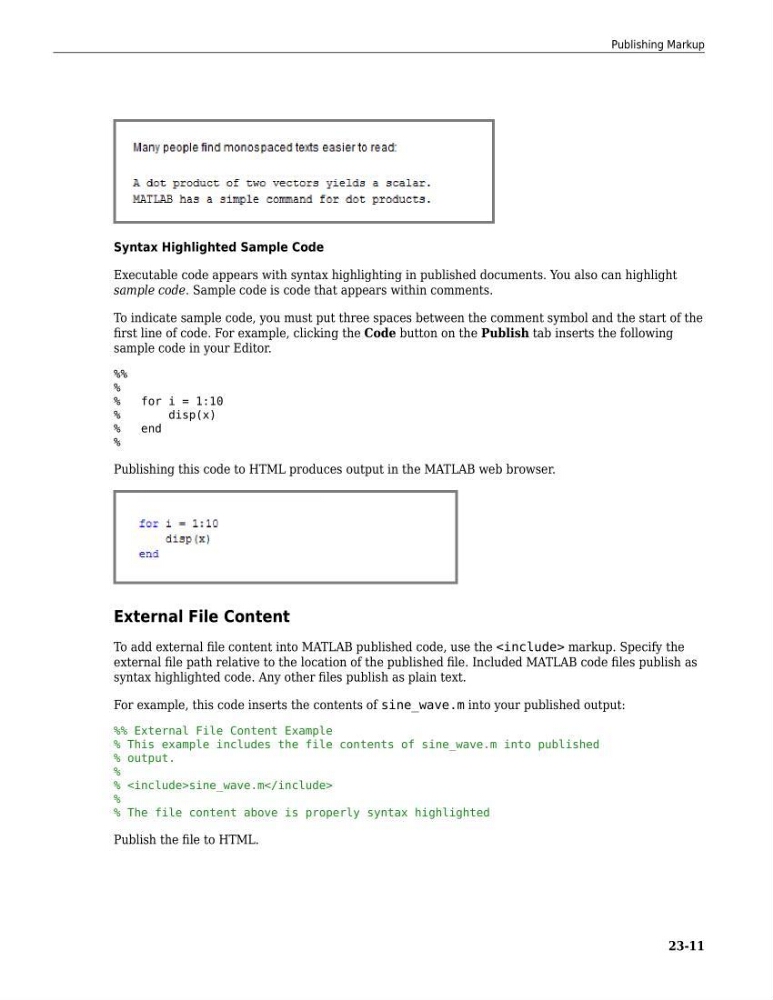
Publishing this code to HTML produces output in the MATLAB web browser.
External File Content
To add external file content into MATLAB published code, use the markup. Specify the
external file path relative to the location of the published file. Included MATLAB code files publish as
syntax highlighted code. Any other files publish as plain text.
For example, this code inserts the contents of sine_wave.m into your published output:
%% External File Content Example
% This example includes the file contents of sine_wave.m into published
% output.
%
%sine_wave.m
%
% The file content above is properly syntax highlighted
Publish the file to HTML.
Publishing Markup
23-11
Executable code appears with syntax highlighting in published documents. You also can highlight
sample code. Sample code is code that appears within comments.
To indicate sample code, you must put three spaces between the comment symbol and the start of the
first line of code. For example, clicking the Code button on the Publish tab inserts the following
sample code in your Editor.
%%
%
%
for i = 1:10
%
disp(x)
%
end
%
Publishing this code to HTML produces output in the MATLAB web browser.
External File Content
To add external file content into MATLAB published code, use the
external file path relative to the location of the published file. Included MATLAB code files publish as
syntax highlighted code. Any other files publish as plain text.
For example, this code inserts the contents of sine_wave.m into your published output:
%% External File Content Example
% This example includes the file contents of sine_wave.m into published
% output.
%
%
%
% The file content above is properly syntax highlighted
Publish the file to HTML.
Publishing Markup
23-11