

Publishing Markup
When publishing your MATLAB code files (.m), you can enhance the readability of the published
documents by adding markup to the comments within the files. Adding markup allows you to format
the published documents and display external files and graphics.
Markup Overview
To insert markup, you can:
• Use the formatting buttons and drop-down menus on the Publish tab to format the file. This
method automatically inserts the text markup for you.
• Select markup from the Insert Text Markup list in the right click menu.
• Type the markup directly in the comments.
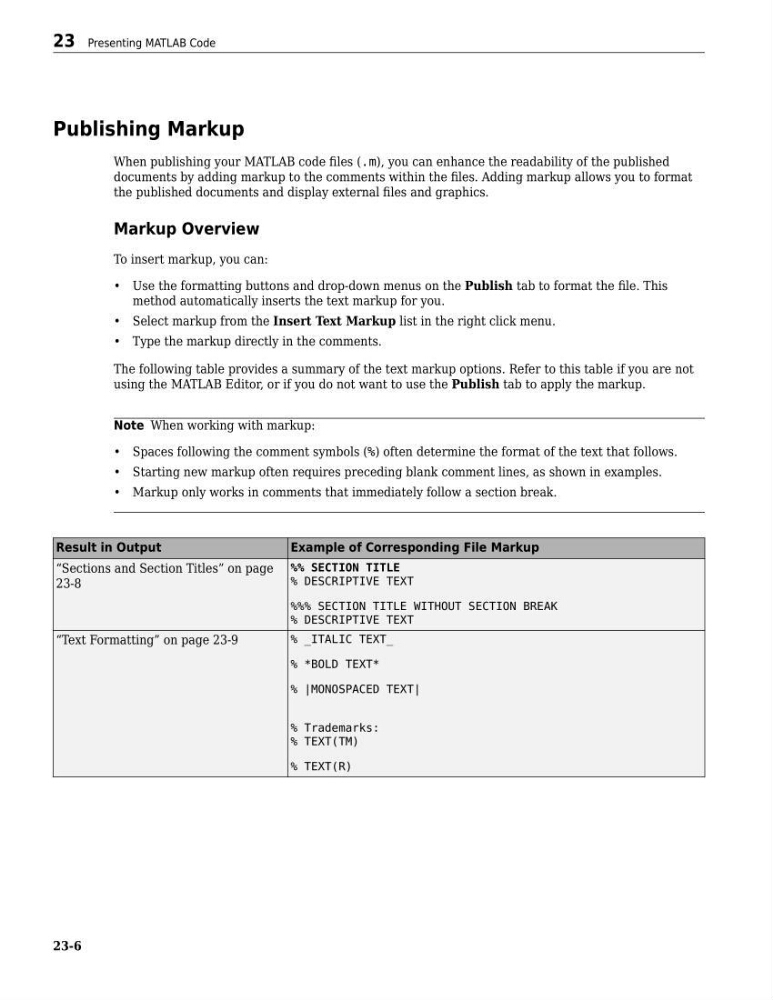
The following table provides a summary of the text markup options. Refer to this table if you are not
using the MATLAB Editor, or if you do not want to use the Publish tab to apply the markup.
Note When working with markup:
• Spaces following the comment symbols (%) often determine the format of the text that follows.
• Starting new markup often requires preceding blank comment lines, as shown in examples.
• Markup only works in comments that immediately follow a section break.
Result in Output
Example of Corresponding File Markup
“Sections and Section Titles” on page
23-8
%% SECTION TITLE
% DESCRIPTIVE TEXT
%%% SECTION TITLE WITHOUT SECTION BREAK
% DESCRIPTIVE TEXT
“Text Formatting” on page 23-9
% _ITALIC TEXT_
% *BOLD TEXT*
% |MONOSPACED TEXT|
% Trademarks:
% TEXT(TM)
% TEXT(R)
23 Presenting MATLAB Code
23-6
When publishing your MATLAB code files (.m), you can enhance the readability of the published
documents by adding markup to the comments within the files. Adding markup allows you to format
the published documents and display external files and graphics.
Markup Overview
To insert markup, you can:
• Use the formatting buttons and drop-down menus on the Publish tab to format the file. This
method automatically inserts the text markup for you.
• Select markup from the Insert Text Markup list in the right click menu.
• Type the markup directly in the comments.
The following table provides a summary of the text markup options. Refer to this table if you are not
using the MATLAB Editor, or if you do not want to use the Publish tab to apply the markup.
Note When working with markup:
• Spaces following the comment symbols (%) often determine the format of the text that follows.
• Starting new markup often requires preceding blank comment lines, as shown in examples.
• Markup only works in comments that immediately follow a section break.
Result in Output
Example of Corresponding File Markup
“Sections and Section Titles” on page
23-8
%% SECTION TITLE
% DESCRIPTIVE TEXT
%%% SECTION TITLE WITHOUT SECTION BREAK
% DESCRIPTIVE TEXT
“Text Formatting” on page 23-9
% _ITALIC TEXT_
% *BOLD TEXT*
% |MONOSPACED TEXT|
% Trademarks:
% TEXT(TM)
% TEXT(R)
23 Presenting MATLAB Code
23-6