

Publish and Share MATLAB Code
MATLAB provides options for presenting your code to others. You can publish your MATLAB Code
files (.m) to create formatted documents or you can create and share live scripts and live functions in
the Live Editor.
Create and Share Live Scripts in the Live Editor
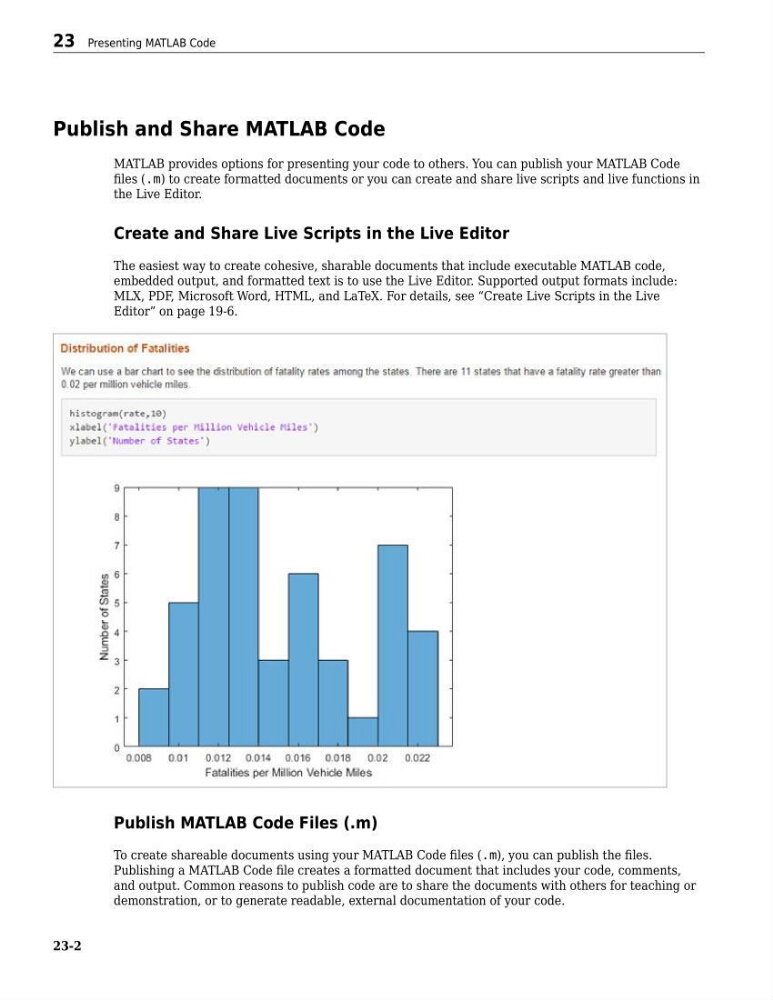
The easiest way to create cohesive, sharable documents that include executable MATLAB code,
embedded output, and formatted text is to use the Live Editor. Supported output formats include:
MLX, PDF, Microsoft Word, HTML, and LaTeX. For details, see “Create Live Scripts in the Live
Editor” on page 19-6.
Publish MATLAB Code Files (.m)
To create shareable documents using your MATLAB Code files (.m), you can publish the files.
Publishing a MATLAB Code file creates a formatted document that includes your code, comments,
and output. Common reasons to publish code are to share the documents with others for teaching or
demonstration, or to generate readable, external documentation of your code.
23 Presenting MATLAB Code
23-2
MATLAB provides options for presenting your code to others. You can publish your MATLAB Code
files (.m) to create formatted documents or you can create and share live scripts and live functions in
the Live Editor.
Create and Share Live Scripts in the Live Editor
The easiest way to create cohesive, sharable documents that include executable MATLAB code,
embedded output, and formatted text is to use the Live Editor. Supported output formats include:
MLX, PDF, Microsoft Word, HTML, and LaTeX. For details, see “Create Live Scripts in the Live
Editor” on page 19-6.
Publish MATLAB Code Files (.m)
To create shareable documents using your MATLAB Code files (.m), you can publish the files.
Publishing a MATLAB Code file creates a formatted document that includes your code, comments,
and output. Common reasons to publish code are to share the documents with others for teaching or
demonstration, or to generate readable, external documentation of your code.
23 Presenting MATLAB Code
23-2