

Input Parser Validation Functions
This topic shows ways to define validation functions that you pass to the Input Parser to check custom
function inputs.
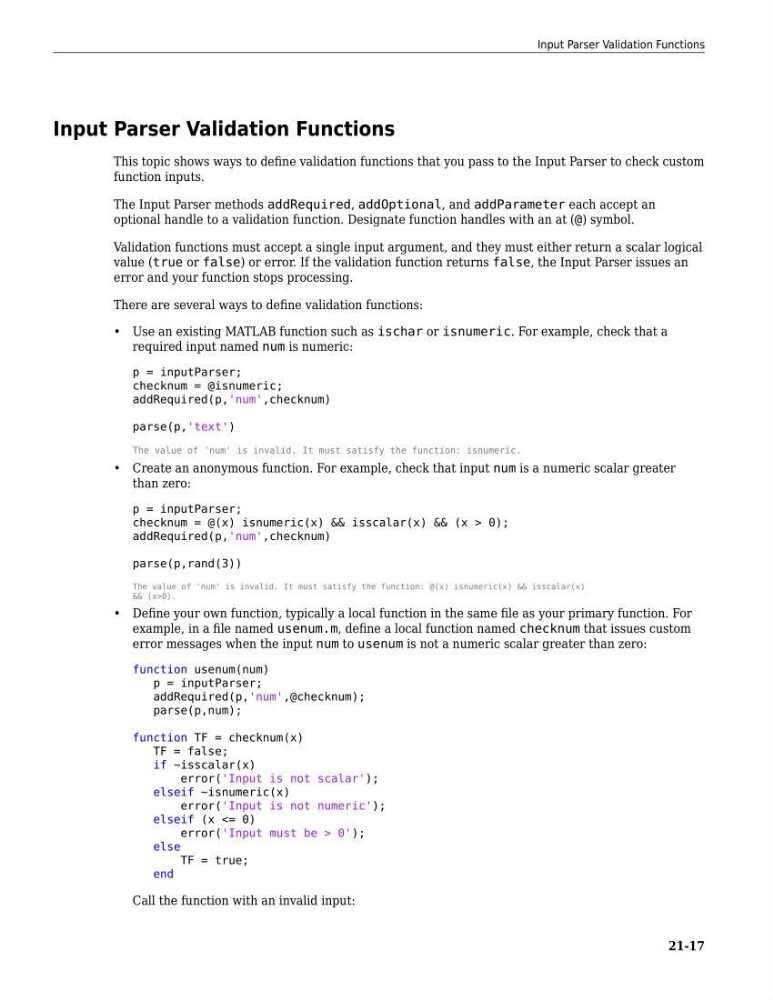
The Input Parser methods addRequired, addOptional, and addParameter each accept an
optional handle to a validation function. Designate function handles with an at (@) symbol.
Validation functions must accept a single input argument, and they must either return a scalar logical
value (true or false) or error. If the validation function returns false, the Input Parser issues an
error and your function stops processing.
There are several ways to define validation functions:
• Use an existing MATLAB function such as ischar or isnumeric. For example, check that a
required input named num is numeric:
p = inputParser;
checknum = @isnumeric;
addRequired(p,'num',checknum)
parse(p,'text')
The value of 'num' is invalid. It must satisfy the function: isnumeric.
• Create an anonymous function. For example, check that input num is a numeric scalar greater
than zero:
p = inputParser;
checknum = @(x) isnumeric(x) && isscalar(x) && (x > 0);
addRequired(p,'num',checknum)
parse(p,rand(3))
The value of 'num' is invalid. It must satisfy the function: @(x) isnumeric(x) && isscalar(x)
&& (x>0).
• Define your own function, typically a local function in the same file as your primary function. For
example, in a file named usenum.m, define a local function named checknum that issues custom
error messages when the input num to usenum is not a numeric scalar greater than zero:
function usenum(num)
p = inputParser;
addRequired(p,'num',@checknum);
parse(p,num);
function TF = checknum(x)
TF = false;
if ~isscalar(x)
error('Input is not scalar');
elseif ~isnumeric(x)
error('Input is not numeric');
elseif (x <= 0)
error('Input must be > 0');
else
TF = true;
end
Call the function with an invalid input:
Input Parser Validation Functions
21-17
This topic shows ways to define validation functions that you pass to the Input Parser to check custom
function inputs.
The Input Parser methods addRequired, addOptional, and addParameter each accept an
optional handle to a validation function. Designate function handles with an at (@) symbol.
Validation functions must accept a single input argument, and they must either return a scalar logical
value (true or false) or error. If the validation function returns false, the Input Parser issues an
error and your function stops processing.
There are several ways to define validation functions:
• Use an existing MATLAB function such as ischar or isnumeric. For example, check that a
required input named num is numeric:
p = inputParser;
checknum = @isnumeric;
addRequired(p,'num',checknum)
parse(p,'text')
The value of 'num' is invalid. It must satisfy the function: isnumeric.
• Create an anonymous function. For example, check that input num is a numeric scalar greater
than zero:
p = inputParser;
checknum = @(x) isnumeric(x) && isscalar(x) && (x > 0);
addRequired(p,'num',checknum)
parse(p,rand(3))
The value of 'num' is invalid. It must satisfy the function: @(x) isnumeric(x) && isscalar(x)
&& (x>0).
• Define your own function, typically a local function in the same file as your primary function. For
example, in a file named usenum.m, define a local function named checknum that issues custom
error messages when the input num to usenum is not a numeric scalar greater than zero:
function usenum(num)
p = inputParser;
addRequired(p,'num',@checknum);
parse(p,num);
function TF = checknum(x)
TF = false;
if ~isscalar(x)
error('Input is not scalar');
elseif ~isnumeric(x)
error('Input is not numeric');
elseif (x <= 0)
error('Input must be > 0');
else
TF = true;
end
Call the function with an invalid input:
Input Parser Validation Functions
21-17