

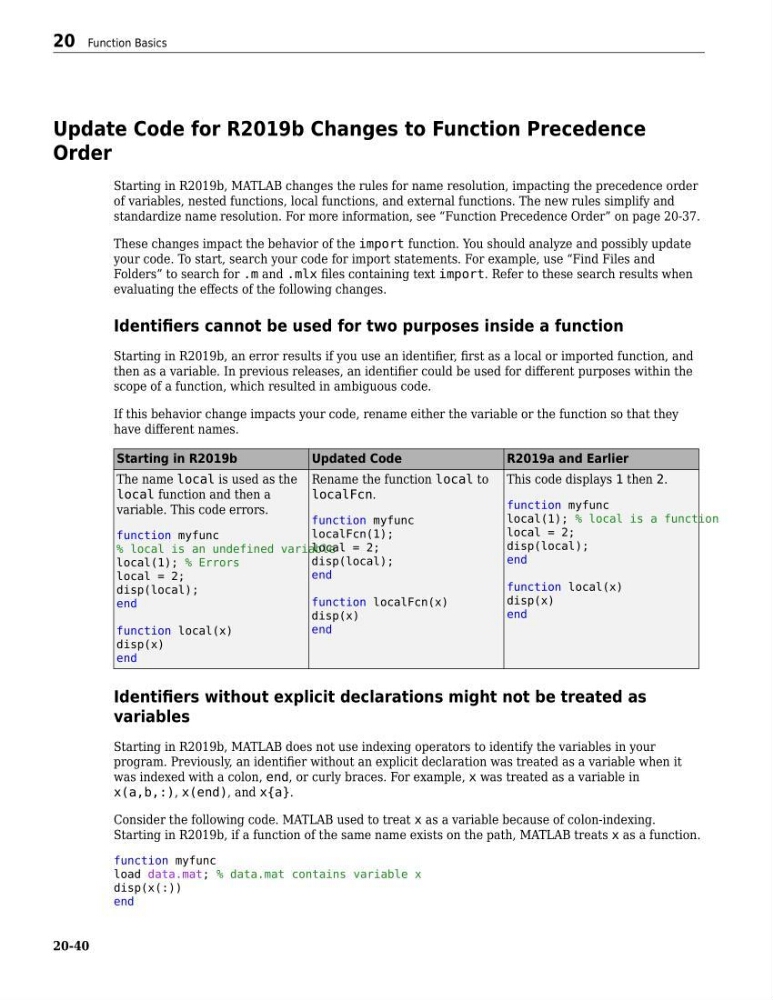
Update Code for R2019b Changes to Function Precedence
Order
Starting in R2019b, MATLAB changes the rules for name resolution, impacting the precedence order
of variables, nested functions, local functions, and external functions. The new rules simplify and
standardize name resolution. For more information, see “Function Precedence Order” on page 20-37.
These changes impact the behavior of the import function. You should analyze and possibly update
your code. To start, search your code for import statements. For example, use “Find Files and
Folders” to search for .m and .mlx files containing text import. Refer to these search results when
evaluating the effects of the following changes.
Identifiers cannot be used for two purposes inside a function
Starting in R2019b, an error results if you use an identifier, first as a local or imported function, and
then as a variable. In previous releases, an identifier could be used for different purposes within the
scope of a function, which resulted in ambiguous code.
If this behavior change impacts your code, rename either the variable or the function so that they
have different names.
Starting in R2019b
Updated Code
R2019a and Earlier
The name local is used as the
local function and then a
variable. This code errors.
function myfunc
% local is an undefined variable
local(1); % Errors
local = 2;
disp(local);
end
function local(x)
disp(x)
end
Rename the function local to
localFcn.
function myfunc
localFcn(1);
local = 2;
disp(local);
end
function localFcn(x)
disp(x)
end
This code displays 1 then 2.
function myfunc
local(1); % local is a function
local = 2;
disp(local);
end
function local(x)
disp(x)
end
Identifiers without explicit declarations might not be treated as
variables
Starting in R2019b, MATLAB does not use indexing operators to identify the variables in your
program. Previously, an identifier without an explicit declaration was treated as a variable when it
was indexed with a colon, end, or curly braces. For example, x was treated as a variable in
x(a,b,:), x(end), and x{a}.
Consider the following code. MATLAB used to treat x as a variable because of colon-indexing.
Starting in R2019b, if a function of the same name exists on the path, MATLAB treats x as a function.
function myfunc
load data.mat; % data.mat contains variable x
disp(x(:))
end
20 Function Basics
20-40
Order
Starting in R2019b, MATLAB changes the rules for name resolution, impacting the precedence order
of variables, nested functions, local functions, and external functions. The new rules simplify and
standardize name resolution. For more information, see “Function Precedence Order” on page 20-37.
These changes impact the behavior of the import function. You should analyze and possibly update
your code. To start, search your code for import statements. For example, use “Find Files and
Folders” to search for .m and .mlx files containing text import. Refer to these search results when
evaluating the effects of the following changes.
Identifiers cannot be used for two purposes inside a function
Starting in R2019b, an error results if you use an identifier, first as a local or imported function, and
then as a variable. In previous releases, an identifier could be used for different purposes within the
scope of a function, which resulted in ambiguous code.
If this behavior change impacts your code, rename either the variable or the function so that they
have different names.
Starting in R2019b
Updated Code
R2019a and Earlier
The name local is used as the
local function and then a
variable. This code errors.
function myfunc
% local is an undefined variable
local(1); % Errors
local = 2;
disp(local);
end
function local(x)
disp(x)
end
Rename the function local to
localFcn.
function myfunc
localFcn(1);
local = 2;
disp(local);
end
function localFcn(x)
disp(x)
end
This code displays 1 then 2.
function myfunc
local(1); % local is a function
local = 2;
disp(local);
end
function local(x)
disp(x)
end
Identifiers without explicit declarations might not be treated as
variables
Starting in R2019b, MATLAB does not use indexing operators to identify the variables in your
program. Previously, an identifier without an explicit declaration was treated as a variable when it
was indexed with a colon, end, or curly braces. For example, x was treated as a variable in
x(a,b,:), x(end), and x{a}.
Consider the following code. MATLAB used to treat x as a variable because of colon-indexing.
Starting in R2019b, if a function of the same name exists on the path, MATLAB treats x as a function.
function myfunc
load data.mat; % data.mat contains variable x
disp(x(:))
end
20 Function Basics
20-40