

Live Scripts and Functions
Plain Code Scripts and Functions
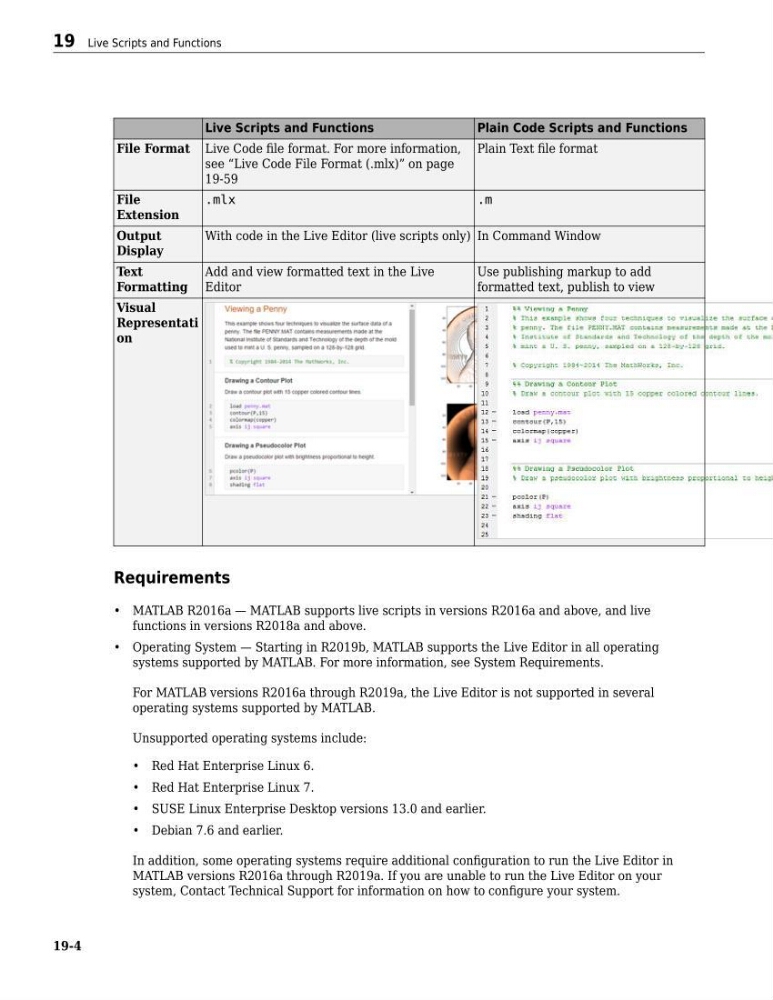
File Format Live Code file format. For more information,
see “Live Code File Format (.mlx)” on page
19-59
Plain Text file format
File
Extension
.mlx
.m
Output
Display
With code in the Live Editor (live scripts only) In Command Window
Text
Formatting
Add and view formatted text in the Live
Editor
Use publishing markup to add
formatted text, publish to view
Visual
Representati
on
Requirements
• MATLAB R2016a — MATLAB supports live scripts in versions R2016a and above, and live
functions in versions R2018a and above.
• Operating System — Starting in R2019b, MATLAB supports the Live Editor in all operating
systems supported by MATLAB. For more information, see System Requirements.
For MATLAB versions R2016a through R2019a, the Live Editor is not supported in several
operating systems supported by MATLAB.
Unsupported operating systems include:
• Red Hat Enterprise Linux 6.
• Red Hat Enterprise Linux 7.
• SUSE Linux Enterprise Desktop versions 13.0 and earlier.
• Debian 7.6 and earlier.
In addition, some operating systems require additional configuration to run the Live Editor in
MATLAB versions R2016a through R2019a. If you are unable to run the Live Editor on your
system, Contact Technical Support for information on how to configure your system.
19 Live Scripts and Functions
19-4
Plain Code Scripts and Functions
File Format Live Code file format. For more information,
see “Live Code File Format (.mlx)” on page
19-59
Plain Text file format
File
Extension
.mlx
.m
Output
Display
With code in the Live Editor (live scripts only) In Command Window
Text
Formatting
Add and view formatted text in the Live
Editor
Use publishing markup to add
formatted text, publish to view
Visual
Representati
on
Requirements
• MATLAB R2016a — MATLAB supports live scripts in versions R2016a and above, and live
functions in versions R2018a and above.
• Operating System — Starting in R2019b, MATLAB supports the Live Editor in all operating
systems supported by MATLAB. For more information, see System Requirements.
For MATLAB versions R2016a through R2019a, the Live Editor is not supported in several
operating systems supported by MATLAB.
Unsupported operating systems include:
• Red Hat Enterprise Linux 6.
• Red Hat Enterprise Linux 7.
• SUSE Linux Enterprise Desktop versions 13.0 and earlier.
• Debian 7.6 and earlier.
In addition, some operating systems require additional configuration to run the Live Editor in
MATLAB versions R2016a through R2019a. If you are unable to run the Live Editor on your
system, Contact Technical Support for information on how to configure your system.
19 Live Scripts and Functions
19-4