

Examine Contents of Map
Each entry in a Map consists of two parts: a unique key and its corresponding value. To find all the
keys in a Map, use the keys method. To find all of the values, use the values method.
Create a new Map called ticketMap that maps airline ticket numbers to the holders of those tickets.
Construct the Map with four key/value pairs:
ticketMap = containers.Map(...
{'2R175', 'B7398', 'A479GY', 'NZ1452'}, ...
{'James Enright', 'Carl Haynes', 'Sarah Latham', ...
'Bradley Reid'});
Use the keys method to display all keys in the Map. MATLAB lists keys of type char in alphabetical
order, and keys of any numeric type in numerical order:
keys(ticketMap)
ans =
'2R175'
'A479GY'
'B7398'
'NZ1452'
Next, display the values that are associated with those keys in the Map. The order of the values is
determined by the order of the keys associated with them.
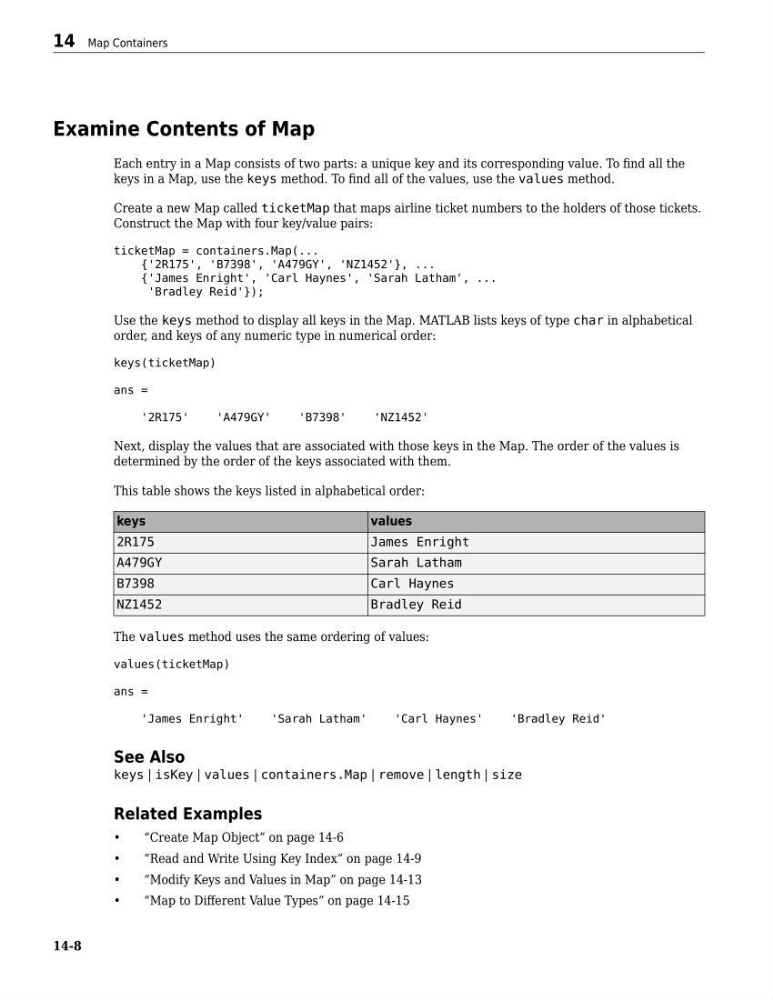
This table shows the keys listed in alphabetical order:
keys
values
2R175
James Enright
A479GY
Sarah Latham
B7398
Carl Haynes
NZ1452
Bradley Reid
The values method uses the same ordering of values:
values(ticketMap)
ans =
'James Enright'
'Sarah Latham'
'Carl Haynes'
'Bradley Reid'
See Also
keys | isKey | values | containers.Map | remove | length | size
Related Examples
•
“Create Map Object” on page 14-6
•
“Read and Write Using Key Index” on page 14-9
•
“Modify Keys and Values in Map” on page 14-13
•
“Map to Different Value Types” on page 14-15
14 Map Containers
14-8
Each entry in a Map consists of two parts: a unique key and its corresponding value. To find all the
keys in a Map, use the keys method. To find all of the values, use the values method.
Create a new Map called ticketMap that maps airline ticket numbers to the holders of those tickets.
Construct the Map with four key/value pairs:
ticketMap = containers.Map(...
{'2R175', 'B7398', 'A479GY', 'NZ1452'}, ...
{'James Enright', 'Carl Haynes', 'Sarah Latham', ...
'Bradley Reid'});
Use the keys method to display all keys in the Map. MATLAB lists keys of type char in alphabetical
order, and keys of any numeric type in numerical order:
keys(ticketMap)
ans =
'2R175'
'A479GY'
'B7398'
'NZ1452'
Next, display the values that are associated with those keys in the Map. The order of the values is
determined by the order of the keys associated with them.
This table shows the keys listed in alphabetical order:
keys
values
2R175
James Enright
A479GY
Sarah Latham
B7398
Carl Haynes
NZ1452
Bradley Reid
The values method uses the same ordering of values:
values(ticketMap)
ans =
'James Enright'
'Sarah Latham'
'Carl Haynes'
'Bradley Reid'
See Also
keys | isKey | values | containers.Map | remove | length | size
Related Examples
•
“Create Map Object” on page 14-6
•
“Read and Write Using Key Index” on page 14-9
•
“Modify Keys and Values in Map” on page 14-13
•
“Map to Different Value Types” on page 14-15
14 Map Containers
14-8