

patient(2).billing
ans = 28.5000
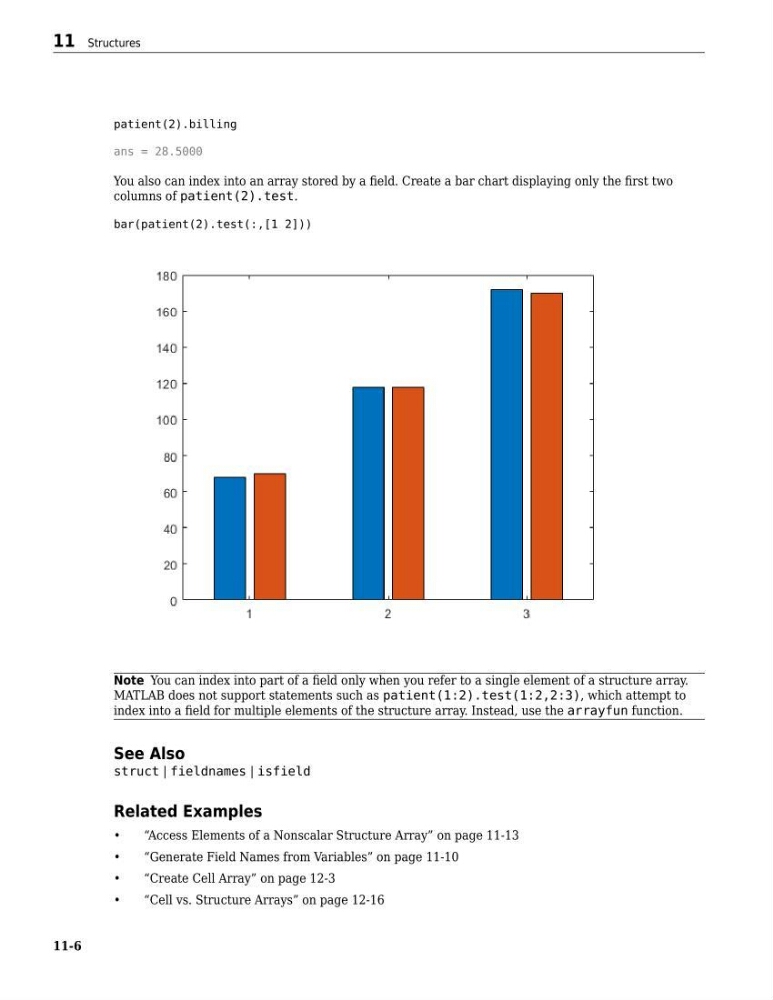
You also can index into an array stored by a field. Create a bar chart displaying only the first two
columns of patient(2).test.
bar(patient(2).test(:,[1 2]))
Note You can index into part of a field only when you refer to a single element of a structure array.
MATLAB does not support statements such as patient(1:2).test(1:2,2:3), which attempt to
index into a field for multiple elements of the structure array. Instead, use the arrayfun function.
See Also
struct | fieldnames | isfield
Related Examples
•
“Access Elements of a Nonscalar Structure Array” on page 11-13
•
“Generate Field Names from Variables” on page 11-10
•
“Create Cell Array” on page 12-3
•
“Cell vs. Structure Arrays” on page 12-16
11 Structures
11-6
ans = 28.5000
You also can index into an array stored by a field. Create a bar chart displaying only the first two
columns of patient(2).test.
bar(patient(2).test(:,[1 2]))
Note You can index into part of a field only when you refer to a single element of a structure array.
MATLAB does not support statements such as patient(1:2).test(1:2,2:3), which attempt to
index into a field for multiple elements of the structure array. Instead, use the arrayfun function.
See Also
struct | fieldnames | isfield
Related Examples
•
“Access Elements of a Nonscalar Structure Array” on page 11-13
•
“Generate Field Names from Variables” on page 11-10
•
“Create Cell Array” on page 12-3
•
“Cell vs. Structure Arrays” on page 12-16
11 Structures
11-6