

Using Row Labels in Table and Timetable Operations
Tables and timetables provide ways to label the rows in your data. In tables, you can label the rows
with names. In timetables, you must label the rows with dates, times, or both. Row names are
optional for tables, but row times are required for timetables. These row labels are part of the
metadata in a table or timetable. In some functions you also can use row labels as key variables,
grouping variables, and so on, just as you can use the data variables in a table or timetable. These
functions are sortrows, join, innerjoin, outerjoin, varfun, rowfun, stack, and unstack.
There are some limitations on using these table functions and on using row labels as key variables.
Sort on Row Labels
For example, you can sort a timetable on its row times, on one or more of its data variables, or on row
times and data variables together.
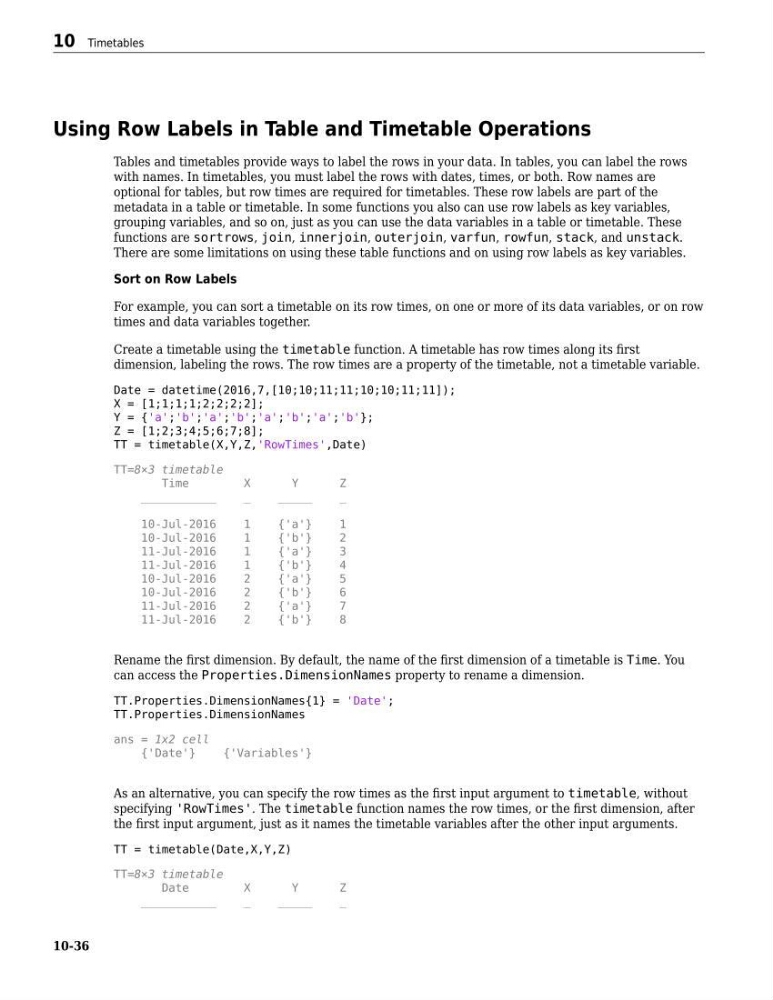
Create a timetable using the timetable function. A timetable has row times along its first
dimension, labeling the rows. The row times are a property of the timetable, not a timetable variable.
Date = datetime(2016,7,[10;10;11;11;10;10;11;11]);
X = [1;1;1;1;2;2;2;2];
Y = {'a';'b';'a';'b';'a';'b';'a';'b'};
Z = [1;2;3;4;5;6;7;8];
TT = timetable(X,Y,Z,'RowTimes',Date)
TT=8×3 timetable
Time
X
Y
Z
___________
_
_____
_
10-Jul-2016
1
{'a'}
1
10-Jul-2016
1
{'b'}
2
11-Jul-2016
1
{'a'}
3
11-Jul-2016
1
{'b'}
4
10-Jul-2016
2
{'a'}
5
10-Jul-2016
2
{'b'}
6
11-Jul-2016
2
{'a'}
7
11-Jul-2016
2
{'b'}
8
Rename the first dimension. By default, the name of the first dimension of a timetable is Time. You
can access the Properties.DimensionNames property to rename a dimension.
TT.Properties.DimensionNames{1} = 'Date';
TT.Properties.DimensionNames
ans = 1x2 cell
{'Date'}
{'Variables'}
As an alternative, you can specify the row times as the first input argument to timetable, without
specifying 'RowTimes'. The timetable function names the row times, or the first dimension, after
the first input argument, just as it names the timetable variables after the other input arguments.
TT = timetable(Date,X,Y,Z)
TT=8×3 timetable
Date
X
Y
Z
___________
_
_____
_
10 Timetables
10-36
Tables and timetables provide ways to label the rows in your data. In tables, you can label the rows
with names. In timetables, you must label the rows with dates, times, or both. Row names are
optional for tables, but row times are required for timetables. These row labels are part of the
metadata in a table or timetable. In some functions you also can use row labels as key variables,
grouping variables, and so on, just as you can use the data variables in a table or timetable. These
functions are sortrows, join, innerjoin, outerjoin, varfun, rowfun, stack, and unstack.
There are some limitations on using these table functions and on using row labels as key variables.
Sort on Row Labels
For example, you can sort a timetable on its row times, on one or more of its data variables, or on row
times and data variables together.
Create a timetable using the timetable function. A timetable has row times along its first
dimension, labeling the rows. The row times are a property of the timetable, not a timetable variable.
Date = datetime(2016,7,[10;10;11;11;10;10;11;11]);
X = [1;1;1;1;2;2;2;2];
Y = {'a';'b';'a';'b';'a';'b';'a';'b'};
Z = [1;2;3;4;5;6;7;8];
TT = timetable(X,Y,Z,'RowTimes',Date)
TT=8×3 timetable
Time
X
Y
Z
___________
_
_____
_
10-Jul-2016
1
{'a'}
1
10-Jul-2016
1
{'b'}
2
11-Jul-2016
1
{'a'}
3
11-Jul-2016
1
{'b'}
4
10-Jul-2016
2
{'a'}
5
10-Jul-2016
2
{'b'}
6
11-Jul-2016
2
{'a'}
7
11-Jul-2016
2
{'b'}
8
Rename the first dimension. By default, the name of the first dimension of a timetable is Time. You
can access the Properties.DimensionNames property to rename a dimension.
TT.Properties.DimensionNames{1} = 'Date';
TT.Properties.DimensionNames
ans = 1x2 cell
{'Date'}
{'Variables'}
As an alternative, you can specify the row times as the first input argument to timetable, without
specifying 'RowTimes'. The timetable function names the row times, or the first dimension, after
the first input argument, just as it names the timetable variables after the other input arguments.
TT = timetable(Date,X,Y,Z)
TT=8×3 timetable
Date
X
Y
Z
___________
_
_____
_
10 Timetables
10-36