

Create Timetables
This example shows how to create a timetable, combine timetables, and adjust the data from multiple
timetables to a common time vector. The common time vector can contain the times from either or
both timetables, or it can be an entirely new time vector that you specify. The example shows how to
compute and display a daily mean for weather measurements contained in different timetables.
A timetable is a type of table that associates a time with each row. A timetable can store columnoriented data variables that have different data types and sizes, so long as each variable has the same
number of rows. In addition, timetables provide time-specific functions to combine, subscript into,
and adjust their data.
Import Timetables from Files
Load air quality data and weather measurements into two different timetables. The dates of the
measurements range from November 15, 2015, to November 19, 2015. The air quality data come
from a sensor inside a building, while the weather measurements come from sensors outside.
Read the air quality data from a table with the readtimetable function. The output is a timetable.
indoors = readtimetable('indoors.csv');
You also can create a timetable from an M-by-N array with the array2timetable function, or from
workspace variables with the timetable function.
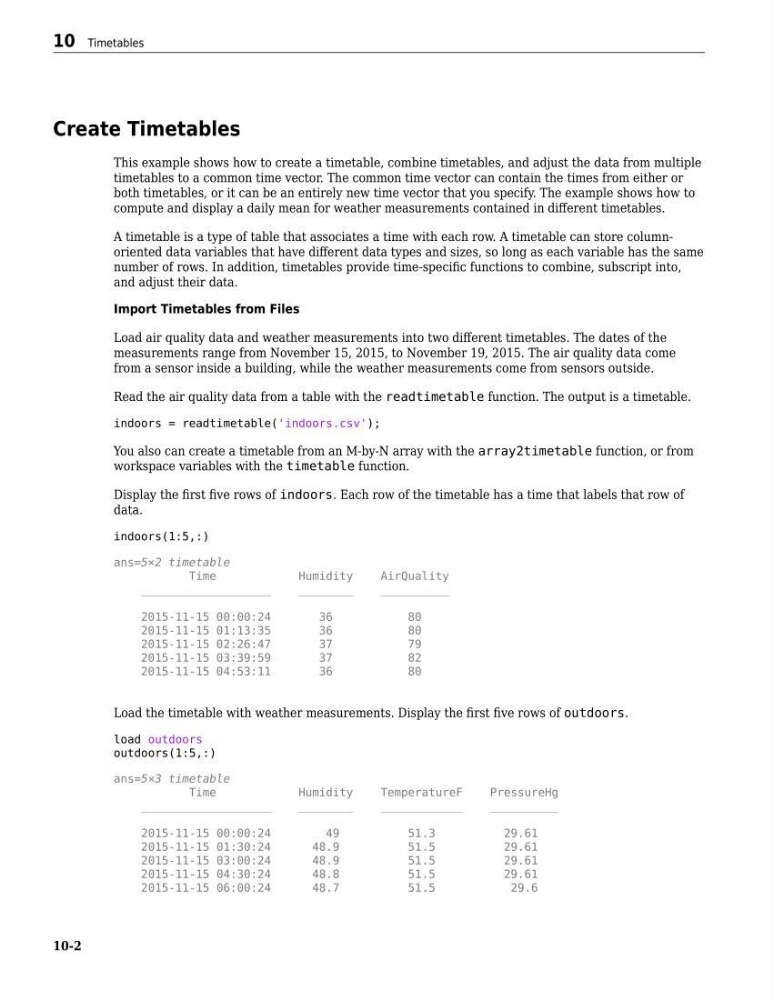
Display the first five rows of indoors. Each row of the timetable has a time that labels that row of
data.
indoors(1:5,:)
ans=5×2 timetable
Time
Humidity
AirQuality
___________________
________
__________
2015-11-15 00:00:24
36
80
2015-11-15 01:13:35
36
80
2015-11-15 02:26:47
37
79
2015-11-15 03:39:59
37
82
2015-11-15 04:53:11
36
80
Load the timetable with weather measurements. Display the first five rows of outdoors.
load outdoors
outdoors(1:5,:)
ans=5×3 timetable
Time
Humidity
TemperatureF
PressureHg
___________________
________
____________
__________
2015-11-15 00:00:24
49
51.3
29.61
2015-11-15 01:30:24
48.9
51.5
29.61
2015-11-15 03:00:24
48.9
51.5
29.61
2015-11-15 04:30:24
48.8
51.5
29.61
2015-11-15 06:00:24
48.7
51.5
29.6
10 Timetables
10-2
This example shows how to create a timetable, combine timetables, and adjust the data from multiple
timetables to a common time vector. The common time vector can contain the times from either or
both timetables, or it can be an entirely new time vector that you specify. The example shows how to
compute and display a daily mean for weather measurements contained in different timetables.
A timetable is a type of table that associates a time with each row. A timetable can store columnoriented data variables that have different data types and sizes, so long as each variable has the same
number of rows. In addition, timetables provide time-specific functions to combine, subscript into,
and adjust their data.
Import Timetables from Files
Load air quality data and weather measurements into two different timetables. The dates of the
measurements range from November 15, 2015, to November 19, 2015. The air quality data come
from a sensor inside a building, while the weather measurements come from sensors outside.
Read the air quality data from a table with the readtimetable function. The output is a timetable.
indoors = readtimetable('indoors.csv');
You also can create a timetable from an M-by-N array with the array2timetable function, or from
workspace variables with the timetable function.
Display the first five rows of indoors. Each row of the timetable has a time that labels that row of
data.
indoors(1:5,:)
ans=5×2 timetable
Time
Humidity
AirQuality
___________________
________
__________
2015-11-15 00:00:24
36
80
2015-11-15 01:13:35
36
80
2015-11-15 02:26:47
37
79
2015-11-15 03:39:59
37
82
2015-11-15 04:53:11
36
80
Load the timetable with weather measurements. Display the first five rows of outdoors.
load outdoors
outdoors(1:5,:)
ans=5×3 timetable
Time
Humidity
TemperatureF
PressureHg
___________________
________
____________
__________
2015-11-15 00:00:24
49
51.3
29.61
2015-11-15 01:30:24
48.9
51.5
29.61
2015-11-15 03:00:24
48.9
51.5
29.61
2015-11-15 04:30:24
48.8
51.5
29.61
2015-11-15 06:00:24
48.7
51.5
29.6
10 Timetables
10-2