

"hourly_42602_1986.csv"
"hourly_42602_1987.csv"
"hourly_42602_1988.csv"
"hourly_42602_1989.csv"
Import data from the spreadsheets into a table. Start by creating an empty table. Then import data
from the spreadsheets, one by one, by using the readtable function and adding it to the table.
Create import options that help specify how readtable imports tabular data. To create import
options based on the contents of the spreadsheets, use the detectImportOptions function. Read
all the text data into table variables that store strings. You can also specify that only specified table
variables have certain data types. To specify that only the TimeGMT and TimeLocal table variables
store times as duration arrays, use the setvaropts function.
NO2data = table;
opts = detectImportOptions(fnames(1),"TextType","string");
opts = setvaropts(opts,["TimeGMT","TimeLocal"],"Type","duration","InputFormat","hh:mm");
Import data from the spreadsheets by using the readtable function. You can vertically concatenate
the tables you read in so that all the data is in one large table.
The spreadsheets have column names, such as "Time GMT", that you cannot use as MATLAB
identifiers. As the warning messages indicate, readtable converts these names into table variable
names that are valid MATLAB identifiers, such as TimeGMT. When a table variable name is also a
valid MATLAB identifier, it is easier to access the variable by using dot notation, as in
NO2data.TimeGMT.
for ii = 1:numel(yrs)
NO2data = [NO2data; readtable(fnames(ii),opts)];
end
Warning: Column headers from the file were modified to make them valid MATLAB identifiers before
Set 'VariableNamingRule' to 'preserve' to use the original column headers as table variable names
Warning: Column headers from the file were modified to make them valid MATLAB identifiers before
Set 'VariableNamingRule' to 'preserve' to use the original column headers as table variable names
Warning: Column headers from the file were modified to make them valid MATLAB identifiers before
Set 'VariableNamingRule' to 'preserve' to use the original column headers as table variable names
Warning: Column headers from the file were modified to make them valid MATLAB identifiers before
Set 'VariableNamingRule' to 'preserve' to use the original column headers as table variable names
Warning: Column headers from the file were modified to make them valid MATLAB identifiers before
Set 'VariableNamingRule' to 'preserve' to use the original column headers as table variable names
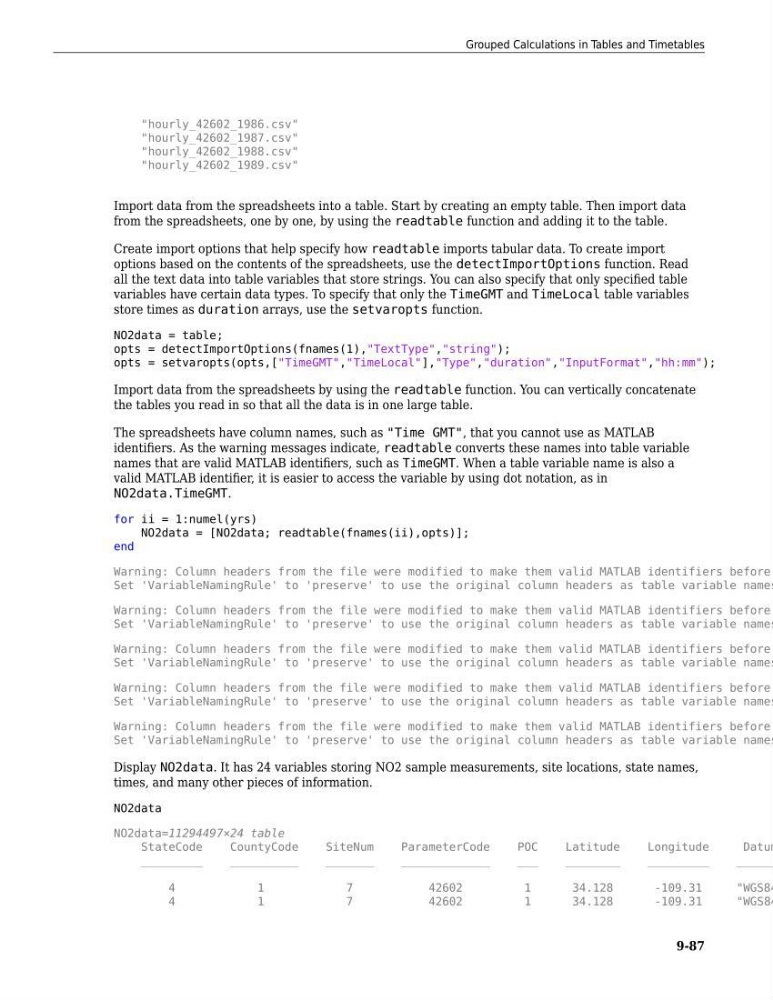
Display NO2data. It has 24 variables storing NO2 sample measurements, site locations, state names,
times, and many other pieces of information.
NO2data
NO2data=11294497×24 table
StateCode
CountyCode
SiteNum
ParameterCode
POC
Latitude
Longitude
Datum
_________
__________
_______
_____________
___
________
_________
______
4
1
7
42602
1
34.128
-109.31
"WGS84
4
1
7
42602
1
34.128
-109.31
"WGS84
Grouped Calculations in Tables and Timetables
9-87
"hourly_42602_1987.csv"
"hourly_42602_1988.csv"
"hourly_42602_1989.csv"
Import data from the spreadsheets into a table. Start by creating an empty table. Then import data
from the spreadsheets, one by one, by using the readtable function and adding it to the table.
Create import options that help specify how readtable imports tabular data. To create import
options based on the contents of the spreadsheets, use the detectImportOptions function. Read
all the text data into table variables that store strings. You can also specify that only specified table
variables have certain data types. To specify that only the TimeGMT and TimeLocal table variables
store times as duration arrays, use the setvaropts function.
NO2data = table;
opts = detectImportOptions(fnames(1),"TextType","string");
opts = setvaropts(opts,["TimeGMT","TimeLocal"],"Type","duration","InputFormat","hh:mm");
Import data from the spreadsheets by using the readtable function. You can vertically concatenate
the tables you read in so that all the data is in one large table.
The spreadsheets have column names, such as "Time GMT", that you cannot use as MATLAB
identifiers. As the warning messages indicate, readtable converts these names into table variable
names that are valid MATLAB identifiers, such as TimeGMT. When a table variable name is also a
valid MATLAB identifier, it is easier to access the variable by using dot notation, as in
NO2data.TimeGMT.
for ii = 1:numel(yrs)
NO2data = [NO2data; readtable(fnames(ii),opts)];
end
Warning: Column headers from the file were modified to make them valid MATLAB identifiers before
Set 'VariableNamingRule' to 'preserve' to use the original column headers as table variable names
Warning: Column headers from the file were modified to make them valid MATLAB identifiers before
Set 'VariableNamingRule' to 'preserve' to use the original column headers as table variable names
Warning: Column headers from the file were modified to make them valid MATLAB identifiers before
Set 'VariableNamingRule' to 'preserve' to use the original column headers as table variable names
Warning: Column headers from the file were modified to make them valid MATLAB identifiers before
Set 'VariableNamingRule' to 'preserve' to use the original column headers as table variable names
Warning: Column headers from the file were modified to make them valid MATLAB identifiers before
Set 'VariableNamingRule' to 'preserve' to use the original column headers as table variable names
Display NO2data. It has 24 variables storing NO2 sample measurements, site locations, state names,
times, and many other pieces of information.
NO2data
NO2data=11294497×24 table
StateCode
CountyCode
SiteNum
ParameterCode
POC
Latitude
Longitude
Datum
_________
__________
_______
_____________
___
________
_________
______
4
1
7
42602
1
34.128
-109.31
"WGS84
4
1
7
42602
1
34.128
-109.31
"WGS84
Grouped Calculations in Tables and Timetables
9-87