

Clean Messy and Missing Data in Tables
This example shows how to find, clean, and delete table rows with missing data.
Load Sample Data
Load sample data from a comma-separated text file, messy.csv. The file contains many different
missing data indicators:
• Empty character vector ('')
• period (.)
• NA
• NaN
• -99
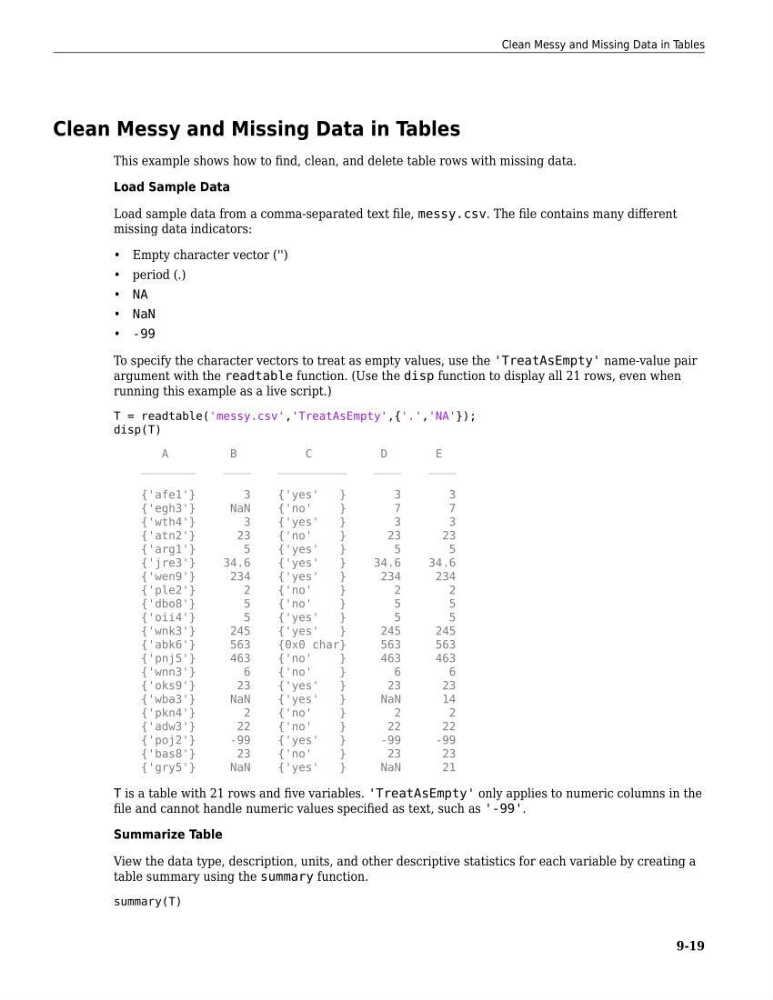
To specify the character vectors to treat as empty values, use the 'TreatAsEmpty' name-value pair
argument with the readtable function. (Use the disp function to display all 21 rows, even when
running this example as a live script.)
T = readtable('messy.csv','TreatAsEmpty',{'.','NA'});
disp(T)
A
B
C
D
E
________
____
__________
____
____
{'afe1'}
3
{'yes'
}
3
3
{'egh3'}
NaN
{'no'
}
7
7
{'wth4'}
3
{'yes'
}
3
3
{'atn2'}
23
{'no'
}
23
23
{'arg1'}
5
{'yes'
}
5
5
{'jre3'}
34.6
{'yes'
}
34.6
34.6
{'wen9'}
234
{'yes'
}
234
234
{'ple2'}
2
{'no'
}
2
2
{'dbo8'}
5
{'no'
}
5
5
{'oii4'}
5
{'yes'
}
5
5
{'wnk3'}
245
{'yes'
}
245
245
{'abk6'}
563
{0x0 char}
563
563
{'pnj5'}
463
{'no'
}
463
463
{'wnn3'}
6
{'no'
}
6
6
{'oks9'}
23
{'yes'
}
23
23
{'wba3'}
NaN
{'yes'
}
NaN
14
{'pkn4'}
2
{'no'
}
2
2
{'adw3'}
22
{'no'
}
22
22
{'poj2'}
-99
{'yes'
}
-99
-99
{'bas8'}
23
{'no'
}
23
23
{'gry5'}
NaN
{'yes'
}
NaN
21
T is a table with 21 rows and five variables. 'TreatAsEmpty' only applies to numeric columns in the
file and cannot handle numeric values specified as text, such as '-99'.
Summarize Table
View the data type, description, units, and other descriptive statistics for each variable by creating a
table summary using the summary function.
summary(T)
Clean Messy and Missing Data in Tables
9-19
This example shows how to find, clean, and delete table rows with missing data.
Load Sample Data
Load sample data from a comma-separated text file, messy.csv. The file contains many different
missing data indicators:
• Empty character vector ('')
• period (.)
• NA
• NaN
• -99
To specify the character vectors to treat as empty values, use the 'TreatAsEmpty' name-value pair
argument with the readtable function. (Use the disp function to display all 21 rows, even when
running this example as a live script.)
T = readtable('messy.csv','TreatAsEmpty',{'.','NA'});
disp(T)
A
B
C
D
E
________
____
__________
____
____
{'afe1'}
3
{'yes'
}
3
3
{'egh3'}
NaN
{'no'
}
7
7
{'wth4'}
3
{'yes'
}
3
3
{'atn2'}
23
{'no'
}
23
23
{'arg1'}
5
{'yes'
}
5
5
{'jre3'}
34.6
{'yes'
}
34.6
34.6
{'wen9'}
234
{'yes'
}
234
234
{'ple2'}
2
{'no'
}
2
2
{'dbo8'}
5
{'no'
}
5
5
{'oii4'}
5
{'yes'
}
5
5
{'wnk3'}
245
{'yes'
}
245
245
{'abk6'}
563
{0x0 char}
563
563
{'pnj5'}
463
{'no'
}
463
463
{'wnn3'}
6
{'no'
}
6
6
{'oks9'}
23
{'yes'
}
23
23
{'wba3'}
NaN
{'yes'
}
NaN
14
{'pkn4'}
2
{'no'
}
2
2
{'adw3'}
22
{'no'
}
22
22
{'poj2'}
-99
{'yes'
}
-99
-99
{'bas8'}
23
{'no'
}
23
23
{'gry5'}
NaN
{'yes'
}
NaN
21
T is a table with 21 rows and five variables. 'TreatAsEmpty' only applies to numeric columns in the
file and cannot handle numeric values specified as text, such as '-99'.
Summarize Table
View the data type, description, units, and other descriptive statistics for each variable by creating a
table summary using the summary function.
summary(T)
Clean Messy and Missing Data in Tables
9-19