

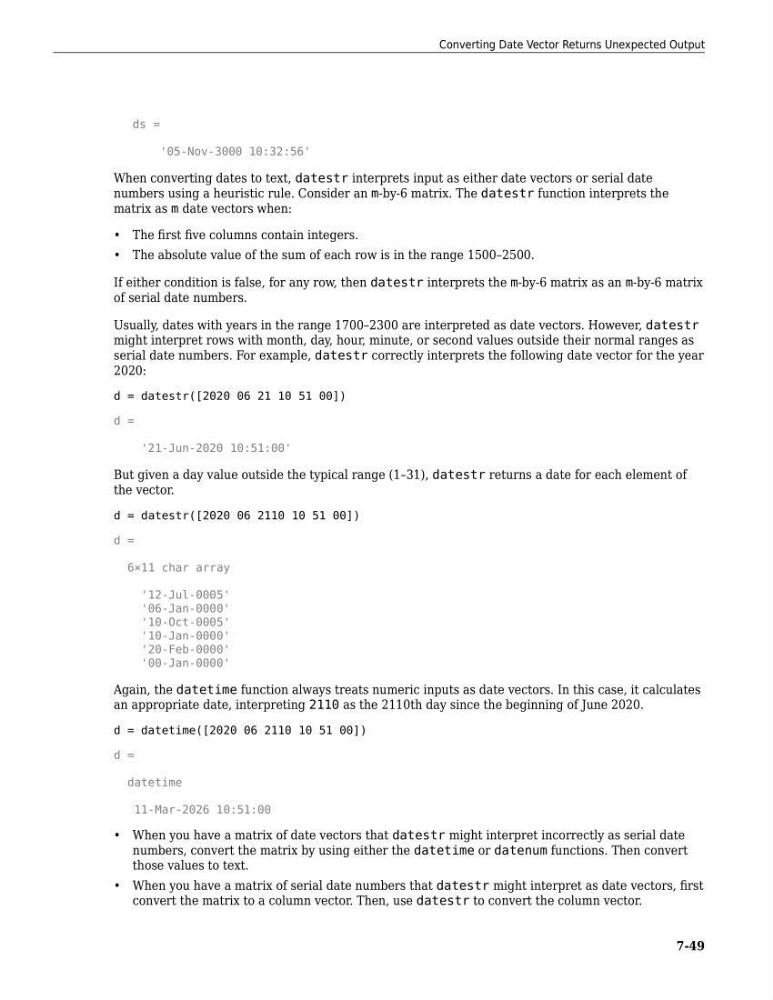
ds =
'05-Nov-3000 10:32:56'
When converting dates to text, datestr interprets input as either date vectors or serial date
numbers using a heuristic rule. Consider an m-by-6 matrix. The datestr function interprets the
matrix as m date vectors when:
• The first five columns contain integers.
• The absolute value of the sum of each row is in the range 1500–2500.
If either condition is false, for any row, then datestr interprets the m-by-6 matrix as an m-by-6 matrix
of serial date numbers.
Usually, dates with years in the range 1700–2300 are interpreted as date vectors. However, datestr
might interpret rows with month, day, hour, minute, or second values outside their normal ranges as
serial date numbers. For example, datestr correctly interprets the following date vector for the year
2020:
d = datestr([2020 06 21 10 51 00])
d =
'21-Jun-2020 10:51:00'
But given a day value outside the typical range (1–31), datestr returns a date for each element of
the vector.
d = datestr([2020 06 2110 10 51 00])
d =
6×11 char array
'12-Jul-0005'
'06-Jan-0000'
'10-Oct-0005'
'10-Jan-0000'
'20-Feb-0000'
'00-Jan-0000'
Again, the datetime function always treats numeric inputs as date vectors. In this case, it calculates
an appropriate date, interpreting 2110 as the 2110th day since the beginning of June 2020.
d = datetime([2020 06 2110 10 51 00])
d =
datetime
11-Mar-2026 10:51:00
• When you have a matrix of date vectors that datestr might interpret incorrectly as serial date
numbers, convert the matrix by using either the datetime or datenum functions. Then convert
those values to text.
• When you have a matrix of serial date numbers that datestr might interpret as date vectors, first
convert the matrix to a column vector. Then, use datestr to convert the column vector.
Converting Date Vector Returns Unexpected Output
7-49
'05-Nov-3000 10:32:56'
When converting dates to text, datestr interprets input as either date vectors or serial date
numbers using a heuristic rule. Consider an m-by-6 matrix. The datestr function interprets the
matrix as m date vectors when:
• The first five columns contain integers.
• The absolute value of the sum of each row is in the range 1500–2500.
If either condition is false, for any row, then datestr interprets the m-by-6 matrix as an m-by-6 matrix
of serial date numbers.
Usually, dates with years in the range 1700–2300 are interpreted as date vectors. However, datestr
might interpret rows with month, day, hour, minute, or second values outside their normal ranges as
serial date numbers. For example, datestr correctly interprets the following date vector for the year
2020:
d = datestr([2020 06 21 10 51 00])
d =
'21-Jun-2020 10:51:00'
But given a day value outside the typical range (1–31), datestr returns a date for each element of
the vector.
d = datestr([2020 06 2110 10 51 00])
d =
6×11 char array
'12-Jul-0005'
'06-Jan-0000'
'10-Oct-0005'
'10-Jan-0000'
'20-Feb-0000'
'00-Jan-0000'
Again, the datetime function always treats numeric inputs as date vectors. In this case, it calculates
an appropriate date, interpreting 2110 as the 2110th day since the beginning of June 2020.
d = datetime([2020 06 2110 10 51 00])
d =
datetime
11-Mar-2026 10:51:00
• When you have a matrix of date vectors that datestr might interpret incorrectly as serial date
numbers, convert the matrix by using either the datetime or datenum functions. Then convert
those values to text.
• When you have a matrix of serial date numbers that datestr might interpret as date vectors, first
convert the matrix to a column vector. Then, use datestr to convert the column vector.
Converting Date Vector Returns Unexpected Output
7-49