

Compare Dates and Time
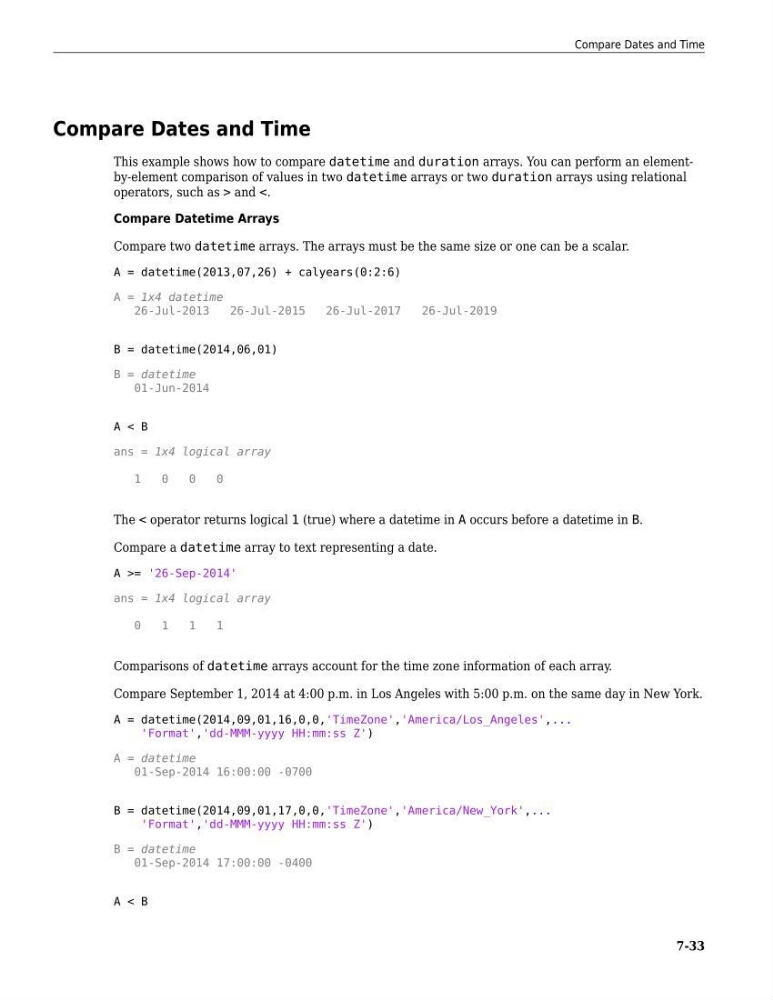
This example shows how to compare datetime and duration arrays. You can perform an elementby-element comparison of values in two datetime arrays or two duration arrays using relational
operators, such as > and <.
Compare Datetime Arrays
Compare two datetime arrays. The arrays must be the same size or one can be a scalar.
A = datetime(2013,07,26) + calyears(0:2:6)
A = 1x4 datetime
26-Jul-2013
26-Jul-2015
26-Jul-2017
26-Jul-2019
B = datetime(2014,06,01)
B = datetime
01-Jun-2014
A < B
ans = 1x4 logical array
1
0
0
0
The < operator returns logical 1 (true) where a datetime in A occurs before a datetime in B.
Compare a datetime array to text representing a date.
A >= '26-Sep-2014'
ans = 1x4 logical array
0
1
1
1
Comparisons of datetime arrays account for the time zone information of each array.
Compare September 1, 2014 at 4:00 p.m. in Los Angeles with 5:00 p.m. on the same day in New York.
A = datetime(2014,09,01,16,0,0,'TimeZone','America/Los_Angeles',...
'Format','dd-MMM-yyyy HH:mm:ss Z')
A = datetime
01-Sep-2014 16:00:00 -0700
B = datetime(2014,09,01,17,0,0,'TimeZone','America/New_York',...
'Format','dd-MMM-yyyy HH:mm:ss Z')
B = datetime
01-Sep-2014 17:00:00 -0400
A < B
Compare Dates and Time
7-33
This example shows how to compare datetime and duration arrays. You can perform an elementby-element comparison of values in two datetime arrays or two duration arrays using relational
operators, such as > and <.
Compare Datetime Arrays
Compare two datetime arrays. The arrays must be the same size or one can be a scalar.
A = datetime(2013,07,26) + calyears(0:2:6)
A = 1x4 datetime
26-Jul-2013
26-Jul-2015
26-Jul-2017
26-Jul-2019
B = datetime(2014,06,01)
B = datetime
01-Jun-2014
A < B
ans = 1x4 logical array
1
0
0
0
The < operator returns logical 1 (true) where a datetime in A occurs before a datetime in B.
Compare a datetime array to text representing a date.
A >= '26-Sep-2014'
ans = 1x4 logical array
0
1
1
1
Comparisons of datetime arrays account for the time zone information of each array.
Compare September 1, 2014 at 4:00 p.m. in Los Angeles with 5:00 p.m. on the same day in New York.
A = datetime(2014,09,01,16,0,0,'TimeZone','America/Los_Angeles',...
'Format','dd-MMM-yyyy HH:mm:ss Z')
A = datetime
01-Sep-2014 16:00:00 -0700
B = datetime(2014,09,01,17,0,0,'TimeZone','America/New_York',...
'Format','dd-MMM-yyyy HH:mm:ss Z')
B = datetime
01-Sep-2014 17:00:00 -0400
A < B
Compare Dates and Time
7-33