

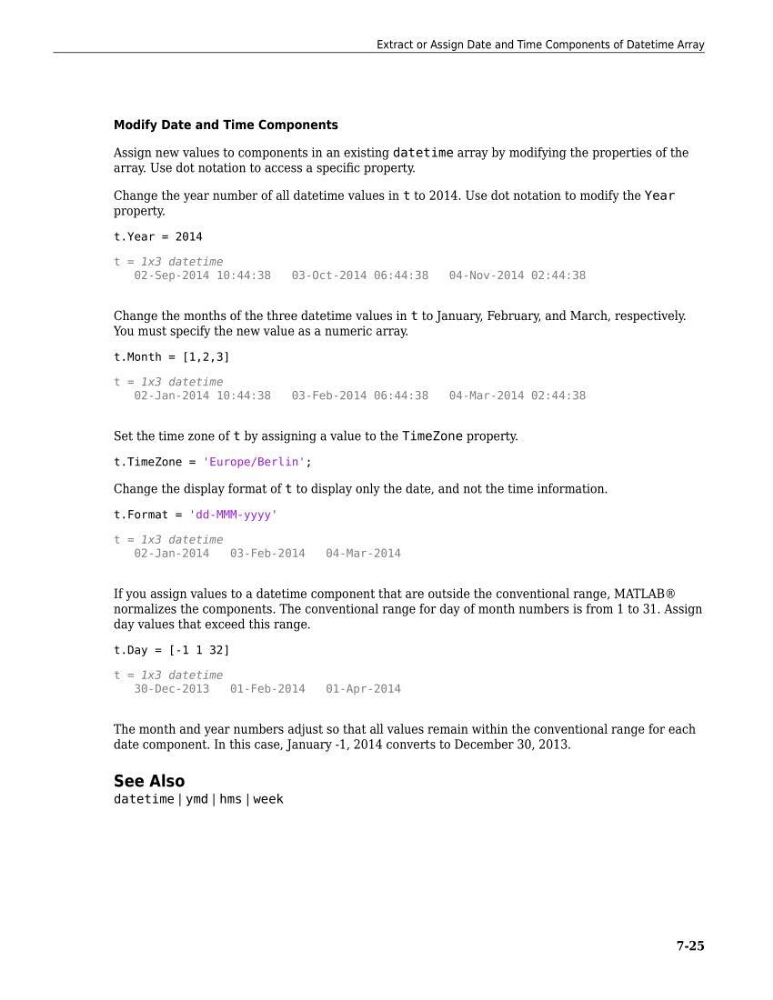
Modify Date and Time Components
Assign new values to components in an existing datetime array by modifying the properties of the
array. Use dot notation to access a specific property.
Change the year number of all datetime values in t to 2014. Use dot notation to modify the Year
property.
t.Year = 2014
t = 1x3 datetime
02-Sep-2014 10:44:38
03-Oct-2014 06:44:38
04-Nov-2014 02:44:38
Change the months of the three datetime values in t to January, February, and March, respectively.
You must specify the new value as a numeric array.
t.Month = [1,2,3]
t = 1x3 datetime
02-Jan-2014 10:44:38
03-Feb-2014 06:44:38
04-Mar-2014 02:44:38
Set the time zone of t by assigning a value to the TimeZone property.
t.TimeZone = 'Europe/Berlin';
Change the display format of t to display only the date, and not the time information.
t.Format = 'dd-MMM-yyyy'
t = 1x3 datetime
02-Jan-2014
03-Feb-2014
04-Mar-2014
If you assign values to a datetime component that are outside the conventional range, MATLAB®
normalizes the components. The conventional range for day of month numbers is from 1 to 31. Assign
day values that exceed this range.
t.Day = [-1 1 32]
t = 1x3 datetime
30-Dec-2013
01-Feb-2014
01-Apr-2014
The month and year numbers adjust so that all values remain within the conventional range for each
date component. In this case, January -1, 2014 converts to December 30, 2013.
See Also
datetime | ymd | hms | week
Extract or Assign Date and Time Components of Datetime Array
7-25
Assign new values to components in an existing datetime array by modifying the properties of the
array. Use dot notation to access a specific property.
Change the year number of all datetime values in t to 2014. Use dot notation to modify the Year
property.
t.Year = 2014
t = 1x3 datetime
02-Sep-2014 10:44:38
03-Oct-2014 06:44:38
04-Nov-2014 02:44:38
Change the months of the three datetime values in t to January, February, and March, respectively.
You must specify the new value as a numeric array.
t.Month = [1,2,3]
t = 1x3 datetime
02-Jan-2014 10:44:38
03-Feb-2014 06:44:38
04-Mar-2014 02:44:38
Set the time zone of t by assigning a value to the TimeZone property.
t.TimeZone = 'Europe/Berlin';
Change the display format of t to display only the date, and not the time information.
t.Format = 'dd-MMM-yyyy'
t = 1x3 datetime
02-Jan-2014
03-Feb-2014
04-Mar-2014
If you assign values to a datetime component that are outside the conventional range, MATLAB®
normalizes the components. The conventional range for day of month numbers is from 1 to 31. Assign
day values that exceed this range.
t.Day = [-1 1 32]
t = 1x3 datetime
30-Dec-2013
01-Feb-2014
01-Apr-2014
The month and year numbers adjust so that all values remain within the conventional range for each
date component. In this case, January -1, 2014 converts to December 30, 2013.
See Also
datetime | ymd | hms | week
Extract or Assign Date and Time Components of Datetime Array
7-25