

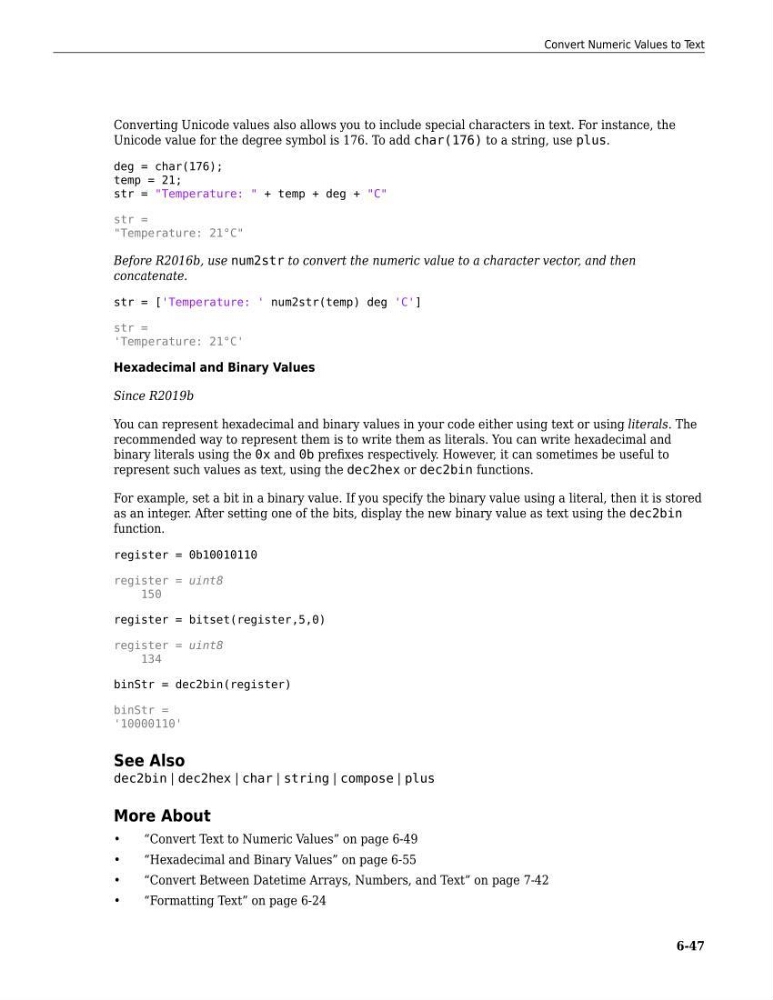
Converting Unicode values also allows you to include special characters in text. For instance, the
Unicode value for the degree symbol is 176. To add char(176) to a string, use plus.
deg = char(176);
temp = 21;
str = "Temperature: " + temp + deg + "C"
str =
"Temperature: 21°C"
Before R2016b, use num2str to convert the numeric value to a character vector, and then
concatenate.
str = ['Temperature: ' num2str(temp) deg 'C']
str =
'Temperature: 21°C'
Hexadecimal and Binary Values
Since R2019b
You can represent hexadecimal and binary values in your code either using text or using literals. The
recommended way to represent them is to write them as literals. You can write hexadecimal and
binary literals using the 0x and 0b prefixes respectively. However, it can sometimes be useful to
represent such values as text, using the dec2hex or dec2bin functions.
For example, set a bit in a binary value. If you specify the binary value using a literal, then it is stored
as an integer. After setting one of the bits, display the new binary value as text using the dec2bin
function.
register = 0b10010110
register = uint8
150
register = bitset(register,5,0)
register = uint8
134
binStr = dec2bin(register)
binStr =
'10000110'
See Also
dec2bin | dec2hex | char | string | compose | plus
More About
•
“Convert Text to Numeric Values” on page 6-49
•
“Hexadecimal and Binary Values” on page 6-55
•
“Convert Between Datetime Arrays, Numbers, and Text” on page 7-42
•
“Formatting Text” on page 6-24
Convert Numeric Values to Text
6-47
Unicode value for the degree symbol is 176. To add char(176) to a string, use plus.
deg = char(176);
temp = 21;
str = "Temperature: " + temp + deg + "C"
str =
"Temperature: 21°C"
Before R2016b, use num2str to convert the numeric value to a character vector, and then
concatenate.
str = ['Temperature: ' num2str(temp) deg 'C']
str =
'Temperature: 21°C'
Hexadecimal and Binary Values
Since R2019b
You can represent hexadecimal and binary values in your code either using text or using literals. The
recommended way to represent them is to write them as literals. You can write hexadecimal and
binary literals using the 0x and 0b prefixes respectively. However, it can sometimes be useful to
represent such values as text, using the dec2hex or dec2bin functions.
For example, set a bit in a binary value. If you specify the binary value using a literal, then it is stored
as an integer. After setting one of the bits, display the new binary value as text using the dec2bin
function.
register = 0b10010110
register = uint8
150
register = bitset(register,5,0)
register = uint8
134
binStr = dec2bin(register)
binStr =
'10000110'
See Also
dec2bin | dec2hex | char | string | compose | plus
More About
•
“Convert Text to Numeric Values” on page 6-49
•
“Hexadecimal and Binary Values” on page 6-55
•
“Convert Between Datetime Arrays, Numbers, and Text” on page 7-42
•
“Formatting Text” on page 6-24
Convert Numeric Values to Text
6-47