

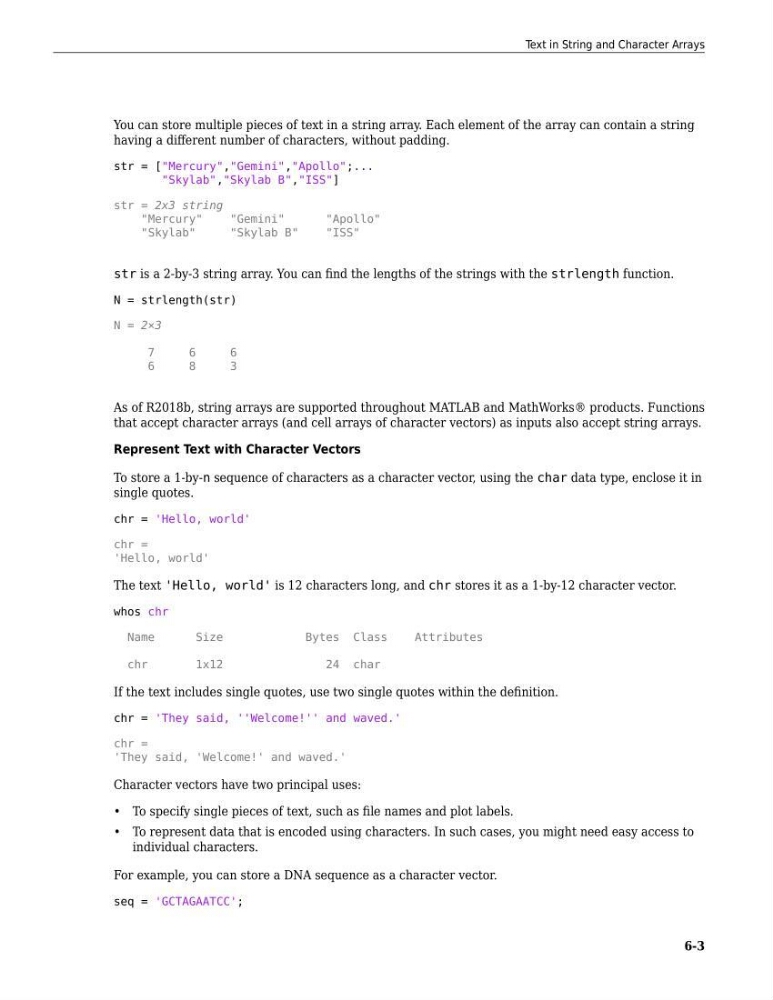
You can store multiple pieces of text in a string array. Each element of the array can contain a string
having a different number of characters, without padding.
str = ["Mercury","Gemini","Apollo";...
"Skylab","Skylab B","ISS"]
str = 2x3 string
"Mercury"
"Gemini"
"Apollo"
"Skylab"
"Skylab B"
"ISS"
str is a 2-by-3 string array. You can find the lengths of the strings with the strlength function.
N = strlength(str)
N = 2×3
7
6
6
6
8
3
As of R2018b, string arrays are supported throughout MATLAB and MathWorks® products. Functions
that accept character arrays (and cell arrays of character vectors) as inputs also accept string arrays.
Represent Text with Character Vectors
To store a 1-by-n sequence of characters as a character vector, using the char data type, enclose it in
single quotes.
chr = 'Hello, world'
chr =
'Hello, world'
The text 'Hello, world' is 12 characters long, and chr stores it as a 1-by-12 character vector.
whos chr
Name
Size
Bytes Class
Attributes
chr
1x12
24 char
If the text includes single quotes, use two single quotes within the definition.
chr = 'They said, ''Welcome!'' and waved.'
chr =
'They said, 'Welcome!' and waved.'
Character vectors have two principal uses:
• To specify single pieces of text, such as file names and plot labels.
• To represent data that is encoded using characters. In such cases, you might need easy access to
individual characters.
For example, you can store a DNA sequence as a character vector.
seq = 'GCTAGAATCC';
Text in String and Character Arrays
6-3
having a different number of characters, without padding.
str = ["Mercury","Gemini","Apollo";...
"Skylab","Skylab B","ISS"]
str = 2x3 string
"Mercury"
"Gemini"
"Apollo"
"Skylab"
"Skylab B"
"ISS"
str is a 2-by-3 string array. You can find the lengths of the strings with the strlength function.
N = strlength(str)
N = 2×3
7
6
6
6
8
3
As of R2018b, string arrays are supported throughout MATLAB and MathWorks® products. Functions
that accept character arrays (and cell arrays of character vectors) as inputs also accept string arrays.
Represent Text with Character Vectors
To store a 1-by-n sequence of characters as a character vector, using the char data type, enclose it in
single quotes.
chr = 'Hello, world'
chr =
'Hello, world'
The text 'Hello, world' is 12 characters long, and chr stores it as a 1-by-12 character vector.
whos chr
Name
Size
Bytes Class
Attributes
chr
1x12
24 char
If the text includes single quotes, use two single quotes within the definition.
chr = 'They said, ''Welcome!'' and waved.'
chr =
'They said, 'Welcome!' and waved.'
Character vectors have two principal uses:
• To specify single pieces of text, such as file names and plot labels.
• To represent data that is encoded using characters. In such cases, you might need easy access to
individual characters.
For example, you can store a DNA sequence as a character vector.
seq = 'GCTAGAATCC';
Text in String and Character Arrays
6-3