

Quantifier
Number of Times Expression Occurs
Example
expr+
1 or more times consecutively.
' ' matches an
![]() HTML tag when the file name contains
HTML tag when the file name contains
one or more characters.
expr{m,n}
At least m times, but no more than n times
consecutively.
{0,1} is equivalent to ?.
'\S{4,8}' matches between four and eight
non-white-space characters.
expr{m,}
At least m times consecutively.
{0,} and {1,} are equivalent to * and +,
respectively.
'' matches an
HTML tag when the file name contains one
or more characters.
expr{n}
Exactly n times consecutively.
Equivalent to {n,n}.
'\d{4}' matches four consecutive digits.
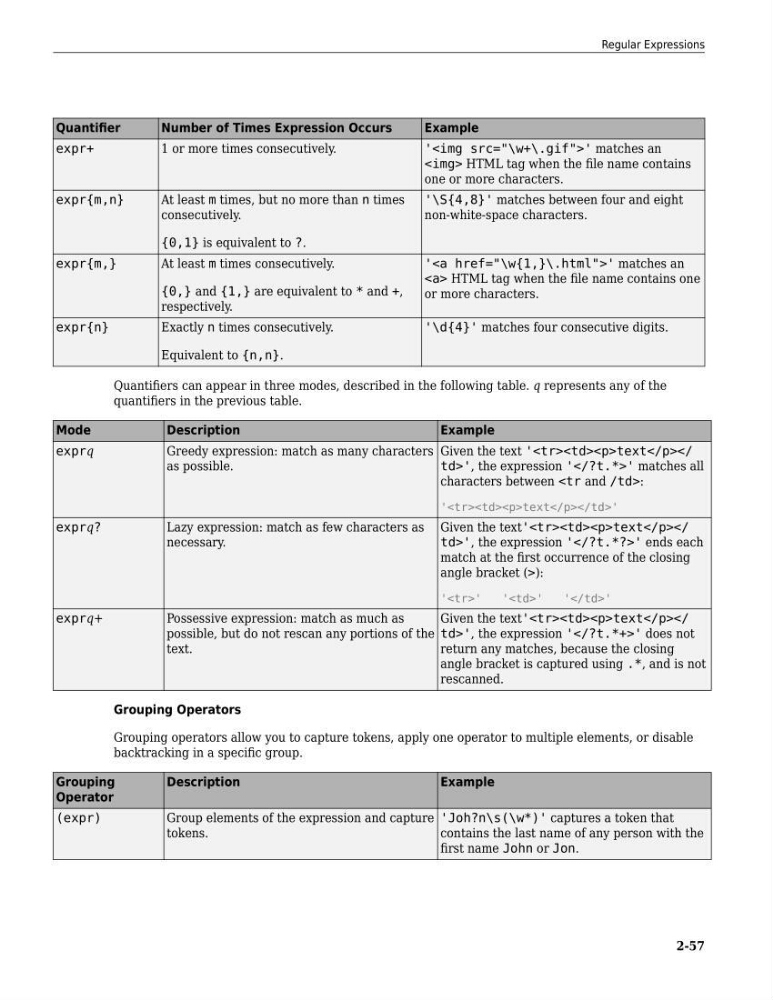
Quantifiers can appear in three modes, described in the following table. q represents any of the
quantifiers in the previous table.
Mode
Description
Example
exprq
Greedy expression: match as many characters
as possible.
Given the text '
characters between:
'
exprq?
Lazy expression: match as few characters as
necessary.
Given the text'
match at the first occurrence of the closing
angle bracket (>):
''
''
' '
exprq+
Possessive expression: match as much as
possible, but do not rescan any portions of the
text.
Given the text'
return any matches, because the closing
angle bracket is captured using .*, and is not
rescanned.
Grouping Operators
Grouping operators allow you to capture tokens, apply one operator to multiple elements, or disable
backtracking in a specific group.
Grouping
Operator
Description
Example
(expr)
Group elements of the expression and capture
tokens.
'Joh?n\s(\w*)' captures a token that
contains the last name of any person with the
first name John or Jon.
Regular Expressions
2-57
Number of Times Expression Occurs
Example
expr+
1 or more times consecutively.
'
' matches anone or more characters.
expr{m,n}
At least m times, but no more than n times
consecutively.
{0,1} is equivalent to ?.
'\S{4,8}' matches between four and eight
non-white-space characters.
expr{m,}
At least m times consecutively.
{0,} and {1,} are equivalent to * and +,
respectively.
'' matches an
HTML tag when the file name contains one
or more characters.
expr{n}
Exactly n times consecutively.
Equivalent to {n,n}.
'\d{4}' matches four consecutive digits.
Quantifiers can appear in three modes, described in the following table. q represents any of the
quantifiers in the previous table.
Mode
Description
Example
exprq
Greedy expression: match as many characters
as possible.
Given the text '
text
td>', the expression '' matches allcharacters between
'
text
exprq?
Lazy expression: match as few characters as
necessary.
Given the text'
text
td>', the expression '' ends eachmatch at the first occurrence of the closing
angle bracket (>):
'
'
'
exprq+
Possessive expression: match as much as
possible, but do not rescan any portions of the
text.
Given the text'
text
td>', the expression '' does notreturn any matches, because the closing
angle bracket is captured using .*, and is not
rescanned.
Grouping Operators
Grouping operators allow you to capture tokens, apply one operator to multiple elements, or disable
backtracking in a specific group.
Grouping
Operator
Description
Example
(expr)
Group elements of the expression and capture
tokens.
'Joh?n\s(\w*)' captures a token that
contains the last name of any person with the
first name John or Jon.
Regular Expressions
2-57